
Home
Services
About us
Blog
Contacts
Smart Thermostat Honeywell: Full Lineup Review, Intelligence Layer Explained, and What Custom IoT Apps Can Add
Honeywell has been making thermostats since 1953. That history matters not because it is a marketing point, but because it produced something unusual: a company that managed to survive the transition from bimetallic thermostats to networked, sensor-driven climate systems without losing market relevance. Today the Honeywell Home brand — managed by Resideo Technologies under a long-term license from Honeywell International — holds one of the top positions in a global smart thermostat market that Grand View Research valued at $4.99 billion in 2024, projecting growth to $13.35 billion by 2030 at an 18.5% CAGR.
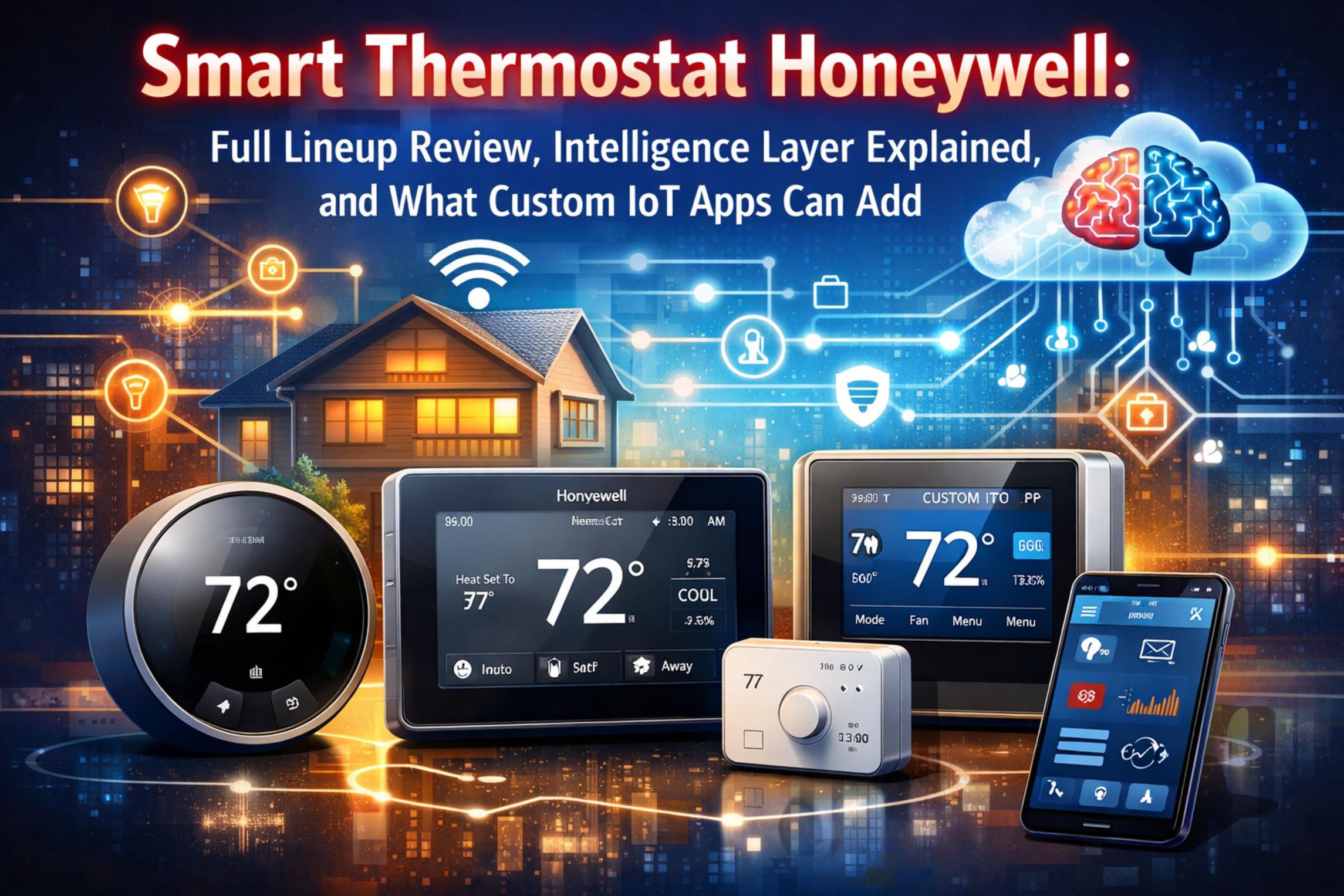
Understanding what the Honeywell thermostat lineup actually does — and where it falls short — requires looking past the marketing summary on the box and examining how the intelligence layer inside each device actually works, what data it collects, and what the companion mobile application can and cannot do with that data. That is what this article covers.
The Market Context: Why Smart Thermostat Adoption Is Accelerating
The timing of Honeywell Home's product moves is not accidental. North America held a 38.6% share of the global smart thermostat market in 2024, according to Mordor Intelligence, and the residential segment accounted for 71.2% of total revenue that year. Meanwhile, IMARC Group notes that smart thermostats can cut heating and cooling costs by 10 to 30 percent — a figure that has become significantly more persuasive as energy prices have risen across North America and Europe.
Retrofit installations — replacing an existing thermostat without touching the HVAC system itself — captured 57.8% of the 2024 market, per Mordor Intelligence. That explains why every recent Honeywell Home product emphasizes quick DIY installation. The addressable market is the 120 million-plus owner-occupied U.S. homes, most of which still run on programmable or manual thermostats that are eligible for direct replacement.
The connectivity layer has also shifted. Wi-Fi-enabled thermostats led the 2024 market with over 66% global revenue share, per Grand View Research, while the Thread 1.4 specification — released by the Thread Group in September 2024 — introduced credential sharing that simplifies multi-device onboarding. This is the protocol layer underneath Matter, the interoperability standard that Honeywell Home adopted in its newest flagship model, and it signals that the thermostat is becoming a node in a broader home automation network rather than a standalone device.
Honeywell Home Lineup Overview: From Entry-Level to Pro
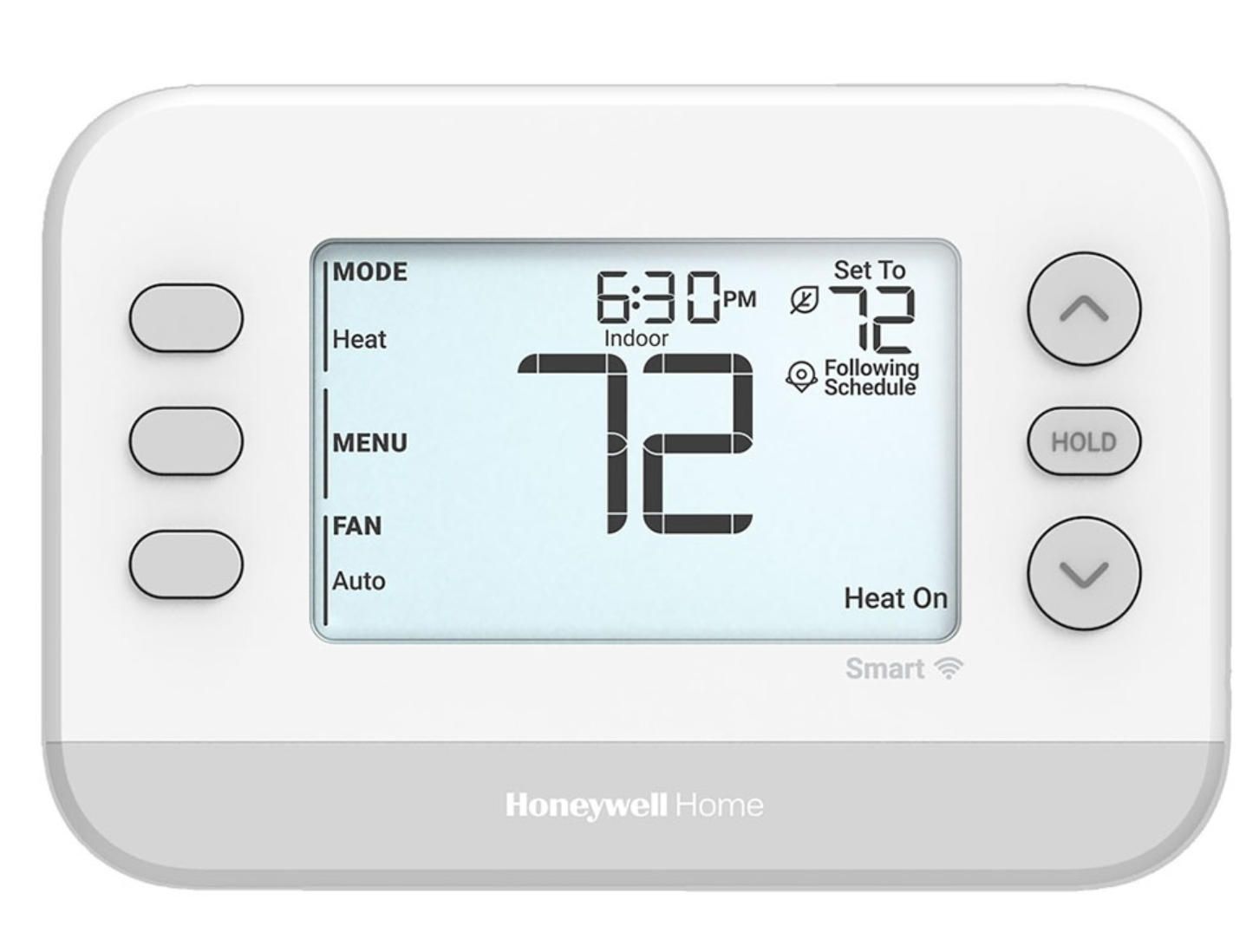
The Honeywell Home brand currently sells across four meaningful tiers, each targeting a different combination of price sensitivity, technical capability, and HVAC complexity.
X2S Smart Thermostat (RTH2CWF) — Entry, $79.99
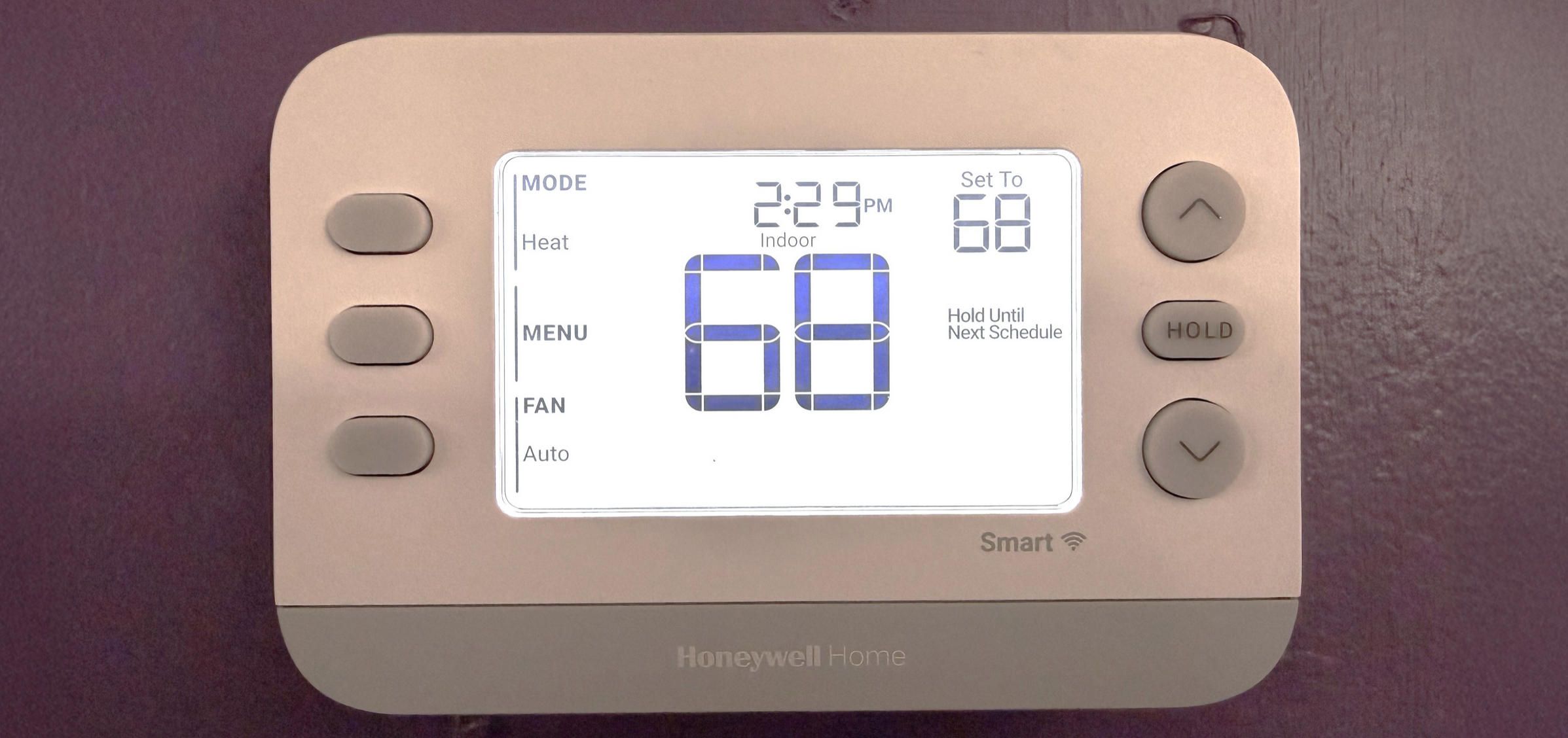
Announced at CES 2025 and available in U.S. and Canadian retail stores from spring 2025, the X2S is the most significant entry-level release the brand has made in years. It is Matter-certified, ENERGY STAR certified, and priced below $80. It requires a C-wire (24 VAC) and supports Wi-Fi on both 2.4 GHz and 5 GHz bands. Scheduling options cover 5-1-1 day, 5-2 day, 7-day, or 1-week increments, plus a non-programmable mode. The device integrates with Amazon Alexa, Google Assistant, and Apple HomeKit natively via Matter, and is managed through Resideo's First Alert app.
The X2S also monitors indoor humidity and sends filter-change reminders, which were previously mid-range features. It does not support room sensors, making it a single-zone solution. Compatible HVAC configurations include up to 2 heat/2 cool conventional or 2 heat/1 cool heat pump with electric backup. It does not work with electric baseboard heating (120–240V systems).
RTH9585WF Wi-Fi Smart Color Thermostat — Mid-Range, ~$180
The RTH9585WF remains one of the brand's best-selling models. It offers a color touchscreen, 7-day programmable scheduling, ENERGY STAR certification, and remote access via the Honeywell Total Connect Comfort app. The device learns heating and cooling run times to reduce the gap between scheduled temperature and actual achieved temperature — a form of predictive recovery that prevents the common frustration of arriving home to a cold house. Filter-change and humidifier pad maintenance alerts are included.
What the RTH9585WF lacks is occupancy sensing and room-level control. Temperature decisions are based entirely on the thermostat's own sensor reading at the wall. In homes with significant room-to-room temperature variation — which is most multi-story or large-footprint homes — this creates a persistent comfort problem that scheduling alone cannot fully solve.
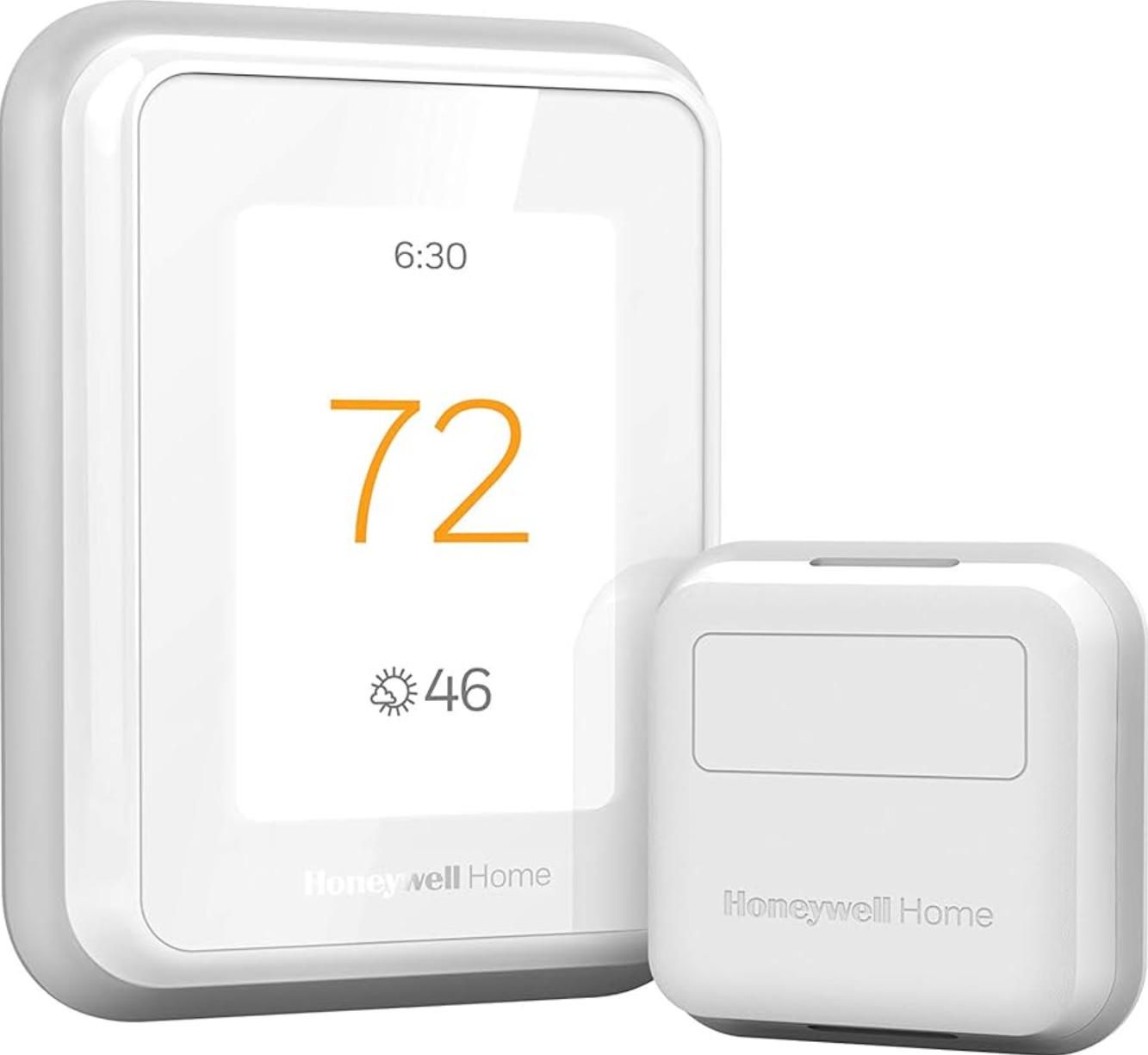
T9 Smart Thermostat (RCHT9510WFW) — Upper Mid-Range, ~$180–$250
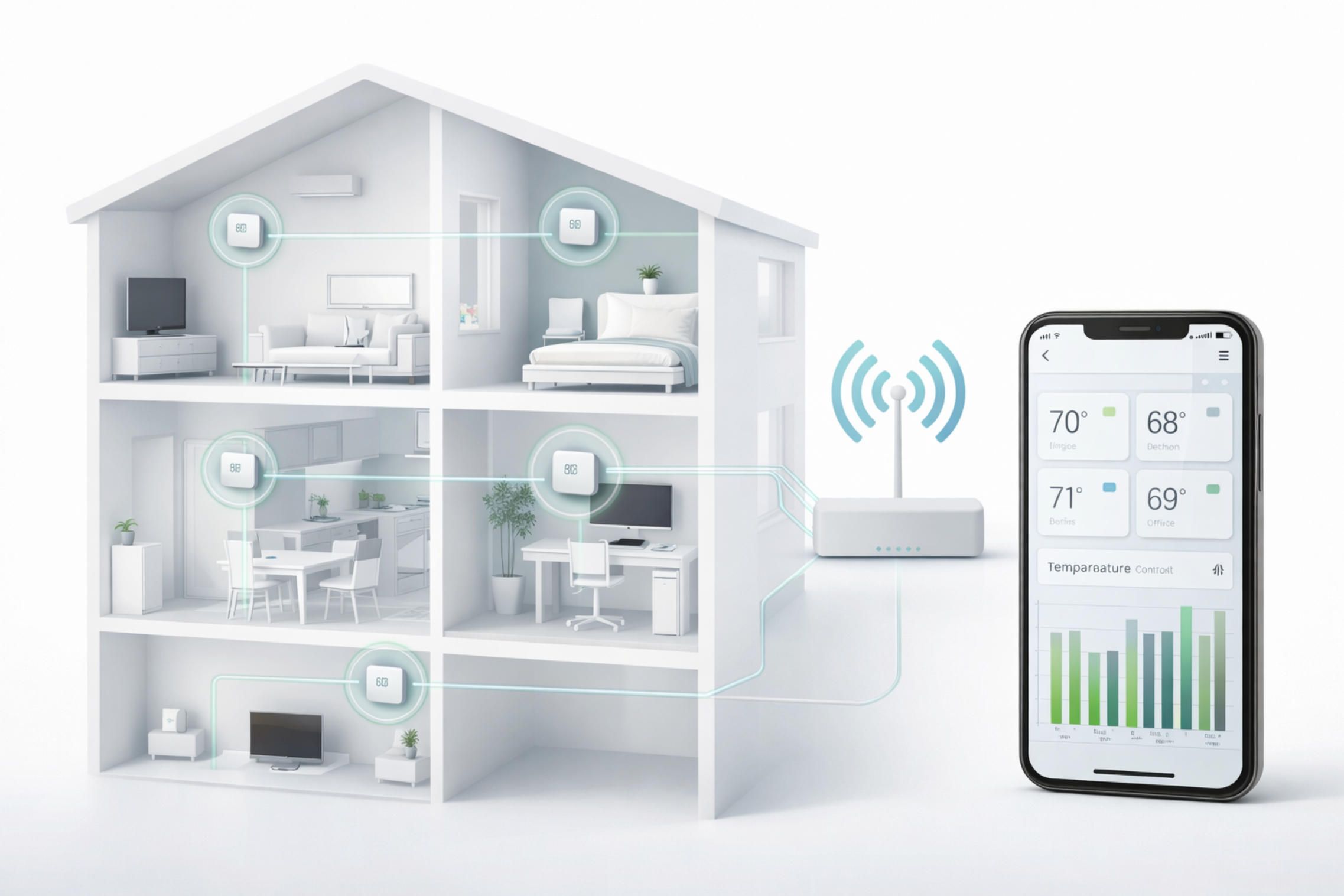
The T9 is where the Honeywell Home lineup begins to function as a genuine multi-sensor system. It supports Smart Room Sensors (sold separately) that communicate via Bluetooth mesh, reaching up to 200 feet from the thermostat. Each sensor reports temperature and humidity for its location. The T9 can focus heating or cooling on specific rooms based on a schedule or on detected occupancy, and when multiple rooms are active, it calculates an averaged target across the selected zones.
Smart Response technology adjusts when the HVAC system activates based on learned run times, so the home reaches the desired temperature at the scheduled time rather than when the schedule triggers. Geofencing via the Resideo app detects when all household members have left the geofenced area and adjusts to an energy-saving mode, then begins preparation for the return based on typical travel time. The T9 does not control ventilation, humidification, or dehumidification independently — those functions remain with the HVAC system.
Installation takes 20–30 minutes with the included C-wire adapter. Warranty is 24 months across all current Honeywell Home models.
T10 Pro Smart Thermostat (THX321WF) — Professional/HVAC-Integrated
The T10 Pro represents the ceiling of the Honeywell Home residential product line. Like the T9, it works with Smart Room Sensors for multi-room temperature and humidity monitoring. The meaningful differentiator is that the T10 Pro actively controls ventilation, humidification, and dehumidification outputs — meaning it can communicate with a connected whole-home humidifier or ventilation damper rather than simply running or stopping the main HVAC unit.
The T10 Pro also comes in a builder model (THX321WF2003W) designed for integration during new construction, where it ships without the C-wire adapter. Installation is somewhat more involved — typically 30–45 minutes — and many buyers opt for professional installation, a preference shared by nearly half of smart thermostat purchasers according to Resideo's own December 2024 survey. The T10 Pro is generally sold through professional HVAC channels and home improvement retailers at a premium over the T9.
The Intelligence Layer: How Honeywell Home Thermostats Actually Make Decisions
This is where the meaningful technical differences between thermostat models live, and where most review articles spend too little time. Each feature described below is not a checkbox — it is an algorithm with specific inputs, logic, and real consequences for comfort and energy consumption.
Smart Response (Adaptive Intelligent Recovery)
Smart Response appears in the T9, T10 Pro, and RTH9585WF. The basic problem it solves is this: a schedule-based thermostat starts the HVAC system at the scheduled time, but the home does not reach the target temperature until some time later — how much later depends on outdoor temperature, insulation, HVAC capacity, and humidity. Smart Response addresses this by logging how long each temperature transition actually takes under different conditions, then working backward from the schedule target to determine when the HVAC system needs to activate. After a period of learning — typically one to two weeks — it narrows the gap between scheduled arrival temperature and actual arrival temperature to a few degrees rather than ten or fifteen.
The limitation is that Smart Response learns at the thermostat-sensor level. It does not distinguish between a room running cold because of an external wall facing north versus a room running cold because a window is open. That context remains invisible to the thermostat.
Geofencing
Geofencing on Honeywell Home devices is handled at the application layer, not by the thermostat itself. The Resideo or First Alert app runs on each household member's smartphone, tracking whether their device is within a defined geographic boundary — typically a radius around the home address. When all registered members exit the zone, the app pushes an instruction to the thermostat to enter an energy-saving setback mode. When any member approaches, it pushes the opposite instruction, triggering Smart Response to begin recovery.
The practical weakness here is dependency on consistent app connectivity. If a household member's phone has poor location accuracy, or if the app is suspended by the mobile OS for battery management, geofencing triggers can be delayed or missed. This is not a Honeywell-specific problem — it is a structural limitation of geofencing implemented via smartphone rather than via dedicated presence sensors at the property boundary.
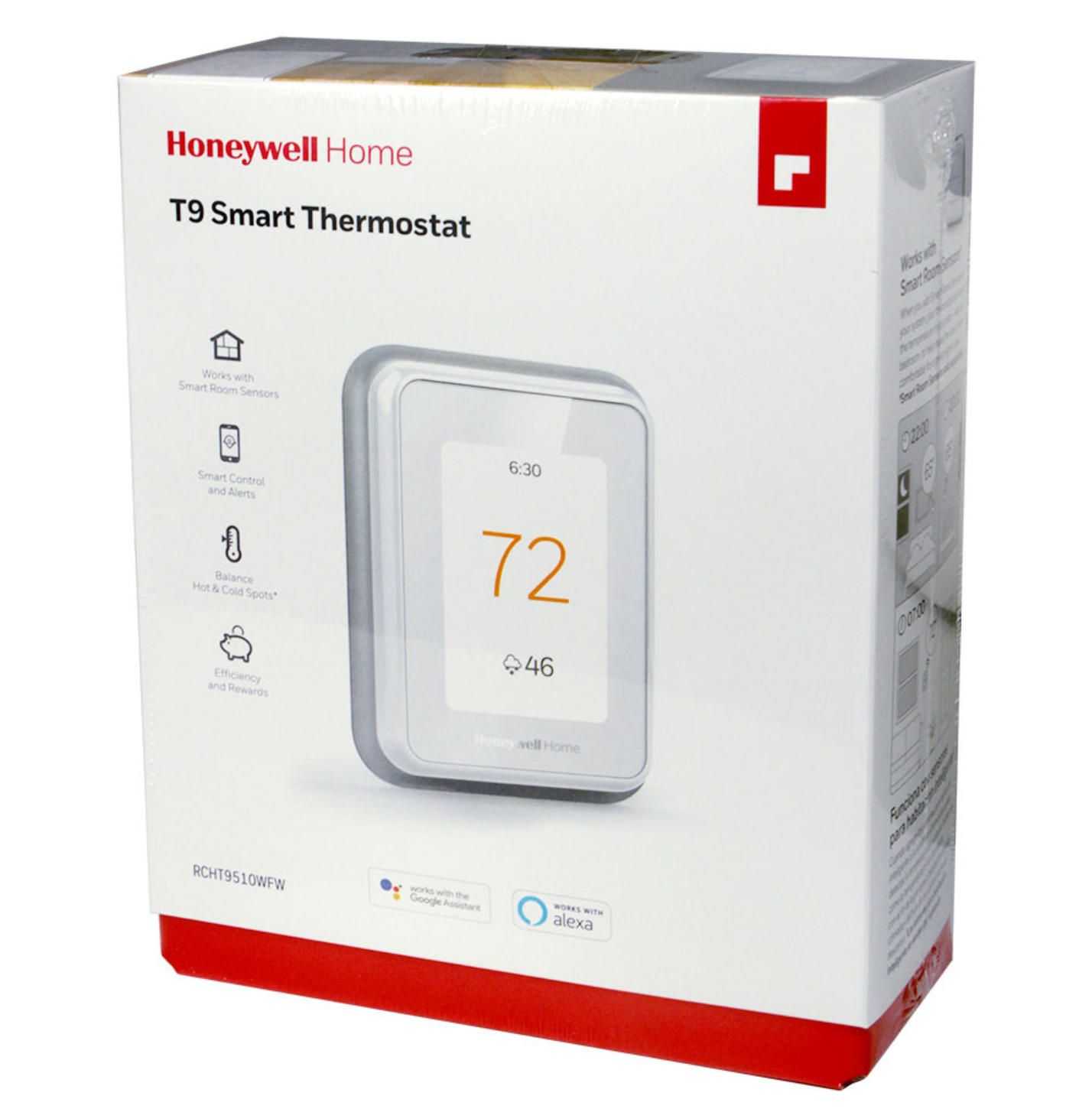
Smart Room Sensor Integration (T9 and T10 Pro)
The Smart Room Sensors for T9 and T10 are small Bluetooth devices that report temperature and humidity at their placement location. The T9 can accept up to 20 sensors, each reaching up to 200 feet from the thermostat. This matters in sprawling single-story homes where the thermostat might be located in a central hallway that behaves differently from the bedroom wing or the kitchen.
When multiple sensors are active, the T9 applies one of three prioritization modes: schedule-based (focus on specific rooms at specific times, regardless of occupancy), occupancy-based (focus on whichever room currently has a person in it, detected via passive infrared motion sensing in each sensor), or averaged (balance temperature across all selected rooms simultaneously). The occupancy mode uses motion state, not a continuous real-time feed — a sensor that has not detected motion within a configurable window assumes the room is empty. This produces the expected edge cases: a person sitting still reading a book may eventually be treated as absent.
Humidity data from the sensors is displayed in the app and on the thermostat interface but does not currently drive automatic corrective action at the HVAC level — unless the T10 Pro is connected to a humidifier or dehumidifier output. On the T9, humidity is informational only.
Auto-Away and Schedule Override
Auto-away activates when the thermostat has not detected any occupancy signals — neither geofencing triggers nor sensor motion — for an extended period. It applies a setback temperature to reduce HVAC run time. This feature is present across multiple models at different levels of sophistication.
Schedule override allows the user to manually set a different temperature outside the programmed schedule, with the option to hold that setting until the next scheduled transition or indefinitely. The intelligence question is what happens when a user repeatedly overrides the same schedule slot: on basic models, nothing. On models with Smart Response, repeated overrides inform the learning algorithm. None of the current Honeywell Home residential models automatically rewrite the schedule based on override patterns — a gap that competitors like Nest addressed with their learning thermostat architecture.
Energy Reports and Utility Integration
The Resideo app provides a runtime report showing how many hours per day the heating or cooling system ran over the past several weeks. This is not predictive modeling — it is a backward-looking log of HVAC activity. The interpretation is left to the user: if runtime appears higher than expected, the user must identify whether that is caused by weather, schedule settings, HVAC efficiency, or envelope loss.
Utility demand response integration is available in markets where participating utilities have set up connections through the Resideo platform. Enrolled users can receive credit for allowing the utility to temporarily adjust their thermostat setpoint during peak demand periods. The X2S specifically mentions this program enrollment in its feature set, which is a meaningful addition at the $79.99 price point. According to Resideo's December 2024 analysis based on a sample of 6,000+ U.S. Honeywell Home ENERGY STAR thermostat users, those who adopted a scheduling routine with the recommended setpoints saved an average of 22% on heating and 17% on cooling.
Indoor Air Quality Monitoring (X2S)
The X2S introduced indoor air quality awareness as an entry-level feature — specifically humidity monitoring and filter-change alerts derived from estimated runtime hours. This is not particulate or VOC sensing; it is inferential IAQ monitoring based on known variables. The X2S does not include a dedicated IAQ sensor. More advanced IAQ integration (CO2, PM2.5, VOC) exists in the HVAC professional segment but has not yet appeared in Honeywell Home's retail thermostat lineup.
Matter Protocol and Ecosystem Interoperability
The X2S is the first Honeywell Home thermostat to ship with Matter certification from launch. Matter operates over Thread or Wi-Fi at the network layer and provides a standardized command set that any compatible hub — Apple Home, Google Home, Amazon Alexa, SmartThings, Home Assistant — can use without requiring a cloud intermediary. This matters practically because older Honeywell Home devices required an active internet connection for third-party control; Matter allows local network control even when Resideo's servers are unreachable.
For users building broader home automation setups, Matter certification also means the thermostat can participate in cross-device automations — for example, unlocking the front door triggers thermostat recovery mode — without requiring custom integrations or developer accounts.
Common Limitations and User Pain Points
Being useful requires being honest. Honeywell Home thermostats have real weaknesses that recur consistently in user feedback and independent testing.
The dual-app situation is one of the most common complaints. Older Honeywell Home devices used the Total Connect Comfort app, while newer models use the First Alert app by Resideo. Households with a mix of thermostat generations — common in multi-zone homes — must manage two separate apps with different interfaces, different account systems, and different feature sets. Resideo has not published a unified timeline for consolidating these apps.
C-wire dependency catches buyers who own older homes. Nearly all current Honeywell Home smart thermostats require a C-wire (common wire) for consistent power. Homes built before the 1990s often lack this wire run, and while Honeywell Home includes a C-wire adapter with some models, the adapter solution adds installation steps and occasionally causes compatibility issues with specific HVAC system configurations.
Single-zone limitation applies to most models below the T10 Pro. Homes with multi-zone HVAC systems — separate air handlers for upstairs and downstairs, or zoned damper systems — require one thermostat per zone. Coordinating schedules, geofencing, and energy reports across multiple thermostats is not well-supported by the current app architecture. Users must configure each thermostat individually.
No self-learning schedule rewriting is a gap relative to the Nest Learning Thermostat, which observes manual adjustments over a week and automatically generates a schedule from them. Honeywell Home's schedule remains user-programmed, with Smart Response and geofencing operating within that fixed schedule rather than replacing it. For users who do not want to manually program a schedule, this creates a setup barrier.
Geofencing accuracy on shared-device households degrades when household members disagree on location permissions for the app, or when elderly or technology-averse residents do not carry smartphones. The thermostat has no fallback occupancy mechanism in those cases.
A Recent Development: CES 2025 and the Matter Pivot
The January 2025 launch of the X2S at CES marked a deliberate pivot in the Honeywell Home strategy. Until the X2S, Matter adoption in the lineup was retrofit — existing models could connect to Matter hubs via bridges, but no Honeywell Home thermostat was natively Matter-certified. The X2S changed that at the $79.99 price point, making it the accessible entry point for the Matter-forward smart home.
Pat Tessier, Vice President of Product Development for First Alert and Honeywell Home solutions at Resideo, described the intent at the launch: the X2S was positioned for consumers who want smart home benefits but are put off by complex interfaces and setup processes. The deliberate choice to make the X2S visually resemble the familiar digital thermostats that have been on walls for decades — while putting Matter and ENERGY STAR capabilities underneath — reflects a maturation in how the category thinks about mainstream adoption.
Separately, the Thread Group's release of the Thread 1.4 specification in September 2024 improved the underlying protocol that Matter uses for battery-powered devices, including sensor nodes. This is directly relevant to the Smart Room Sensor architecture that the T9 and T10 Pro rely on, and it signals that future sensor generations may offer more reliable connectivity in dense multi-device environments.
What Building a Custom HVAC Mobile Application Actually Requires
Looking at the Honeywell Home lineup from a technical standpoint reveals something instructive: the hardware itself — sensors, relays, connectivity modules — is mature and relatively standardized. The meaningful differentiation between a generic connected thermostat and a system that genuinely adapts to a building's behavior lives in the software layer: how sensor data is collected, transported, stored, and processed, and how those insights are surfaced to the user in a mobile application.
Custom HVAC and building climate applications are in demand precisely because the mass-market thermostat lineup, however capable, cannot accommodate specialized use cases. A hotel property with 200 rooms needs occupancy-driven setback logic tied to the property management system, not geofencing tied to smartphone location. A commercial greenhouse needs sensor data from soil moisture, external weather APIs, and CO2 concentrations feeding into a unified climate decision engine. A short-term rental operator needs per-stay temperature limits enforced at the lock-code level. None of these fit the consumer thermostat model.
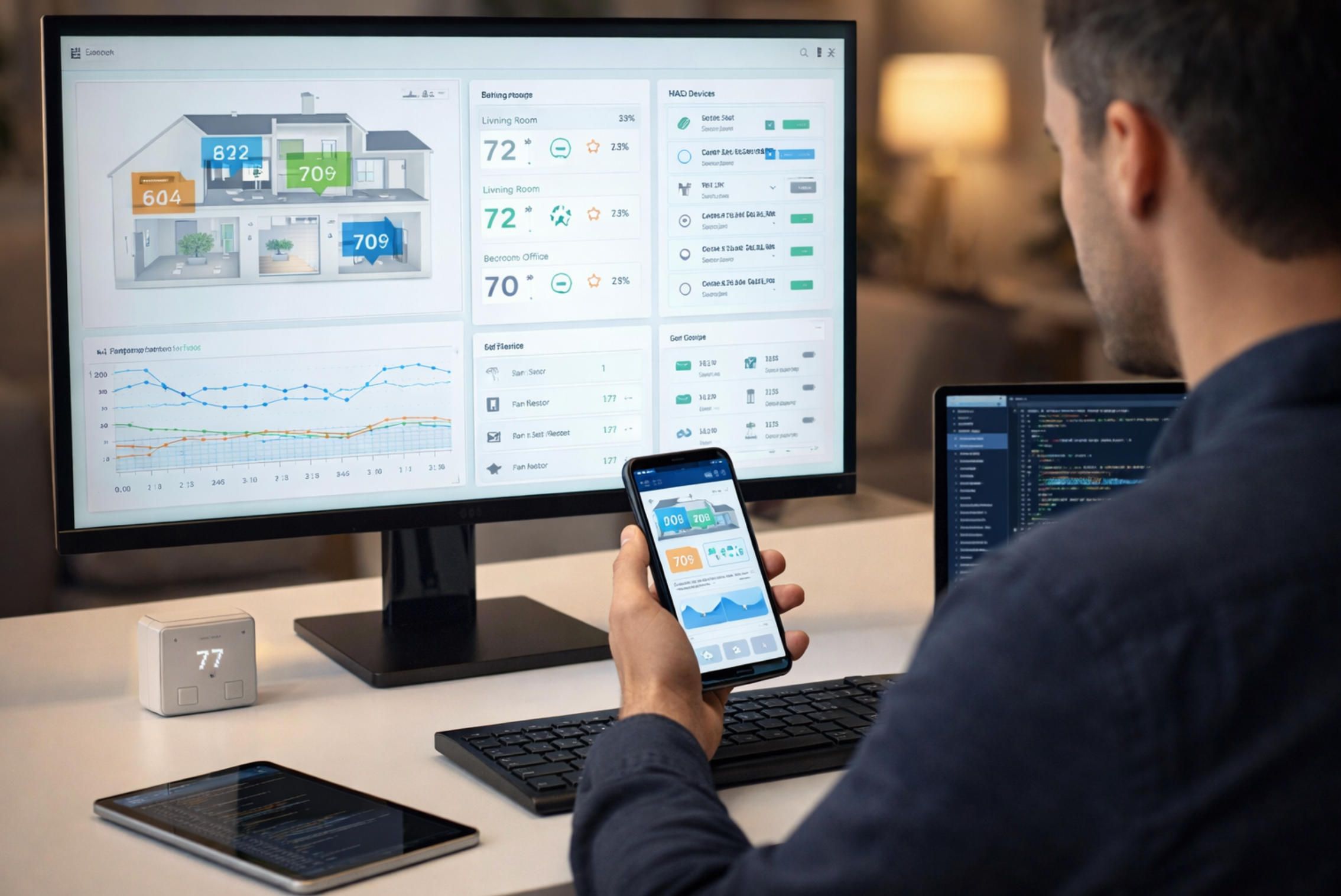
Building such a system requires competency across several distinct layers. At the device communication layer, MQTT is the dominant protocol for telemetry from HVAC endpoints and IoT sensors — it is lightweight, supports publish/subscribe patterns, and handles intermittent connectivity gracefully. WebSocket connections handle real-time push notifications to mobile clients when setpoints change or alarms trigger. Zigbee and Z-Wave remain common in commercial sensor deployments alongside Wi-Fi and Thread, so device abstraction layers need to accommodate protocol diversity.
The mobile client — whether iOS or Android — must handle both online and offline states, since HVAC control is not a use case where "no connection, no function" is acceptable. Data pipelines from sensor endpoints to backend storage need to be designed for time-series data, with appropriate retention policies and downsampling strategies for historical energy analysis.
Testing custom IoT applications introduces additional complexity. Standard mobile testing frameworks do not cover hardware-in-the-loop scenarios, sensor simulation, or protocol-level communication. End-to-end test coverage for an HVAC application needs to include fault injection (sensor drop-outs, Wi-Fi interruptions), concurrent user testing for multi-zone shared control, and validation of energy calculations against metered ground truth.
A-Bots.com has completed 70+ projects across mobile, web, IoT, and QA domains, including applications that integrate sensor telemetry pipelines with native iOS and Android interfaces. The engineering work behind a custom climate control application — protocol handling, real-time data architecture, cross-platform UI, and the testing infrastructure that validates all of it — is where A-Bots.com operates. Organizations that need HVAC or building climate control software built to their specific operational requirements, or that need QA testing applied to an existing connected system, can find more detail on that work at a-bots.com.
Conclusion
The Honeywell Home thermostat lineup covers a coherent range from the $79.99 Matter-enabled X2S to the professionally installed T10 Pro with ventilation and humidification control. The intelligence layer — Smart Response, geofencing, room sensor prioritization, and utility demand response — does real work when properly configured, with documented average savings of 17–22% on HVAC energy consumption for users who adopt scheduling routines.
The limitations are genuine: no self-learning schedule, C-wire dependency, a fragmented app ecosystem for households with older devices, and single-zone architecture that does not scale naturally to complex buildings. These are not random deficiencies — they reflect the constraints of designing a consumer product that must work reliably across millions of different homes, HVAC configurations, and user behaviors.
For the majority of residential users, the T9 with one or two room sensors represents the best balance of intelligence and practicality in the current lineup. For those entering the smart home ecosystem for the first time, the X2S removes most of the friction that previously discouraged adoption. For specialized applications — commercial, industrial, hospitality, rental property management, or any scenario requiring custom integration logic — the mass-market thermostat is a starting point for understanding what sensors and connectivity can do, not the endpoint.
Sources
- Resideo Technologies — Honeywell Home T9 Smart Thermostat product page: https://www.honeywellhome.com/products/t9-smart-thermostat
- Resideo Technologies — Honeywell Home X2S Smart Thermostat product page: https://www.honeywellhome.com/products/x2s-smart-thermostat
- Resideo Technologies — CES 2025 press release, X2S launch: https://www.resideo.com/us/en/corporate/newsroom/all-articles/Resideo-introduces-honeywell-home-x2s-smart-thermostat-at-ces-2025/
- Grand View Research — Smart Thermostat Market Size, Share & Industry Report, 2030: https://www.grandviewresearch.com/industry-analysis/smart-thermostat-market
- Mordor Intelligence — Smart Thermostat Market Size, Trends, Growth, Share & Competitive Landscape 2030: https://www.mordorintelligence.com/industry-reports/smart-thermostat-market
- IMARC Group — Smart Thermostat Market Size, Share, Statistics, Report 2033: https://www.imarcgroup.com/smart-thermostat-market
- MarketsandMarkets — Smart Thermostat Market Size and Growth Analysis 2032: https://www.marketsandmarkets.com/Market-Reports/smart-thermostat-market-266618794.html
- EcoWatch — Honeywell Smart Thermostat Reviews: Energy Options: https://www.ecowatch.com/honeywell-smart-thermostat-reviews-2650404751.html
- EnergySage — Honeywell Smart Thermostats Complete Review: https://www.energysage.com/energy-management/smart-thermostats/honeywell-thermostat-review/
- TechRadar — Honeywell Home X2S Smart Thermostat Review: https://www.techradar.com/home/smart-thermostats/honeywell-home-x2s-smart-thermostat-review
- Thread Group — Thread 1.4 Specification (September 2024): https://www.threadgroup.org
✅ Hashtags
#SmartThermostat
#HoneywellHome
#IoTDevelopment
#HVACTech
#SmartHome
#MatterProtocol
#EnergyEfficiency
#MobileAppDevelopment
Other articles
Litter-Robot 4 vs PETKIT Pura Max 2: Smart Litter Box Comparison Expert comparison of Litter-Robot 4 vs PETKIT Pura Max 2 using a practical decision framework: safety, odor control, reliability, and true total cost of ownership. Learn which model fits multi-cat homes, compact apartments, and owners who want fewer maintenance headaches. The article also explains how a custom mobile app can upgrade smart litter boxes with better alerts, multi-cat analytics, health trend detection, predictive maintenance, and a unified pet-device dashboard. Built for pet-tech brands and product teams seeking a competitive software layer from A-Bots.com.
LG InstaView Door-in-Door vs Samsung Family Hub - Smart Fridge Ecosystems Compare LG InstaView Door-in-Door and Samsung Family Hub in real-life use - food access workflows, ecosystem value, app experience, and long-term ownership. Learn which smart fridge approach fits families, meal-preppers, and smart-home users. The article also explains how a custom mobile app can make connected refrigerators genuinely smarter: low-friction inventory intelligence, freshness insights, energy optimization, predictive maintenance, and service workflows - with privacy-by-design. For appliance brands and product teams, A-Bots.com can build the mobile app, cloud backend, and device API layer that turns hardware into a durable ecosystem.
Samsung Bespoke AI WF53BB8700AT vs LG WM6700HBA: Samsung Bespoke AI WF53BB8700AT and LG WM6700HBA are two leading smart front-load washers competing for dominance in the rapidly growing connected laundry market. This expert comparison examines their AI wash systems, drum capacity, speed cycles, automatic detergent dispensing, companion mobile apps, noise performance, energy efficiency, warranty coverage, and long-term reliability backed by real service call data. The article also explores how companion apps like SmartThings and ThinQ are reshaping the appliance industry and how A-Bots.com helps manufacturers build custom IoT mobile applications for connected home devices.
App Controlled Thermostat Smart thermostats have moved far beyond simple temperature control. Today, an app controlled thermostat learns your schedule, detects when you leave home, and adjusts the climate automatically — all managed through a smartphone. This article explores how smart smartphone thermostats work, what leading brands like Honeywell and ecobee have built, where consumer products fall short for businesses, and why hotels, property developers, and commercial facilities are investing in custom thermostat app solutions. Whether you need a new IoT application built from scratch or professional QA testing for an existing system, A-Bots.com delivers expert mobile development tailored to your business requirements.
ecobee3 Lite Smart Thermostat: Full Review of Features, Installation, and Energy Savings The ecobee3 lite smart thermostat combines accessible pricing with genuine intelligence — ENERGY STAR-certified energy savings of up to 23% per year, five eco+ optimization features, and seamless integration with Apple HomeKit, Amazon Alexa, and Google Assistant. This guide covers everything from installation nuances and C-wire compatibility to the mechanics of Time of Use pricing, occupancy detection, and SmartSensor-based multi-room control. You will also find current smart thermostat market data, an honest look at device limitations, and an overview of what it takes to build a custom HVAC application at this level of sophistication.
Top stories

Copyright © Alpha Systems LTD All rights reserved.
Made with ❤️ by A-BOTS