
Home
Services
About us
Blog
Contacts
Estimate project
EN

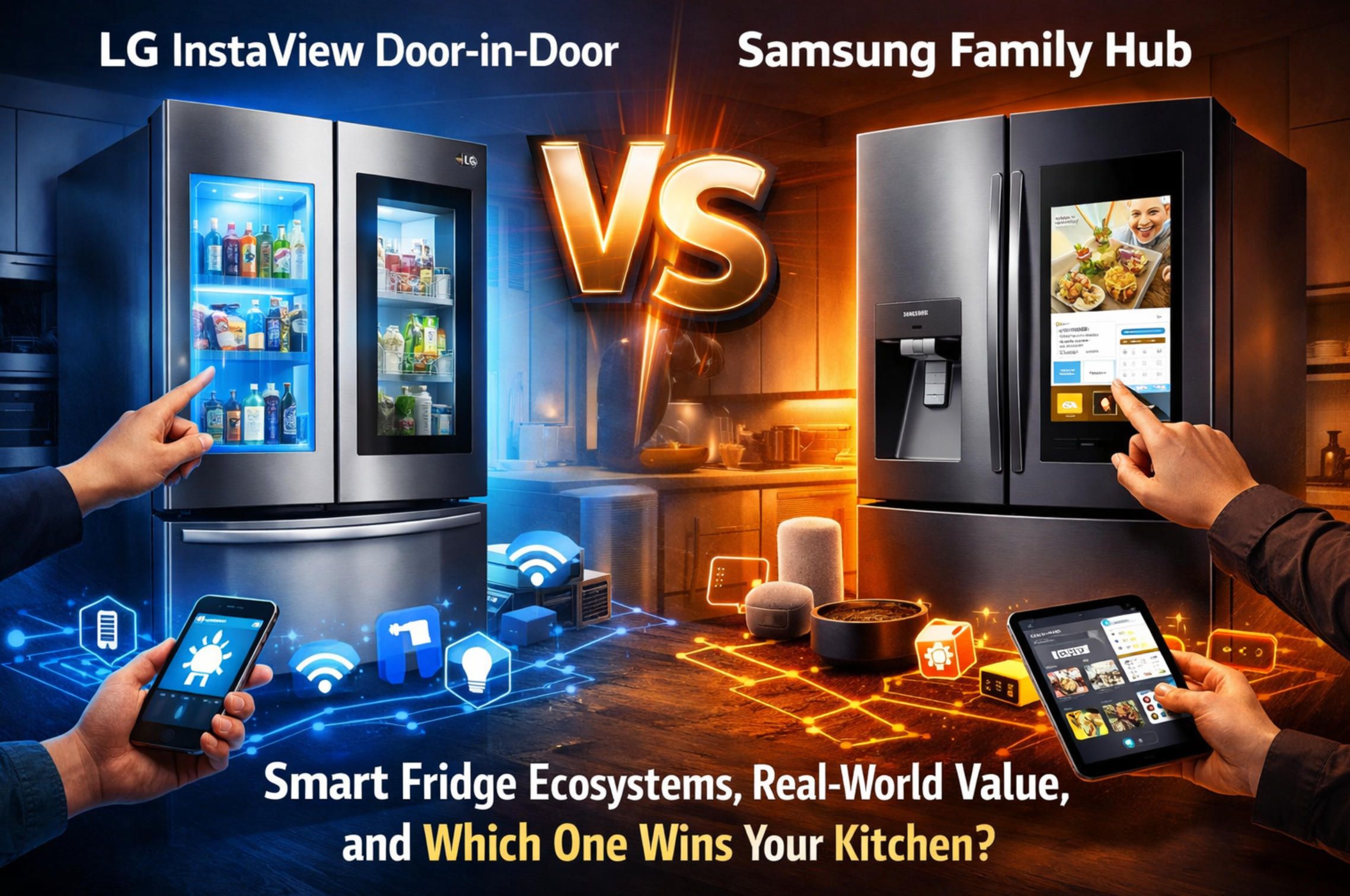
LG InstaView Door-in-Door vs Samsung Family Hub - Smart Fridge Ecosystems, Real-World Value, and Which One Wins Your Kitchen

Decision Framework - What “Smart” Actually Means in a Refrigerator
Head-to-Head - InstaView Door-in-Door vs Family Hub in Real Life
Make It Smarter - How a Custom Mobile App Upgrades Smart Fridges (by A-Bots.com)
1. LG InstaView Door-in-Door vs Samsung Family Hub.jpg

Decision Framework - What “Smart” Actually Means in a Refrigerator

Let’s get the awkward part out of the way: a refrigerator is not a tablet with a compressor attached. It’s a temperature-control machine that happens to live in your kitchen, work 24/7, and punish you quietly when it’s inconsistent. A “smart” fridge only earns the word smart if it improves outcomes you can feel - food lasts longer, routines become easier, energy use becomes more predictable, and maintenance becomes less of a surprise hobby.

If you evaluate these products like consumer electronics, you’ll end up paying for a very expensive “family calendar” that also makes ice.

The hierarchy of value: cold first, clever second

Before you compare ecosystems, put refrigeration fundamentals at the top of the checklist. Smart features are only meaningful when the core system is stable.

What matters most is temperature stability across zones, humidity control for produce, airflow design that avoids hot/cold pockets, and noise behavior during real use (compressor cycles, fan ramps, defrost events). Screens and apps can’t fix poor thermal consistency - they can only report it. And yes, “my lettuce survived the week” is a better KPI than “the screen is gorgeous.”

Everyday UX beats showroom UX

Most “smart fridge” decisions are made in 90 seconds in a store. Most regret happens at 7:30 PM when you have one hand on a fridge door, one hand holding a grocery bag, and your brain running low on battery.

So evaluate the interaction model, not the spec sheet:

  • How quickly can you access the most-used items without opening the entire fridge cavity?
  • How intuitive is the layout for your household (kids, tall adults, short adults, late-night snackers)?
  • How much “door open time” does the design encourage or reduce?

A smart feature that adds friction is like a smart lock that needs a firmware update while you’re standing outside in the rain. Technically advanced, emotionally questionable.

Ecosystem depth: the app is the real product layer

For smart fridges, the app and cloud layer determine whether the “smart” portion is a genuine utility or just a nice demo. You’re not just buying hardware - you’re buying an ongoing software relationship.

Here’s the right way to test ecosystem value:

  • Does the app provide actionable remote monitoring (temperature alerts that tell you what to do, not just that something is “abnormal”)?
  • Can it support real family workflows: shared shopping lists, permissions, household roles, and multi-device sync that doesn’t break when one person changes phones?
  • How well does it integrate with the rest of your home (voice assistants, smart home automations, energy dashboards)?

If the ecosystem can’t turn data into decisions, it’s not a smart fridge - it’s a connected fridge with opinions.

Long-term ownership: update lifecycle, privacy, and the “novelty decay” problem

This category has a hidden risk: software ages faster than compressors. Your fridge is a 10+ year appliance. Your app ecosystem might behave like it’s on a 24-month attention span.

So the evaluation framework must include:

  • Update discipline: how long the manufacturer supports the platform, how often security patches ship, and whether core functions still work if the app experience changes
  • Privacy posture: what data is collected (usage patterns, cameras, voice assistants), what is processed on-device vs in the cloud, and whether you can limit sharing without losing core functionality
  • Serviceability: diagnostics, error transparency, and whether the “smart” layer makes maintenance easier or simply gives you a prettier error message

If your fridge becomes less functional because a cloud service gets “sunset,” that’s not innovation - that’s planned inconvenience.

The practical decision lens we’ll use in the head-to-head

To keep the comparison grounded, we’ll score LG InstaView Door-in-Door and Samsung Family Hub on three realities, not marketing adjectives:

  • Food outcomes: freshness, temperature consistency, and daily access patterns
  • Household workflows: how well the interface + app supports real people, not ideal users
  • Platform durability: reliability, update lifecycle, privacy control, and maintenance intelligence

In the next section, we’ll apply this framework directly: where each ecosystem genuinely earns its place, where it’s mostly “nice to have,” and which one fits specific buyer personas without making you feel like you adopted a needy smart screen.
samsung-family-hub-fridge-display-real.jpg

Head-to-Head - InstaView Door-in-Door vs Family Hub in Real Life

If you strip the marketing away, these two philosophies are refreshingly clear:

  • LG InstaView Door-in-Door bets on physical interaction design - give you faster access to frequently used items, reduce door-open time, and make the fridge feel “smarter” even if your Wi-Fi is having one of its dramatic episodes.
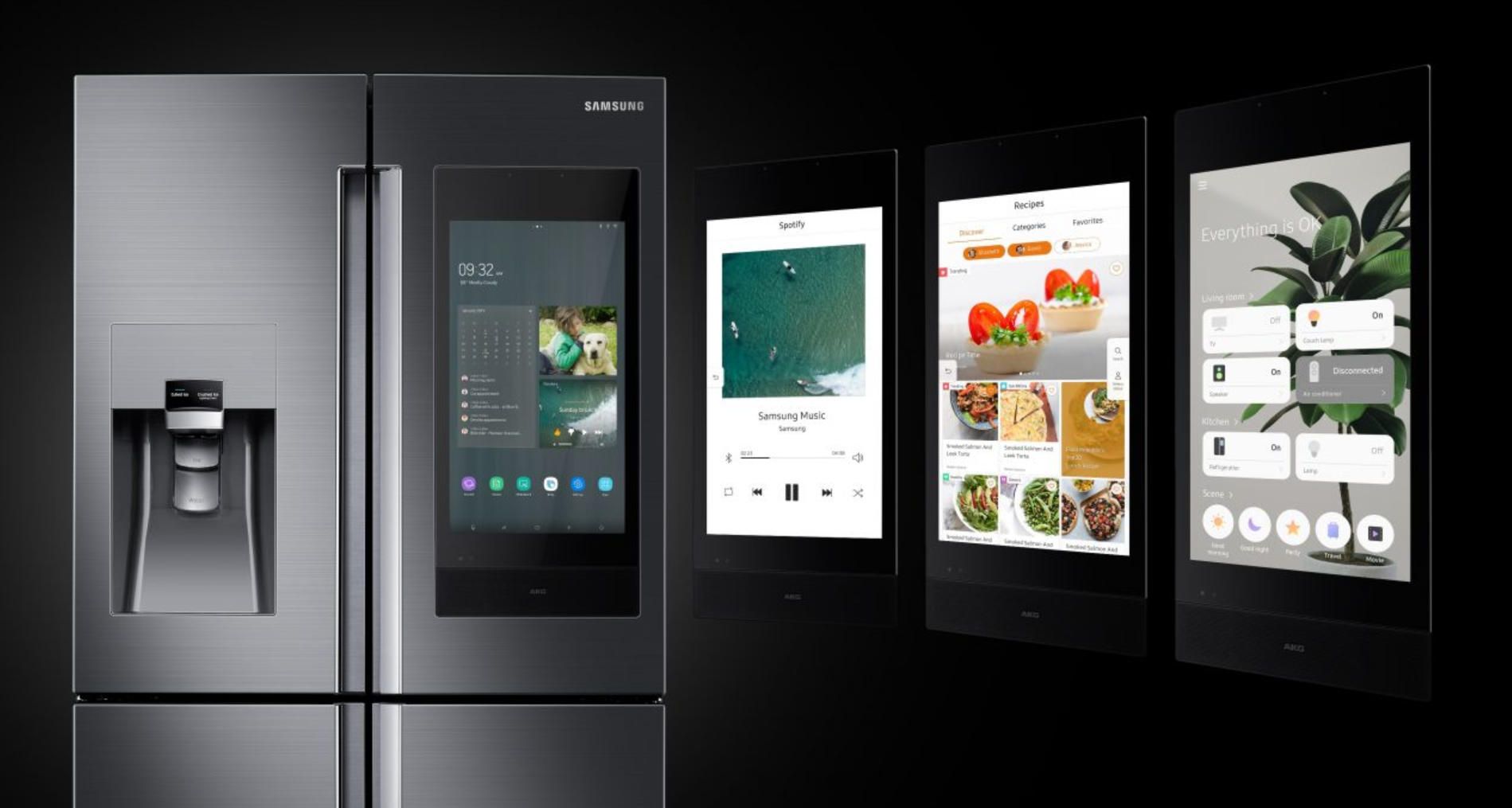
  • Samsung Family Hub bets on software and the kitchen-as-a-dashboard - a big touchscreen, deeper household workflows, and a stronger “ecosystem hub” story that tries to turn the fridge into the center of family coordination.

Both can be excellent. Both can also become expensive reminders that humans don’t actually want to “manage” their food - they want food to stay fresh and appear in dinner form without a meeting.

A) Food management workflows: visibility vs habit formation

InstaView’s advantage is friction reduction. You want milk, sauces, snacks, and “the thing you always grab” to be accessible quickly. Door-in-Door (and the InstaView concept) is a physical workflow tool. It’s not about being flashy - it’s about fewer seconds with the door open, fewer cold-air spills, and fewer moments where you stand there like a confused archaeologist staring into a chilly cave.

In practice, this matters for two reasons:

  1. You open the fridge more often than you think. A fridge is a high-frequency interface. Tiny reductions in friction add up.
  2. Food quality is influenced by temperature swings. The more you open and linger, the more you stress the system. You don’t need to be an HVAC engineer to understand “keeping cold air inside is generally good.”

Samsung’s Family Hub attacks a different problem: the problem isn’t seeing food - it’s remembering food. The touchscreen and connected features aim to help you maintain a mental model of what’s inside. That’s more ambitious. It can work brilliantly for certain households - especially busy families where coordination is the real pain point, not “finding the ketchup.”

But here’s the reality check: features that require consistent human behavior tend to underperform. If the system needs you to scan items, confirm inventory, tag expiration dates, and update lists, it is asking the average household to become a small logistics company. That’s possible, but it’s not automatic. The best Family Hub experience is often achieved by families who already run their home with routines, lists, and shared coordination.

So the key question is: do you want the fridge to make access easier, or do you want it to make management easier?

  • If your main pain is “I open the fridge 40 times a day and it’s annoying,” InstaView style design tends to feel more consistently valuable.
  • If your main pain is “we keep buying duplicates and forgetting what we have,” Family Hub’s software approach can pay off - if your household actually uses the workflows.

B) Interface and app experience: ThinQ vs SmartThings + Hub

This is where the category either becomes a real ecosystem or turns into a screen that mostly displays the weather, which is a deeply expensive way to discover it’s raining.

LG ThinQ is typically strongest when you treat the app as a control and maintenance layer: monitoring temperatures, receiving alerts, and managing certain modes. It’s useful, but it usually doesn’t ask you to reorganize your life around it. ThinQ tends to behave like “appliance software.” That’s not a criticism - for many people, that’s exactly what you want. The fridge should be stable, quiet, and uninteresting in the best way.

Samsung’s approach often feels more like “consumer tech software.” Family Hub sits closer to a household collaboration surface, and Samsung’s broader ecosystem often routes through SmartThings for automation and connected-home integration. The promise is a richer set of workflows: lists, reminders, shared notes, sometimes media, sometimes device orchestration.

The practical difference is where the intelligence lives:

  • LG’s experience tends to keep intelligence mostly around fridge operations - useful alerts, modes, and appliance-centric controls.
  • Samsung’s experience aims to extend intelligence into household coordination - the fridge becomes a UI surface for family life.

Neither is “better” universally. But each has a failure mode:

  • LG’s failure mode is that the “smart” layer can feel modest. It won’t transform your household. It will mostly make the appliance easier to manage.
  • Samsung’s failure mode is that the screen becomes underused. Many people stop interacting with it after the novelty phase. The fridge then becomes a normal fridge with a very large touchscreen that is now functioning as a decorative magnet substitute.

If you want an honest predictor: the more people in the household, the more Family Hub’s UI can be justified. Solo users and couples often get less value from the big shared screen unless they genuinely love having a central dashboard.

C) Hardware practicality: layout, ice and water, noise, cleaning, and the small annoyances that matter

This is where your “smart fridge” becomes either “a premium appliance that feels effortless” or “a premium appliance that constantly needs small interventions.”

Door layout and shelf flexibility: With LG’s Door-in-Door concept, the practical win is intentional zones for high-frequency items. The fridge feels like it was designed around how people actually use it: grab, close, move on. Samsung’s advantage tends to be less about door access engineering and more about the overall product ecosystem integration, depending on the specific RF configuration you choose.

Ice and water systems are where real-life satisfaction is often decided. People rarely talk about it in reviews until it fails, then it becomes the only thing they talk about. Consider:

  • How much ice you actually consume
  • Whether you value specialty ice formats
  • How easy it is to clean and maintain the dispenser area
  • Whether you prefer internal vs external dispenser layouts (external is convenient but adds surfaces and components that need cleaning)

Noise and defrost behavior: premium fridges should be quiet, but they are still machines. Fan ramps, compressor cycles, and defrost events are normal. What matters is how noticeable they are and whether they are predictable. “Smart” features do not compensate for annoying acoustic behavior. They just give you notifications while you’re annoyed.

Cleaning and fingerprint reality: InstaView glass looks great until you discover that it is, indeed, a large surface that can be touched. Family Hub screens can also become “a beautiful fingerprint museum.” If you have kids, assume the surface will look like modern art. Choose accordingly.

D) Reliability signals and “smart durability”: what happens after month three

Smart fridges have a two-phase life:

  • Phase 1 (first weeks): excitement, setup, exploring features, telling friends.
  • Phase 2 (the remaining years): you want it to be invisible and reliable.

In Phase 2, the big questions aren’t glamorous:

  • Does the software remain stable and supported?
  • Does the app still work smoothly after phone OS updates?
  • Do alerts stay actionable or become noisy?
  • If something goes wrong, does the system help you fix it or just inform you that you are now a technician?

This is where the “screen-forward” approach is inherently higher risk: screens and consumer software age faster than appliance hardware. A Door-in-Door design still delivers its value even if you never open the app again. A touchscreen-heavy value proposition needs the software experience to remain pleasant long term. That’s not impossible - it just requires consistent platform discipline.

E) Verdict by persona: who should buy what

Let’s make this concrete. These aren’t moral judgments. They’re workflow matches.

  • Choose LG InstaView Door-in-Door if you want: a fridge that feels smart through physical UX - faster access, less door-open time, and strong everyday convenience even if you mostly ignore the app. It’s a “do the basics extremely well” choice with smart features as support, not as the main show.
  • Choose Samsung Family Hub if you want: a kitchen command center - shared household workflows, a prominent touchscreen, and deeper integration into a connected-home ecosystem. It makes the most sense when multiple people will actually use the screen and benefit from shared coordination, not just admire it while eating leftovers at midnight.

Now the more nuanced reality: both can be the right choice for the same household depending on what you value more - frictionless access or centralized coordination.

A simple scoring rubric you can actually use at purchase time

Use this as a quick, grounded checklist when you’re staring at two price tags and questioning your life choices:

  • If your top priority is “less effort every day,” prioritize the design that reduces friction without asking you to change behavior. That usually favors InstaView + Door-in-Door style logic.
  • If your top priority is “better household coordination,” prioritize the ecosystem and shared UI surface. That usually favors Family Hub when you will genuinely use it.

And the final sanity test: imagine the internet goes out for a weekend. Which fridge still delivers most of its value? If that question makes you nervous, lean toward the model whose core benefits are physical and operational, not primarily software-driven.

In the next section, we’ll go one step beyond both ecosystems: what a custom mobile app can do for manufacturers to create a smarter, calmer ownership experience - especially around food inventory intelligence, energy optimization, predictive maintenance, and privacy-by-design. Because the real “smart” future isn’t a bigger screen. It’s a fridge that needs less attention and gives better outcomes - while letting humans remain gloriously lazy.

lg-instaview-door-in-door-modern-kitchen.jpg

Make It Smarter - How a Custom Mobile App Upgrades Smart Fridges (by A-Bots.com)

If LG’s strategy is “make the fridge smarter through better physical access” and Samsung’s is “make the fridge smarter by turning it into a household screen,” a custom app strategy is the third path: make the fridge smarter by making the system smarter. Not louder. Not more distracting. Smarter in the sense that it reduces waste, reduces surprises, and reduces the number of times a human needs to think about refrigeration - which is a niche hobby at best.

The truth is, most smart-fridge ecosystems still leave a lot of value on the table because they’re designed for broad consumer appeal. A manufacturer (or a brand building a premium line) can win by shipping a software layer that is opinionated, measurable, and focused on outcomes: freshness, energy efficiency, serviceability, and household coordination that actually sticks.

Below is what “best-in-class” looks like when you design the mobile app, cloud, and device firmware as a single product.

1) The “Food Intelligence” layer: inventory without the logistics job

The biggest promise of smart fridges has always been some version of “you’ll never forget what’s inside.” The biggest failure has been “you must manually maintain a database of your groceries.” Humans don’t do that. Not consistently. Not happily. Not even if you give them cute icons.

A modern approach is to combine low-friction capture with probabilistic inventory, then surface insights with appropriate confidence. That means the app doesn’t pretend to be perfect. It acts like a helpful assistant that’s honest about uncertainty.

How you build it:

  • Computer vision with practical constraints: internal cameras (or add-on camera modules) can detect broad categories (milk carton, eggs, produce bag) and count changes over time. You don’t need perfect recognition of “Brand X Greek Yogurt.” You need “dairy went down, eggs are low, produce hasn’t moved in 5 days.”
  • Barcode + receipt ingestion as optional accelerators: scanning is useful for power users, but should never be mandatory. Receipt parsing (email receipts, OCR, store integrations where possible) can seed inventory lists without turning the app into a manual entry prison.
  • Expiry intelligence as a model, not a rule: you can estimate shelf life based on product type, fridge zone temperature, and time since detected purchase/placement. The app should say “likely to expire soon” rather than inventing a fake exact date with false confidence.

And the UX principle: the app should push one good suggestion, not ten mediocre reminders. A daily or twice-weekly “Freshness Brief” beats a stream of notifications that trains users to mute everything.

If done right, food intelligence becomes sticky because it saves money and reduces decision fatigue. If done wrong, it becomes a high-tech guilt machine: “You wasted spinach again.” Thanks, fridge. Very motivational.

2) The “Freshness Control” layer: the app as a thermal co-pilot

Most owners don’t want a fridge that’s “smart.” They want one that’s consistent. But consistency is exactly where software can add real differentiation, especially if you have multiple zones and sensors.

A custom app can turn raw sensor data into actionable thermal management:

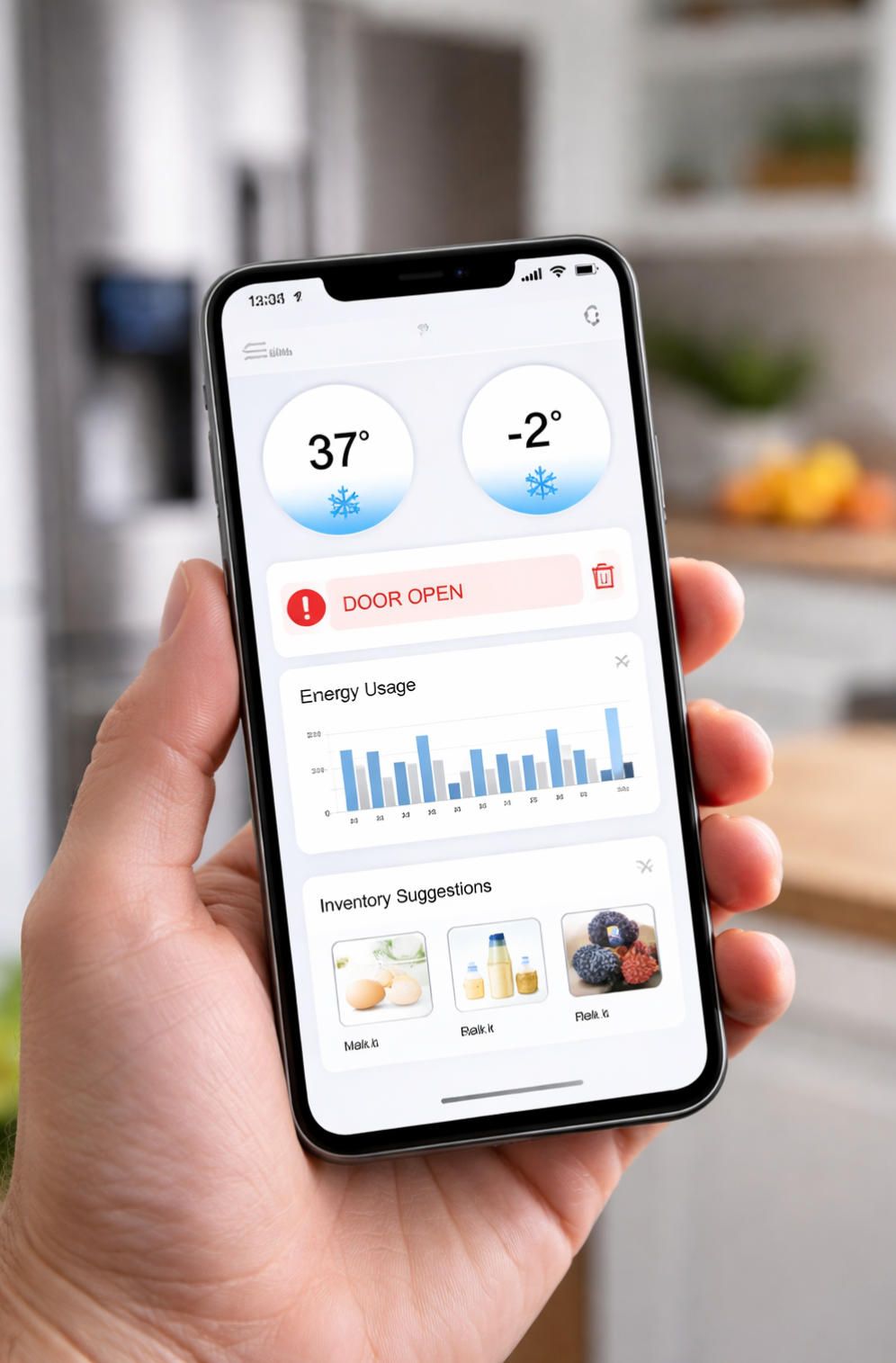
  • Zone-level temperature stability scoring: not just “current temp,” but deviation, oscillation patterns, and how often the door opens. You can give users a simple score like “Stable / Slightly Unstable / Unstable,” with an explanation. If it’s unstable, the app can recommend actions: check door seal, reduce overpacking near vents, adjust zone settings.
  • Humidity-aware produce guidance: if the device supports humidity zones, the app can map common produce types to recommended zones and explain the “why.” Users don’t need a textbook. They need “berries - keep in X, here’s how it reduces mold risk.”
  • Door-open coaching that isn’t annoying: a passive weekly insight like “Door-open time increased 18% this week; consider moving high-frequency items to easy-access zones” helps. A push notification every time someone grabs juice does not help. That’s how you get your fridge unplugged out of spite.

This is where a custom solution can outperform generic ecosystems: you can tailor the app to the exact sensor layout, airflow design, and compressor behavior of your models.

3) The “Energy & Reliability” layer: predictive maintenance, not surprise disasters

Appliances fail. The goal is not magical immortality. The goal is detecting degradation early and guiding the owner toward the cheapest fix - before the repair becomes expensive, and before the freezer starts producing modern art out of melted ice cream.

With the right telemetry (always with privacy controls), you can build a reliability layer that feels premium:

  • Compressor and fan health signals: monitor duty cycles, current draw trends, and thermal recovery time after door openings. When recovery time slowly worsens, it’s often an early signal: clogged condenser coils, failing fan, or a seal issue.
  • Service workflows inside the app: step-by-step diagnostics, warranty status, parts availability, service scheduling, and a clear “what to do now” flow. Owners don’t want error codes; they want decisions.
  • Consumables and cleaning guidance: if the fridge has filters or periodic cleaning needs, the app should time reminders based on usage and environment rather than generic calendar intervals. A household with frequent cooking and pets will have different needs than a minimalist single-person apartment.

This isn’t just nicer UX. It reduces support costs for the manufacturer. A well-designed diagnostics flow can prevent unnecessary service calls and help support teams triage faster. In a competitive market, that’s margin.

4) The “Household Ops” layer: collaboration that people actually use

Family Hub tries to make the fridge a household dashboard. That can work - but it assumes people want to interact with the fridge screen. Many don’t. A custom mobile-first approach can deliver collaboration without requiring everyone to love the fridge as a device.

The trick is to design for existing behavior: people already use phones. They already share lists. They already message each other. Your app should fit into that reality.

What works well in practice:

  • Shared shopping lists that are frictionless (voice input, quick add, category suggestions)
  • Household roles and permissions (parents, roommates, guests)
  • Contextual prompts: “Milk likely low” becomes a one-tap add to list, not a notification that requires mental effort
  • Meal planning that connects to inventory (“3 dinner ideas based on what’s already inside”) - this is the feature that can actually reduce waste without nagging

Make collaboration feel like autopilot, not like management. Because nobody wants a fridge that runs standups.

5) Smart home integration: the right kind of automation

“Smart home integration” is often sold as a buzzword. The useful version is quietly powerful:

  • If energy prices vary (time-of-use pricing), optimize defrost cycles and non-critical tasks for cheaper windows when possible.
  • If you have a whole-home energy monitor, correlate fridge load with environmental conditions.
  • If a door is left ajar, integrate with household alerts (phone + smart speaker) - but with escalation rules so it doesn’t become noise.

The key is to avoid “automation theater.” If automation doesn’t reduce risk or effort, it’s just a demo.

6) Privacy-by-design: a competitive advantage, not a legal checkbox

Smart fridges increasingly involve cameras, microphones (via assistants), and household behavior patterns. Privacy is not optional; it’s a buying factor, especially in the US and EU markets.

A serious custom solution should include:

  • Clear user controls for what telemetry is collected and why
  • On-device processing where feasible (especially for image categorization)
  • Data minimization: collect what you need to deliver value, not what is “nice to have”
  • Transparent retention policies and easy deletion
  • Offline-tolerant core features (your fridge should not become a paperweight when the cloud is down)

Privacy done right becomes part of brand trust. Privacy done wrong becomes a headline.
kitchen-iot-fridge-mobile-app.jpg

What A-Bots.com actually delivers in this space

A-Bots.com can build the full product stack behind this category: the mobile app (iOS/Android), secure cloud backend, device API layer, analytics pipeline, and the ML components that power food intelligence and predictive maintenance. The differentiation isn’t “we can make an app.” It’s that the app is designed as a system: firmware constraints, connectivity realities, household UX, and data governance are handled as first-class engineering problems.

Most importantly, the goal is measurable outcomes: less food waste, fewer support tickets, more consistent freshness, and higher customer retention - not just “more features.”

A practical feature set you can ship (without turning the fridge into a science project)

Here’s a realistic launch scope that balances ambition and delivery. This is what manufacturers can ship as v1-v2 without pretending they’re building a consumer AI lab:

  • Food Intelligence + Freshness Brief: camera-based category detection, low-stock estimates, “use soon” suggestions, one-tap shopping list integration, and weekly waste insights.
  • Reliability + Service Hub: temperature stability scoring, door-open anomalies, early degradation signals, guided diagnostics, warranty/service scheduling, and clear, human-readable alerts.

That’s it. Two pillars. Because shipping a product that works is better than shipping a product with 48 toggles that nobody uses.

If you want the fridge to feel genuinely modern, don’t chase bigger screens. Build a calmer ownership experience: fewer surprises, fewer wasted groceries, fewer “why is it doing that” moments. Let the fridge be cold and competent. Let the app be smart and quiet. And let the cat continue to sit in front of it like it owns your electricity bill - because, emotionally, it does.

✅ Hashtags

#smartfridge
#lgecosystem
#samsungfamilyhub
#smarthome
#kitcheninnovation
#iotappdevelopment
#custommobileapp
#abots

Other articles

Professional App Development Auckland: IoT, Parking, E-Scooter and Drone Solutions Auckland's technology sector demands sophisticated mobile applications that address unique urban challenges. A-Bots.com delivers professional app development Auckland businesses rely on, with specialized expertise in IoT smart device control, parking management systems, micromobility platforms, and UAV applications. With over 70 completed projects and client relationships spanning 1.5 to 5+ years, the company provides full-cycle development from concept through deployment and ongoing support. A-Bots.com's technical team masters React Native, Swift, Java, and Kotlin to build cross-platform and native applications serving Auckland's $10 billion technology ecosystem. Whether developing consumer-facing apps or enterprise systems, A-Bots.com combines local market knowledge with international development standards to deliver solutions that drive business growth across New Zealand's economic powerhouse.

App Development Christchurch: Custom Mobile Solutions for Canterbury Businesses Christchurch has emerged as New Zealand's innovation hub, with a tech sector contributing $2.4 billion to regional GDP. This comprehensive guide explores app development Christchurch opportunities across key industries including tourism, agriculture, healthcare, and technology. Learn about development costs ranging from $5,000 for simple apps to $300,000+ for complex solutions, platform selection strategies, and the structured development process from discovery to deployment. The article examines how Canterbury businesses leverage mobile applications to serve the region's 96% internet-connected population. A-Bots.com offers custom development and testing services backed by 70+ completed projects and long-term client partnerships spanning over five years.

App Development New Zealand: Build a Custom Mobile Product New Zealand's tech sector contributes NZ$23.8 billion to GDP, and mobile app usage among Kiwis exceeds 70%. This guide covers everything businesses need to know about app development New Zealand — from market data and user behavior to development costs, regulatory compliance under the Privacy Act 2020, and technology choices between native and cross-platform frameworks. Key industries driving mobile demand include agritech, fintech, healthtech, and tourism. A-Bots.com offers full-cycle development, QA testing, and strategic consulting backed by 70+ completed projects across mobile, web, IoT, chatbot, and blockchain solutions. The article includes cost breakdowns, emerging technology trends, and practical advice for launching a competitive mobile product in the New Zealand market.

Dyson TP09 vs Blueair Blue Pure 411i Max Choosing between the Dyson Purifier Cool Formaldehyde TP09 and the Blueair Blue Pure 411i Max means weighing premium multi-sensor intelligence against efficient, budget-friendly filtration. This in-depth comparison examines every critical factor: HEPA H13 and catalytic formaldehyde filtration versus HEPASilent electrostatic technology, four-sensor environmental monitoring versus single PM2.5 detection, MyDyson app dashboards versus Blueair's streamlined controls, noise performance, five-year ownership costs, and smart home integration. The article concludes with an expert analysis of how custom mobile app development by A-Bots.com can push air purifier technology further through predictive analytics, health platform integration, and multi-device management.

Litter-Robot 4 vs PETKIT Pura Max 2: Smart Litter Box Comparison Expert comparison of Litter-Robot 4 vs PETKIT Pura Max 2 using a practical decision framework: safety, odor control, reliability, and true total cost of ownership. Learn which model fits multi-cat homes, compact apartments, and owners who want fewer maintenance headaches. The article also explains how a custom mobile app can upgrade smart litter boxes with better alerts, multi-cat analytics, health trend detection, predictive maintenance, and a unified pet-device dashboard. Built for pet-tech brands and product teams seeking a competitive software layer from A-Bots.com.

Top stories

  • food delivery app development

    food ordering startups

    custom food ordering app

    food delivery startups

    Food Delivery and Food Ordering Mobile App Development

    A-Bots.com offers custom food delivery and food ordering mobile app development for startups and restaurants. From UI/UX to testing, we build scalable apps with real-time tracking, secure payments, and AI personalization.

  • apple watch for seniors

    iOS app development company

    apple watch healthcare apps

    watchOS app development

    senior apple watch app

    Apple Watch for Seniors: Custom Apps and Elder-Care Solutions

    Explore how Apple Watch for seniors transforms elder care. Learn how custom watchOS and iOS app development improves safety, health, and independence.

  • unitree G1 programming

    custom software for unitree G1

    humanoid robot

    unitree G1 control

    unitree G1 SDK

    Custom Unitree G1 Programming and Unitree G1 SDK App Development

    Bespoke Unitree G1 programming, SDK integrations and app development. A-Bots.com creates custom robotics software for advanced humanoid solutions.

  • drones show app development company

    app development for swarm of drones

    software development for drones show

    IoT app development company

    Swarm of Drones and Drones Show Software Development Company

    A-Bots.com is a drones show app development company delivering app development for swarm of drones: orchestration servers, ArduPilot Mission Planner workflows, operator-grade mobile apps, safety-first timing, and scalable IoT integrations.

  • farmer app development company

    agritech app development company

    bespoke agriculture application development

    agriculture app development company

    bespoke agro apps

    Farmer App Development Company - Smart Farming Apps and Integrations

    A-Bots.com - farmer app development company for offline-first smart farming apps. We integrate John Deere, FieldView & Trimble to deliver the best farmer apps and compliant farming applications in the US, Canada and EU.

  • counter-drone software

    drone detection and tracking

    LiDAR drone tracking

    AI counter drone (C-UAV)

    Counter-Drone (C-UAV) Visual Tracking and Trajectory Prediction

    Field-ready counter-drone perception: sensors, RGB-T fusion, edge AI, tracking, and short-horizon prediction - delivered as a production stack by A-Bots.com.

  • pet care application development

    custom pet-care app

    pet health app

    veterinary app integration

    litter box analytics

    Custom Pet Care App Development

    A-Bots.com is a mobile app development company delivering custom pet care app development with consent-led identity, behavior AI, offline-first routines, and seamless integrations with vets, insurers, microchips, and shelters.

  • agriculture mobile application developmen

    ISOBUS mobile integration

    smart farming mobile app

    precision farming app

    Real-Time Agronomic Insights through IoT-Driven Mobile Analytics

    Learn how edge-AI, cloud pipelines and mobile UX transform raw farm telemetry into real-time, actionable maps—powered by A-Bots.com’s agriculture mobile application development expertise.

  • ge predix platform

    industrial iot platform

    custom iot app development

    industrial iot solutions

    industrial edge analytics

    predictive maintenance software

    GE Predix Platform and Industrial IoT App Development

    Discover how GE Predix Platform and custom apps from A-Bots.com enable real-time analytics, asset performance management, and scalable industrial IoT solutions.

  • industrial iot solutions

    industrial iot development

    industrial edge computing

    iot app development

    Industrial IoT Solutions at Scale: Secure Edge-to-Cloud with A-Bots.com

    Discover how A-Bots.com engineers secure, zero-trust industrial IoT solutions— from rugged edge gateways to cloud analytics— unlocking real-time efficiency, uptime and compliance.

  • eBike App Development Company

    custom ebike app development

    ebike IoT development

    ebike OEM app solution

    ebike mobile app

    Sensor-Fusion eBike App Development Company

    Unlock next-gen riding experiences with A-Bots.com: a sensor-centric eBike app development company delivering adaptive pedal-assist, predictive maintenance and cloud dashboards for global OEMs.

  • pet care app development company

    pet hotel CRM

    pet hotel IoT

    pet hotel app

    Pet Hotel App Development

    Discover how A-Bots.com, a leading pet care app development company, builds full-stack mobile and CRM solutions that automate booking, feeding, video, and revenue for modern pet hotels.

  • DoorDash drone delivery

    Wing drone partnership

    drone delivery service

    build drone delivery app

    drone delivery software development

    Explore Wing’s and DoorDash drone delivery

    From sub-15-minute drops to FAA-grade safety, we unpack DoorDash’s drone playbook—and show why software, not rotors, will decide who owns the sky.

  • drone mapping software

    adaptive sensor-fusion mapping

    custom drone mapping development

    edge AI drone processing

    Drone Mapping and Sensor Fusion

    Explore today’s photogrammetry - LiDAR landscape and the new Adaptive Sensor-Fusion Mapping method- see how A-Bots.com turns flight data into live, gap-free maps.

  • Otter AI transcription

    Otter voice meeting notes

    Otter audio to text

    Otter voice to text

    voice to text AI

    Otter.ai Transcription and Voice Notes

    Deep guide to Otter.ai transcription, voice meeting notes, and audio to text. Best practices, automation, integration, and how A-Bots.com can build your custom AI.

  • How to use Wiz AI

    Wiz AI voice campaign

    Wiz AI CRM integration

    Smart trigger chatbot Wiz AI

    Wiz AI Chat Bot: Hands-On Guide to Voice Automation

    Master the Wiz AI chat bot: from setup to smart triggers, multilingual flows, and human-sounding voice UX. Expert guide for CX teams and product owners.

  • Tome AI Review

    Enterprise AI

    CRM

    Tome AI Deep Dive Review

    Explore Tome AI’s architecture, workflows and EU-ready compliance. Learn how generative decks cut prep time, boost sales velocity and where A-Bots.com adds AI chatbot value.

  • Wiz.ai

    Voice Conversational AI

    Voice AI

    Inside Wiz.ai: Voice-First Conversational AI in SEA

    Explore Wiz.ai’s rise from Singapore startup to regional heavyweight, its voice-first tech stack, KPIs, and lessons shaping next-gen conversational AI.

  • TheLevel.AI

    CX-Intelligence Platforms

    Bespoke conversation-intelligence stacks

    Level AI

    Contact Center AI

    Beyond Level AI: How A-Bots.com Builds Custom CX-Intelligence Platforms

    Unlock Level AI’s secrets and see how A-Bots.com engineers bespoke conversation-intelligence stacks that slash QA costs, meet tight compliance rules, and elevate customer experience.

  • Offline AI Assistant

    AI App Development

    On Device LLM

    AI Without Internet

    Offline AI Assistant Guide - Build On-Device LLMs with A-Bots

    Discover why offline AI assistants beat cloud chatbots on privacy, latency and cost—and how A-Bots.com ships a 4 GB Llama-3 app to stores in 12 weeks.

  • Drone Mapping Software

    UAV Mapping Software

    Mapping Software For Drones

    Pix4Dmapper (Pix4D)

    DroneDeploy (DroneDeploy Inc.)

    DJI Terra (DJI Enterprise)

    Agisoft Metashape 1.9 (Agisoft)

    Bentley ContextCapture (Bentley Systems)

    Propeller Pioneer (Propeller Aero)

    Esri Site Scan (Esri)

    Drone Mapping Software (UAV Mapping Software): 2025 Guide

    Discover the definitive 2025 playbook for deploying drone mapping software & UAV mapping software at enterprise scale—covering mission planning, QA workflows, compliance and data governance.

  • App for DJI

    Custom app for Dji drones

    Mapping Solutions

    Custom Flight Control

    app development for dji drone

    App for DJI Drone: Custom Flight Control and Mapping Solutions

    Discover how a tailor‑made app for DJI drone turns Mini 4 Pro, Mavic 3 Enterprise and Matrice 350 RTK flights into automated, real‑time, BVLOS‑ready data workflows.

  • Chips Promo App

    Snacks Promo App

    Mobile App Development

    AR Marketing

    Snack‑to‑Stardom App: Gamified Promo for Chips and Snacks

    Learn how A‑Bots.com's gamified app turns snack fans into streamers with AR quests, guaranteed prizes and live engagement—boosting sales and first‑party data.

  • Mobile Apps for Baby Monitor

    Cry Detection

    Sleep Analytics

    Parent Tech

    AI Baby Monitor

    Custom Mobile Apps for AI Baby Monitors | Cry Detection, Sleep Analytics and Peace-of-Mind

    Turn your AI baby monitor into a trusted sleep-wellness platform. A-Bots.com builds custom mobile apps with real-time cry detection, sleep analytics, and HIPAA-ready cloud security—giving parents peace of mind and brands recurring revenue.

  • wine app

    Mobile App for Wine Cabinets

    custom wine fridge app

    Custom Mobile App Development for Smart Wine Cabinets: Elevate Your Connected Wine Experience

    Discover how custom mobile apps transform smart wine cabinets into premium, connected experiences for collectors, restaurants, and luxury brands.

  • agriculture mobile application

    farmers mobile app

    smart phone apps in agriculture

    Custom Agriculture App Development for Farmers

    Build a mobile app for your farm with A-Bots.com. Custom tools for crop, livestock, and equipment management — developed by and for modern farmers.

  • IoT

    Smart Home

    technology

    Internet of Things and the Smart Home

    Internet of Things (IoT) and the Smart Home: The Future is Here

  • IOT

    IIoT

    IAM

    AIoT

    AgriTech

    Today, the Internet of Things (IoT) is actively developing, and many solutions are already being used in various industries.

    Today, the Internet of Things (IoT) is actively developing, and many solutions are already being used in various industries.

  • IOT

    Smart Homes

    Industrial IoT

    Security and Privacy

    Healthcare and Medicine

    The Future of the Internet of Things (IoT)

    The Future of the Internet of Things (IoT)

  • IoT

    Future

    Internet of Things

    A Brief History IoT

    A Brief History of the Internet of Things (IoT)

  • Future Prospects

    IoT

    drones

    IoT and Modern Drones: Synergy of Technologies

    IoT and Modern Drones: Synergy of Technologies

  • Drones

    Artificial Intelligence

    technologi

    Inventions that Enabled the Creation of Modern Drones

    Inventions that Enabled the Creation of Modern Drones

  • Water Drones

    Drones

    Technological Advancements

    Water Drones: New Horizons for Researchers

    Water Drones: New Horizons for Researchers

  • IoT

    IoT in Agriculture

    Applying IoT in Agriculture: Smart Farming Systems for Increased Yield and Sustainability

    Explore the transformative impact of IoT in agriculture with our article on 'Applying IoT in Agriculture: Smart Farming Systems for Increased Yield and Sustainability.' Discover how smart farming technologies are revolutionizing resource management, enhancing crop yields, and fostering sustainable practices for a greener future.

  • Bing

    Advertising

    How to set up contextual advertising in Bing

    Unlock the secrets of effective digital marketing with our comprehensive guide on setting up contextual advertising in Bing. Learn step-by-step strategies to optimize your campaigns, reach a diverse audience, and elevate your online presence beyond traditional platforms.

  • mobile application

    app market

    What is the best way to choose a mobile application?

    Unlock the secrets to navigating the mobile app jungle with our insightful guide, "What is the Best Way to Choose a Mobile Application?" Explore expert tips on defining needs, evaluating security, and optimizing user experience to make informed choices in the ever-expanding world of mobile applications.

  • Mobile app

    Mobile app development company

    Mobile app development company in France

    Elevate your digital presence with our top-tier mobile app development services in France, where innovation meets expertise to bring your ideas to life on every mobile device.

  • Bounce Rate

    Mobile Optimization

    The Narrative of Swift Bounces

    What is bounce rate, what is a good bounce rate—and how to reduce yours

    Uncover the nuances of bounce rate, discover the benchmarks for a good rate, and learn effective strategies to trim down yours in this comprehensive guide on optimizing user engagement in the digital realm.

  • IoT

    technologies

    The Development of Internet of Things (IoT): Prospects and Achievements

    The Development of Internet of Things (IoT): Prospects and Achievements

  • Bots

    Smart Contracts

    Busines

    Bots and Smart Contracts: Revolutionizing Business

    Modern businesses constantly face challenges and opportunities presented by new technologies. Two such innovative tools that are gaining increasing attention are bots and smart contracts. Bots, or software robots, and blockchain-based smart contracts offer unique opportunities for automating business processes, optimizing operations, and improving customer interactions. In this article, we will explore how the use of bots and smart contracts can revolutionize the modern business landscape.

  • No-Code

    No-Code solutions

    IT industry

    No-Code Solutions: A Breakthrough in the IT World

    No-Code Solutions: A Breakthrough in the IT World In recent years, information technology (IT) has continued to evolve, offering new and innovative ways to create applications and software. One key trend that has gained significant popularity is the use of No-Code solutions. The No-Code approach enables individuals without technical expertise to create functional and user-friendly applications using ready-made tools and components. In this article, we will explore the modern No-Code solutions currently available in the IT field.

  • Support

    Department Assistants

    Bot

    Boosting Customer Satisfaction with Bot Support Department Assistants

    In today's fast-paced digital world, businesses strive to deliver exceptional customer support experiences. One emerging solution to streamline customer service operations and enhance user satisfaction is the use of bot support department assistants.

  • IoT

    healthcare

    transportation

    manufacturing

    Smart home

    IoT have changed our world

    The Internet of Things (IoT) is a technology that connects physical devices with smartphones, PCs, and other devices over the Internet. This allows devices to collect, process and exchange data without the need for human intervention. New technological solutions built on IoT have changed our world, making our life easier and better in various areas. One of the important changes that the IoT has brought to our world is the healthcare industry. IoT devices are used in medical devices such as heart rate monitors, insulin pumps, and other medical devices. This allows patients to take control of their health, prevent disease, and provide faster and more accurate diagnosis and treatment. Another important area where the IoT has changed our world is transportation. IoT technologies are being used in cars to improve road safety. Systems such as automatic braking and collision alert help prevent accidents. In addition, IoT is also being used to optimize the flow of traffic, manage vehicles, and create smart cities. IoT solutions are also of great importance to the industry. In the field of manufacturing, IoT is used for data collection and analysis, quality control and efficiency improvement. Thanks to the IoT, manufacturing processes have become more automated and intelligent, resulting in increased productivity, reduced costs and improved product quality. Finally, the IoT has also changed our daily lives. Smart homes equipped with IoT devices allow people to control and manage their homes using mobile apps. Devices such as smart thermostats and security systems, vacuum cleaners and others help to increase the level of comfort

  • tourism

    Mobile applications for tourism

    app

    Mobile applications in tourism

    Mobile applications have become an essential tool for travelers to plan their trips, make reservations, and explore destinations. In the tourism industry, mobile applications are increasingly being used to improve the travel experience and provide personalized services to travelers. Mobile applications for tourism offer a range of features, including destination information, booking and reservation services, interactive maps, travel guides, and reviews of hotels, restaurants, and attractions. These apps are designed to cater to the needs of different types of travelers, from budget backpackers to luxury tourists. One of the most significant benefits of mobile applications for tourism is that they enable travelers to access information and services quickly and conveniently. For example, travelers can use mobile apps to find flights, hotels, and activities that suit their preferences and budget. They can also access real-time information on weather, traffic, and local events, allowing them to plan their itinerary and make adjustments on the fly. Mobile applications for tourism also provide a more personalized experience for travelers. Many apps use algorithms to recommend activities, restaurants, and attractions based on the traveler's interests and previous activities. This feature is particularly useful for travelers who are unfamiliar with a destination and want to explore it in a way that matches their preferences. Another benefit of mobile applications for tourism is that they can help travelers save money. Many apps offer discounts, deals, and loyalty programs that allow travelers to save on flights, hotels, and activities. This feature is especially beneficial for budget travelers who are looking to get the most value for their money. Mobile applications for tourism also provide a platform for travelers to share their experiences and recommendations with others. Many apps allow travelers to write reviews, rate attractions, and share photos and videos of their trips. This user-generated content is a valuable resource for other travelers who are planning their trips and looking for recommendations. Despite the benefits of mobile applications for tourism, there are some challenges that need to be addressed. One of the most significant challenges is ensuring the security and privacy of travelers' data. Travelers need to be confident that their personal and financial information is safe when using mobile apps. In conclusion, mobile applications have become an essential tool for travelers, and their use in the tourism industry is growing rapidly. With their ability to provide personalized services, real-time information, and cost-saving options, mobile apps are changing the way travelers plan and experience their trips. As technology continues to advance, we can expect to see even more innovative and useful mobile applications for tourism in the future.

  • Mobile applications

    logistics

    logistics processes

    mobile app

    Mobile applications in logistics

    In today's world, the use of mobile applications in logistics is becoming increasingly common. Mobile applications provide companies with new opportunities to manage and optimize logistics processes, increase productivity, and improve customer service. In this article, we will discuss the benefits of mobile applications in logistics and how they can help your company. Optimizing Logistics Processes: Mobile applications allow logistics companies to manage their processes more efficiently. They can be used to track shipments, manage inventory, manage transportation, and manage orders. Mobile applications also allow on-site employees to quickly receive information about shipments and orders, improving communication between departments and reducing time spent on completing tasks. Increasing Productivity: Mobile applications can also help increase employee productivity. They can be used to automate routine tasks, such as filling out reports and checking inventory. This allows employees to focus on more important tasks, such as processing orders and serving customers. Improving Customer Service: Mobile applications can also help improve the quality of customer service. They allow customers to track the status of their orders and receive information about delivery. This improves transparency and reliability in the delivery process, leading to increased customer satisfaction and repeat business. Conclusion: Mobile applications are becoming increasingly important for logistics companies. They allow you to optimize logistics processes, increase employee productivity, and improve the quality of customer service. If you're not already using mobile applications in your logistics company, we recommend that you pay attention to them and start experimenting with their use. They have the potential to revolutionize the way you manage your logistics operations and provide better service to your customers.

  • Mobile applications

    businesses

    mobile applications in business

    mobile app

    Mobile applications on businesses

    Mobile applications have become an integral part of our lives and have an impact on businesses. They allow companies to be closer to their customers by providing them with access to information and services anytime, anywhere. One of the key applications of mobile applications in business is the implementation of mobile commerce. Applications allow customers to easily and quickly place orders, pay for goods and services, and track their delivery. This improves customer convenience and increases sales opportunities.

  • business partner

    IT company

    IT solutions

    IT companies are becoming an increasingly important business partner

    IT companies are becoming an increasingly important business partner, so it is important to know how to build an effective partnership with an IT company. 1. Define your business goals. Before starting cooperation with an IT company, it is important to define your business goals and understand how IT solutions can help you achieve them. 2. Choose a trusted partner. Finding a reliable and experienced IT partner can take a lot of time, but it is essential for a successful collaboration. Pay attention to customer reviews and projects that the company has completed. 3. Create an overall work plan. Once you have chosen an IT company, it is important to create an overall work plan to ensure effective communication and meeting deadlines.

  • Augmented reality

    AR

    visualization

    business

    Augmented Reality

    Augmented Reality (AR) can be used for various types of businesses. It can be used to improve education and training, provide better customer service, improve production and service efficiency, increase sales and marketing, and more. In particular, AR promotes information visualization, allowing users to visually see the connection between the virtual and real world and gain a deeper understanding of the situation. Augmented reality can be used to improve learning and training based on information visualization and provide a more interactive experience. For example, in medicine, AR can be used to educate students and doctors by helping them visualize and understand anatomy and disease. In business, the use of AR can improve production and service efficiency. For example, the use of AR can help instruct and educate employees in manufacturing, helping them learn new processes and solve problems faster and more efficiently. AR can also be used in marketing and sales. For example, the use of AR can help consumers visualize and experience products before purchasing them.

  • Minimum Viable Product

    MVP

    development

    mobile app

    Minimum Viable Product

    A Minimum Viable Product (MVP) is a development approach where a new product is launched with a limited set of features that are sufficient to satisfy early adopters. The MVP is used to validate the product's core assumptions and gather feedback from the market. This feedback can then be used to guide further development and make informed decisions about which features to add or remove. For a mobile app, an MVP can be a stripped-down version of the final product that includes only the most essential features. This approach allows developers to test the app's core functionality and gather feedback from users before investing a lot of time and resources into building out the full app. An MVP for a mobile app should include the core functionality that is necessary for the app to provide value to the user. This might include key features such as user registration, search functionality, or the ability to view and interact with content. It should also have a good UI/UX that are easy to understand and use. By launching an MVP, developers can quickly gauge user interest and feedback to make data-driven decisions about which features to prioritize in the full version of the app. Additionally, MVP approach can allow quicker time to market and start to gather user engagement. There are several benefits to using the MVP approach for a mobile app for a company: 1 Validate assumptions: By launching an MVP, companies can validate their assumptions about what features and functionality will be most valuable to their target market. Gathering user feedback during the MVP phase can help a company make informed decisions about which features to prioritize in the full version of the app. 2 Faster time to market: Developing an MVP allows a company to launch their app quickly and start gathering user engagement and feedback sooner, rather than spending months or even years developing a full-featured app. This can give a company a competitive advantage in the market. 3 Reduced development costs: By focusing on the most essential features, an MVP can be developed with a smaller budget and with less time than a full version of the app. This can help a company save money and resources. 4 Minimize the risk: MVP allows to test the market and customer interest before spending a large amount of resources on the app. It can help to minimize risk of a failure by testing the idea and gathering feedback before moving forward with a full-featured version. 5 Better understanding of user needs: Building MVP can also help a company to understand the customer's real needs, behaviors and preferences, with this knowledge the company can create a much more effective and efficient final product. Overall, the MVP approach can provide a cost-effective way for a company to validate their product idea, gather user feedback, and make informed decisions about the development of their mobile app.

  • IoT

    AI

    Internet of Things

    Artificial Intelligence

    IoT (Internet of Things) and AI (Artificial Intelligence)

    IoT (Internet of Things) and AI (Artificial Intelligence) are two technologies that are actively developing at present and have enormous potential. Both technologies can work together to improve the operation of various systems and devices, provide more efficient resource management and provide new opportunities for business and society. IoT allows devices to exchange data and interact with each other through the internet. This opens up a multitude of possibilities for improving efficiency and automating various systems. With IoT, it is possible to track the condition of equipment, manage energy consumption, monitor inventory levels and much more. AI, on the other hand, allows for the processing of large amounts of data and decision-making based on that data. This makes it very useful for analyzing data obtained from IoT devices. For example, AI can analyze data on the operation of equipment and predict potential failures, which can prevent unexpected downtime and reduce maintenance costs. AI can also be used to improve the efficiency of energy, transportation, healthcare and other systems. In addition, IoT and AI can be used together to create smart cities. For example, using IoT devices, data can be collected on the environment and the behavior of people in the city. This data can be analyzed using AI to optimize the operation of the city's infrastructure, improve the transportation system, increase energy efficiency, etc. IoT and AI can also be used to improve safety in the city, for example, through the use of AI-analyzed video surveillance systems. In general, IoT and AI are two technologies that can work together to improve the operation of various systems and devices, as well as create new opportunities for business and society. In the future, and especially in 2023, the use of IoT and AI is expected to increase significantly, bringing even more benefits and possibilities.

Estimate project

Keep up with the times and automate your business processes with bots.

Estimate project

Copyright © Alpha Systems LTD All rights reserved.
Made with ❤️ by A-BOTS

EN