
Caregiving Apps for Seniors: From an Elderly Companion App to a Unified Care Hub
1.What Caregiving Apps for Seniors Really Solve
2.Stats & Signals That Actually Matter
3.The Current Landscape: A Review of Existing Caregiver & Elderly Companion Apps
4.The Essential Care Stack: From Meds & Routines to Caregiver Ops
5.Safety & Presence at a Distance: Wearables, Geofencing, TV/Voice Companions
6.Data, Privacy & Interoperability by Design (HIPAA/GDPR, HealthKit/Fit, FHIR)
7.Build vs Buy vs Customize: The A-Bots.com Blueprint
1.What Caregiving Apps for Seniors Really Solve
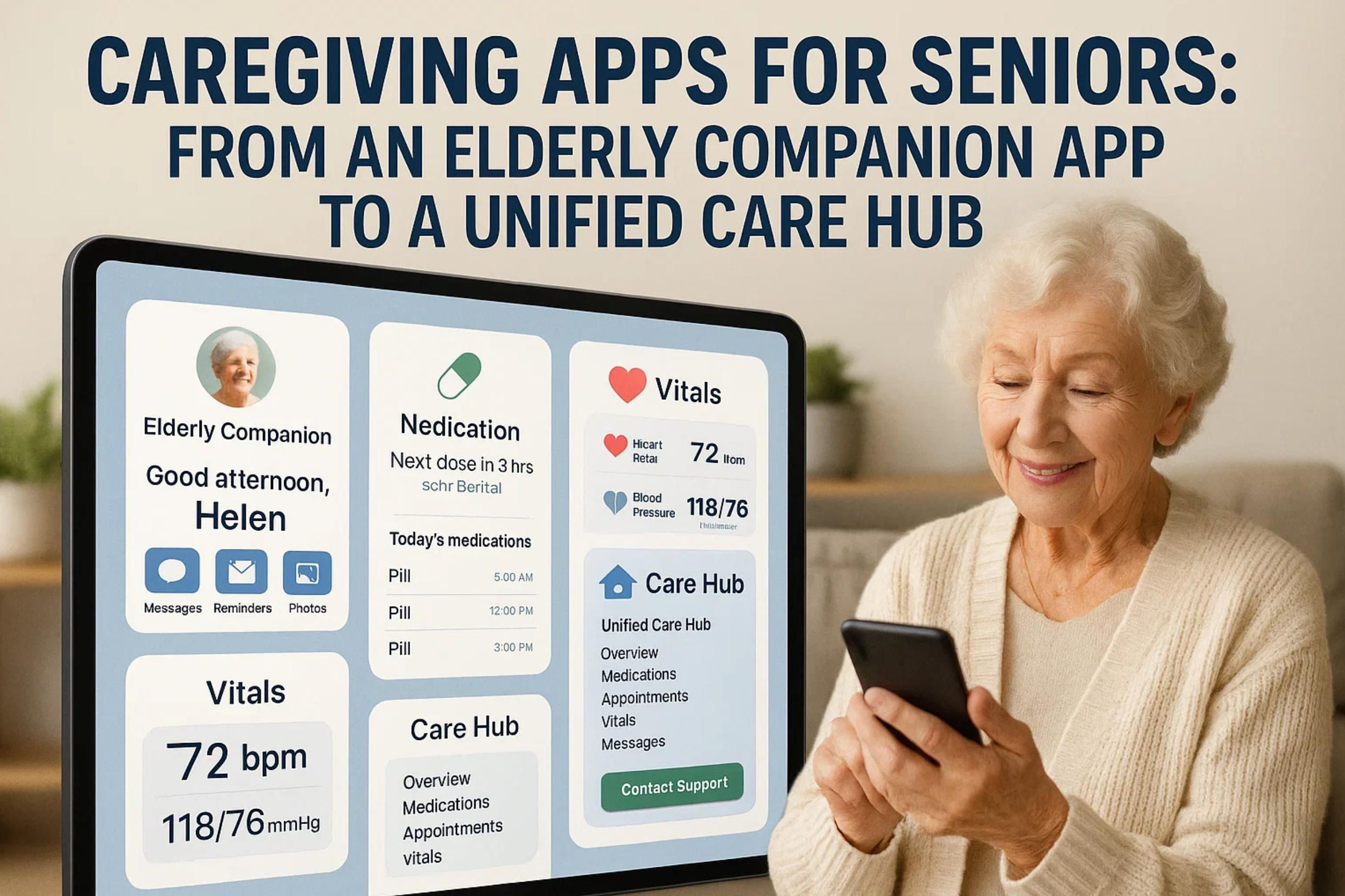
Caregiving is a system, not a single task. Seniors want to remain at home, families live across cities, and health events don’t follow office hours. In that gap between everyday life and emergencies, caregiving apps for seniors aim to reduce uncertainty, compress response time, and preserve dignity. Done well, they turn scattered phone calls and sticky notes into a calm, shared picture: who is doing what, what changed today, and what matters right now.
Terms that tend to get conflated
- Elderly companion app — a companionship-first layer: prompts for daily routines, gentle check-ins, mood and social touchpoints, sometimes via voice or TV interfaces. It reduces isolation and provides “presence at a distance” without being clinical.
- Elderly care app — a broader coordination hub: medications and adherence, appointments, documents, shared calendars, safety signals (falls, wandering, geofencing), and basic health trends.
- Apps for senior caregivers — caregiver-centric tooling: who covers which shift, task hand-offs, notes, mileage/time/expense tracking, escalation rules, and family updates that don’t require everyone to call at once.
In practice, a strong solution spans all three: a calm companion for the senior, a reliable coordination hub for the family “care circle,” and ops tools for whoever is on duty next.
The real jobs-to-be-done
Families aren’t buying features; they’re buying certainty. Behind the icons and notifications are concrete jobs: keep meds on track without nagging; notice anomalies before they become crises; coordinate siblings who don’t share a zip code; keep the senior engaged without infantilizing them; and make sure sensitive data is shared with consent. At minimum, a credible elderly care app should map to these outcomes:
- Safety with context: a fall alert that carries useful metadata (location, last movement, battery state, who’s nearby), not just an alarm.
- Adherence with escalation: a missed-dose nudge that quietly escalates to a designated “care friend” rather than spamming everyone.
- Coordination without chaos: one source of truth for tasks, shifts, and notes so that “Did anyone do X?” stops consuming the evening.
- Presence without intrusion: light-touch check-ins and companion prompts that maintain autonomy and respect boundaries.
Why many stacks fail (and how to design around it)
Caregiving often degrades into a zoo of single-purpose apps: one for meds, one for location, another for messaging, plus a spreadsheet for expenses. Fragmentation breeds missed signals and alert fatigue. On top of that come real-world constraints: low vision and hearing, cognitive load, rural bandwidth, TV-first usage patterns, “phone left on the kitchen counter,” or a smartwatch that is off-wrist.
Design principles that consistently work across contexts:
- Quiet by default, loud when it matters: prioritize signal quality over volume; use progressive escalation and suppression windows.
- Explainable events: show why a notification fired (e.g., “stationary for 40 min after an abnormal gait pattern”), not just that it fired.
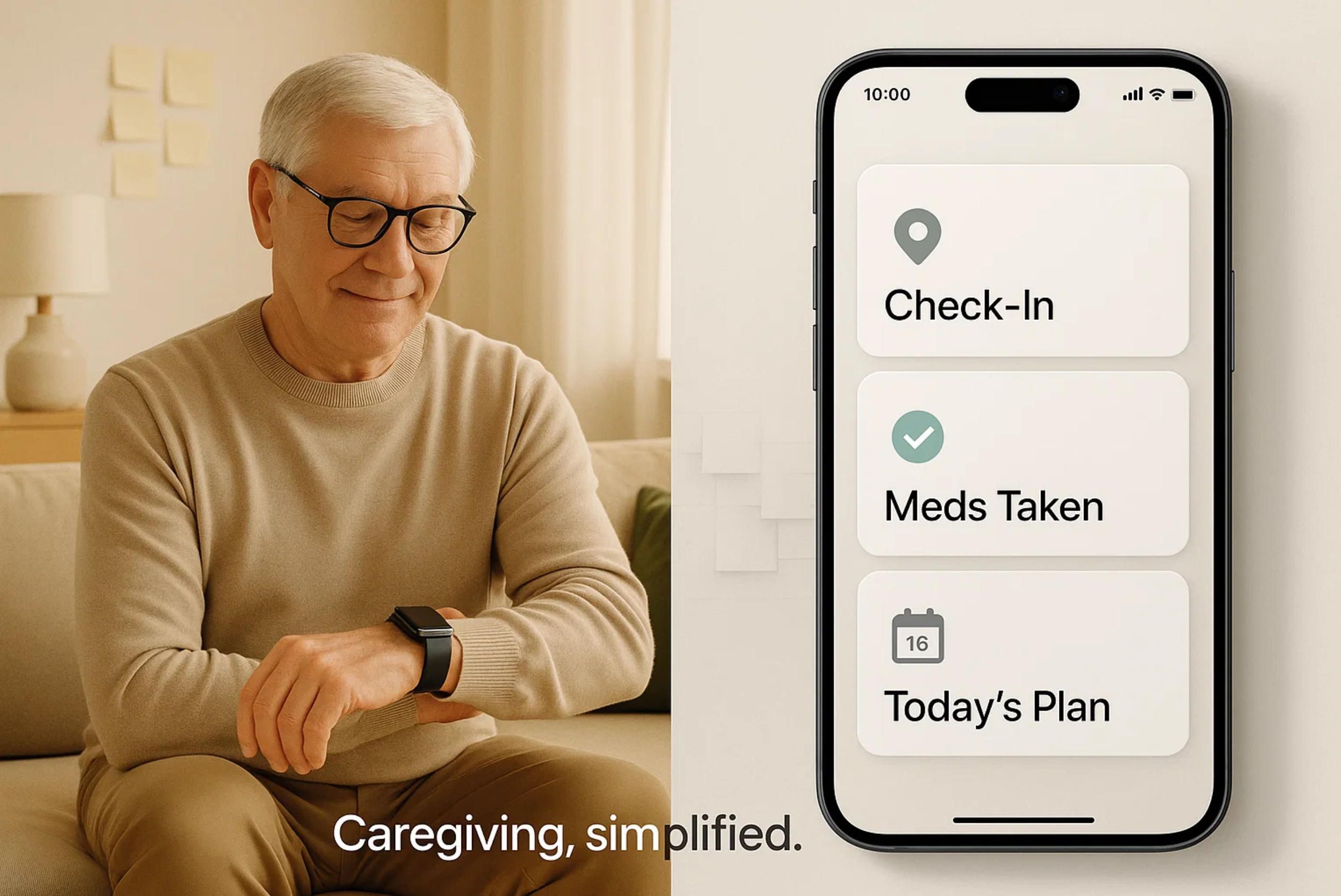
- Multi-surface UX: phone + watch + TV/voice, with the same mental model and the same plain-language labels.
- Granular consent & roles: who sees location, meds, notes, and when; include an audit trail so trust doesn’t depend on memory.
- Graceful degradation: offline-first caching, SMS fallbacks, low-bandwidth modes, and “no-tap” flows for tremor or arthritis.
- Caregiver ops baked in: mileage, time, and expenses alongside care tasks—because logistics are part of care.
Measuring what actually improves life
If a product cannot show progress on the things below, it’s probably just adding clicks:
- Adherence: higher on-time dose rate; fewer consecutive misses; reduced “white space” between refills.
- Response: shorter time-to-notify and time-to-acknowledge for safety events; fewer false positives per week.
- Coordination: fewer duplicate tasks, fewer “who’s on?” messages, cleaner hand-offs at shift boundaries.
- Well-being: lower caregiver burnout indicators; stable or improved mood/engagement signals for the senior over months.
This is the bar for modern caregiving apps for seniors—and it’s also the lens through which families compare an elderly companion app to a heavier elderly care app or to broader apps for senior caregivers. In the rest of the guide, we’ll ground these principles in stable statistics, review the current app landscape, and outline how a unified care hub avoids fragmentation while respecting privacy and autonomy—exactly the kind of integrated approach A-Bots.com engineers when building custom solutions.
2.Stats & Signals That Actually Matter
Numbers only help if they shape product decisions. Below are stable anchors you can design around—figures that rarely swing wildly and map directly to the jobs your caregiving apps for seniors must do. Where precise values differ by cohort, treat them as ranges and instrument your own baselines during onboarding.
Caregiver capacity is finite. Large national surveys consistently show many family caregivers providing the equivalent of a part-time job each week, and a substantial share doing full-time hours. That workload drives multi-caregiver coordination needs, shift hand-offs, and the demand for apps for senior caregivers with built-in mileage/time/expense tracking. MediaRoom
Falls remain the leading driver of emergency events in older adults. The headline signal is robust: roughly one in four older adults experiences a fall in a given year; falling once meaningfully increases the likelihood of falling again; and falls are a top cause of injury. For an elderly care app, that justifies first-class support for wearables with fall detection, geofencing, and fast escalation paths. Also note a hidden bias: many seniors do not report falls to clinicians, so passive sensing matters.
Medication adherence is a perennial fault line. Across chronic conditions, adherence clusters around ~50%. This is why a reminder alone is not enough: you need escalation to a designated “care friend,” visibility for the care circle, and refill gap detection. Treat adherence as a longitudinal metric with streaks, not one-off pings.
Social isolation is more than a feeling; it’s a medical risk factor. Consensus research links isolation and loneliness to higher risks across multiple conditions and even premature mortality. This makes the elderly companion app layer—lightweight prompts, TV/voice companionship, and routine check-ins—a health intervention, not “nice to have.” NCBI, PubMed
Evergreen indicators to design around
- Caregiver load: many provide ≥20 hours/week; a material subset crosses the 40-hour line—plan for shift scheduling, task hand-offs, and ops logs inside the app.
- Falls baseline: ~1 in 4 older adults reports a fall; prior falls predict future falls—prioritize wearables, geofencing, and time-to-notify minimization.
- Adherence reality: ~50% of patients with chronic conditions do not take medications as prescribed—build escalation trees, not louder reminders. PMC
- Under-reporting effect: many seniors do not tell clinicians about falls—value passive/ambient signals and caregiver-confirmed check-ins.
Product signals that should live on your dashboard
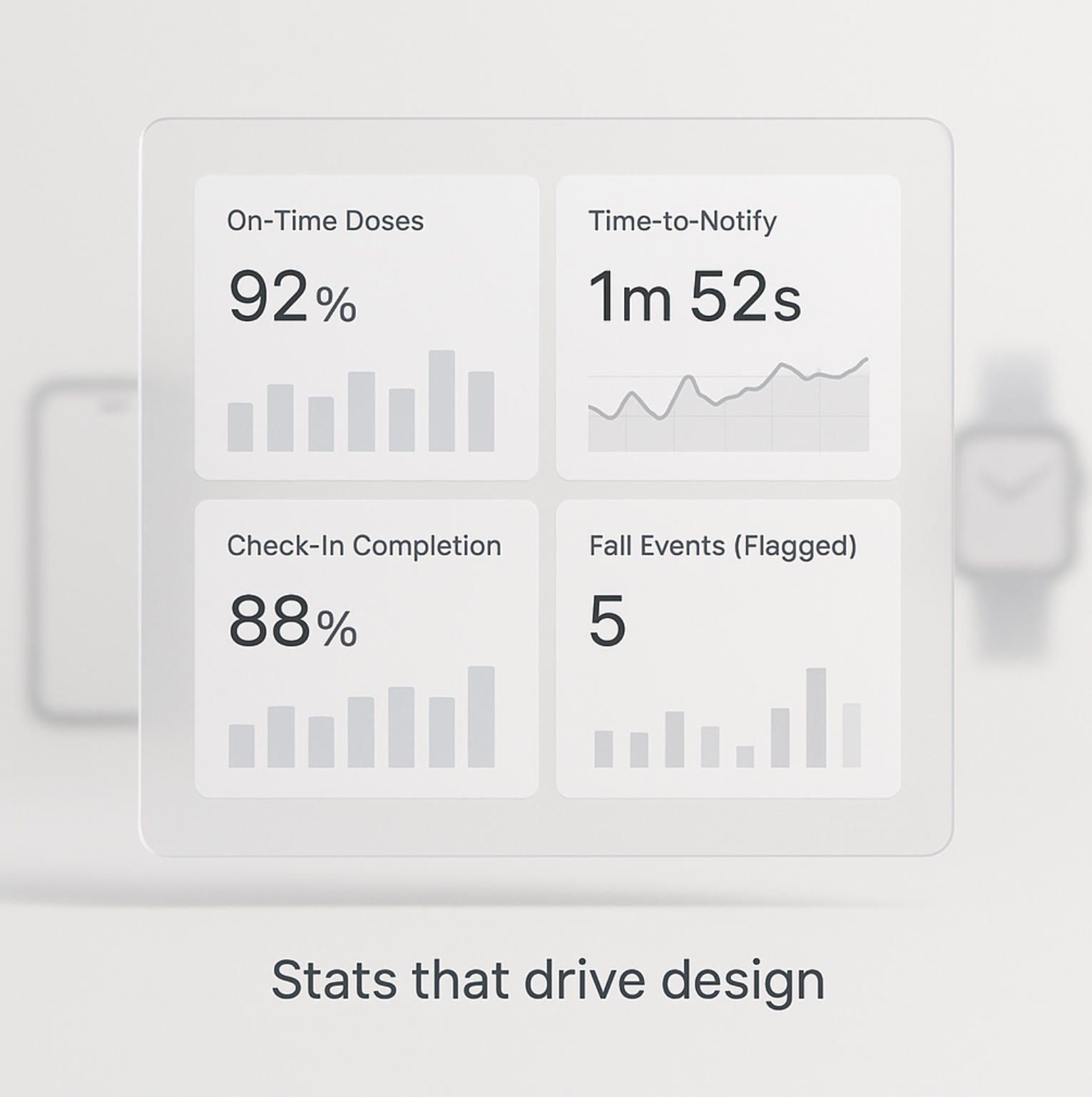
- Adherence quality: on-time dose rate, consecutive-miss streaks, refill “white space.”
- Safety responsiveness: time-to-notify, time-to-acknowledge, and false-positive rate for fall/wander alerts.
- Coordination health: task completion lag, duplicate-task collisions, clean shift hand-offs.
- Engagement & well-being: check-in completion without nudges, companion-prompt response rate, mood/affect notes (opt-in).
How to turn stats into durable UX
Prefer ratios over raw counts (e.g., on-time doses per week rather than “pushes sent”). Visualize escalation paths so families understand who is “on” without a group call. Keep seniors’ autonomy explicit: opt-in for location sharing by role and time window, plain-language logs (“who saw what, when”), and graceful fallbacks (SMS, low-bandwidth, “no-tap” flows). This is how an elderly care app becomes trusted—and how an elderly companion app layer actually moves outcomes, not just screen time.
3.The Current Landscape: A Review of Existing Caregiver & Elderly Companion Apps
Today’s market is a patchwork of single-purpose tools and a few broader hubs. Families typically juggle a coordination app, a meds tool, a location/safety layer, plus ad-hoc messaging. Below is a concise map of what exists and why it matters when you’re designing or selecting caregiving apps for seniors.
Care coordination & family hubs. CaringBridge offers a private, ad-free space to share health updates and coordinate support; its long-running mobile apps have strong adoption within care circles. CaringBridge, Apple, Google Play Lotsa Helping Hands focuses on a shared “help calendar” to organize meals, rides, and visits with automatic reminders—simple mechanics that scale well for informal teams. Lotsa Helping Hands Caring Village adds caregiver-centric structure: centralized calendar, medication list, document storage, and customizable care plans. Caring Village ianacare positions itself as a full platform for family caregivers, including navigators and employer-linked benefits—useful where coaching and resource discovery are needed. ianacare.com, Apple
Medication management & adherence. Medisafe remains a leading option; its “Medfriend” feature notifies a designated caregiver about missed doses and correlates with higher adherence and retention among users who enable it—evidence that social support beats louder alarms. Medisafe
Safety, falls & long-distance presence. Apple Watch fall detection is the de facto baseline in mainstream wearables; when a hard fall is detected and the user is unresponsive, the watch can contact emergency services and notify listed contacts (including via satellite relay where supported on paired iPhone). ncoa.org BoundaryCare builds on that watch stack for caregivers with GPS, geofencing, and alerting workflows. BoundaryCare, Apple Life360, while not elder-specific, is widely used for geofencing and location awareness in remote-care scenarios. life360.com On the smart-speaker front, Amazon has sunset Alexa Together and now offers Alexa Emergency Assist; the pivot matters because Emergency Assist is a leaner service and forum reports indicate it does not replicate Together’s fall-detection integrations—teams should verify features before building around that ecosystem. Amazon, Amazonforum.com
Companionship & social health. Companionship layers show up as voice/TV experiences and proactive prompts; these reduce isolation and make “presence at a distance” tangible. (See also consumer press and nonprofit coverage tying social tools to aging-in-place adoption.) Kiplinger
Categories & representative examples (what you’ll actually find)
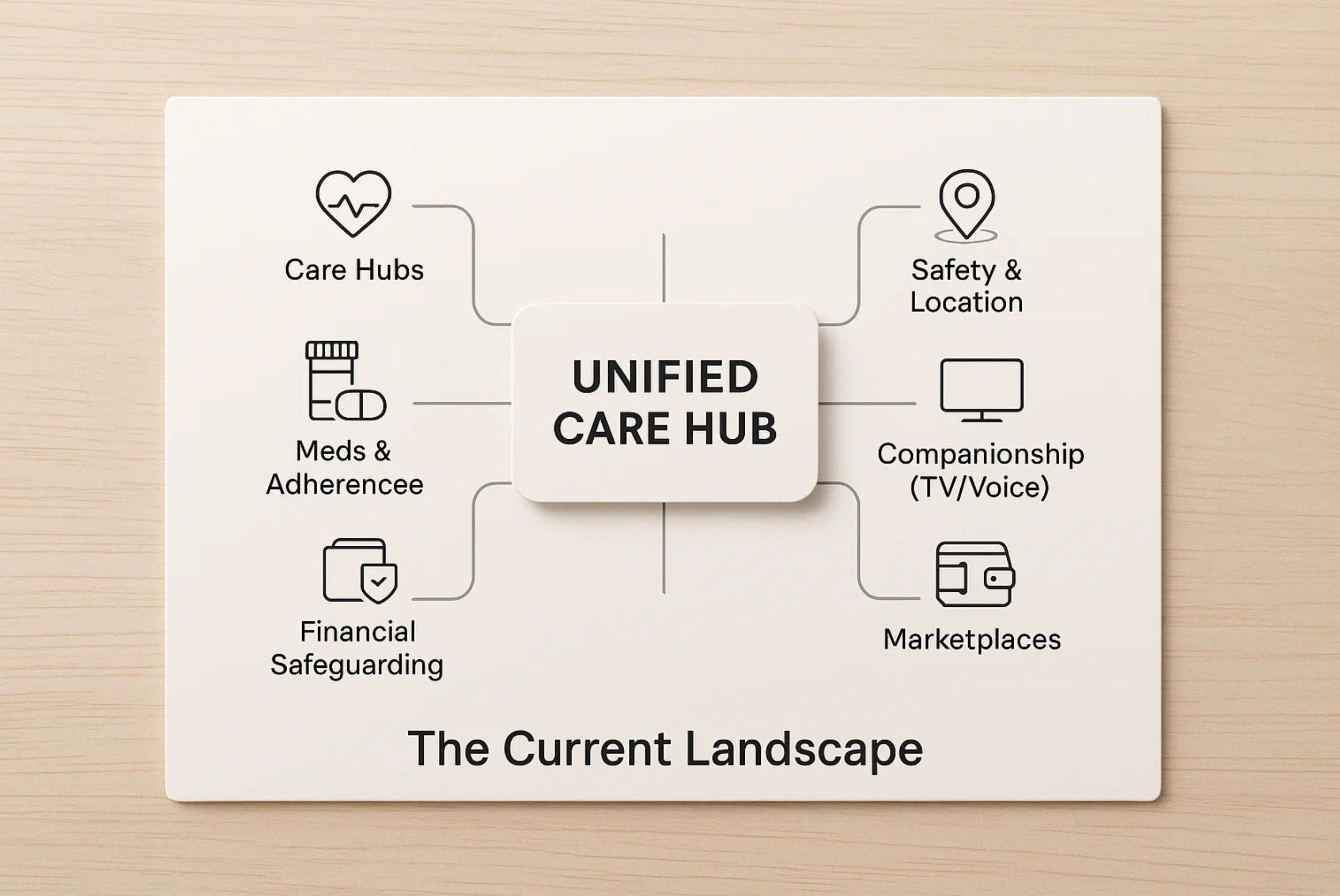
- Care hubs: CaringBridge; Lotsa Helping Hands; Caring Village; ianacare. CaringBridge, Lotsa Helping Hands, Caring Village, ianacare.com
- Meds & adherence: Medisafe with “Medfriend” escalation. Medisafe
- Safety & location: Apple Watch fall detection; BoundaryCare; Life360; Alexa Emergency Assist (post-Together).
What’s demonstrably working. The strongest patterns combine (1) shared context for the care circle (updates/tasks that everyone understands), (2) escalation, not repetition (e.g., Medfriend-style nudges to a designated “care friend”), and (3) multi-surface UX (phone + watch + TV/voice), so an elderly companion app can engage seniors even when the phone is in the kitchen.
Where families still struggle. Fragmentation (three to five apps for one care plan), alert fatigue (false positives from poorly tuned signals), and role/consent gaps (who sees meds vs. location, and when). The discontinuation of Alexa Together underscores a broader risk: platform volatility—features can vanish or change; build with portable integrations and clear fallbacks.
Why a Unified Care Hub is the next step
A coherent elderly care app should unify these proven pieces: adherence with smart escalation, a shared help calendar, document vault, location/fall signals, and caregiver ops (mileage/time/expenses). That’s the blueprint A-Bots.com pursues in custom builds: one surface of truth for the family, respectful companion UX for the senior, and compliant, interoperable plumbing under the hood—so care doesn’t depend on stitching together a dozen brittle apps.
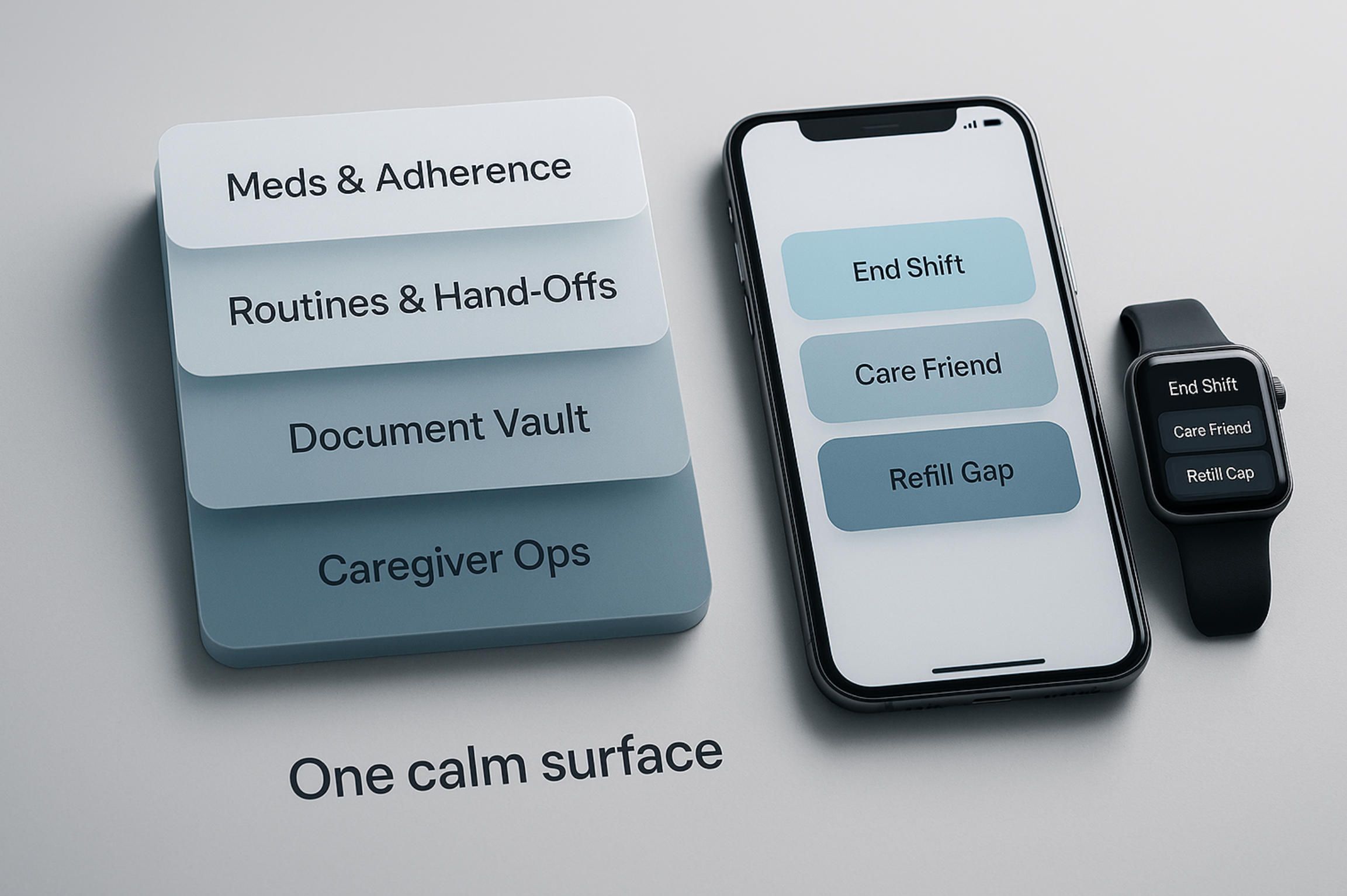
4.The Essential Care Stack: From Meds & Routines to Caregiver Ops
A credible elderly care app isn’t a feature buffet; it’s a small, interoperable stack that replaces the family’s “app zoo.” The goal is simple: one calm surface for the senior and one reliable source of truth for the care circle—plus the operational tooling that apps for senior caregivers routinely lack.
A practical stack starts with medications and adherence. Model doses as first-class objects (drug, strength, schedule, instructions, refill window) and treat adherence as a streak, not an isolated ping. Escalation should be compassionate and narrow: a missed dose nudges the senior, then a designated “care friend,” not the entire family. Refill gaps are their own signal; detect them early and surface a single action (“request refill,” “mark as taken late”) instead of a dozen notifications. Barcode/OCR capture for pill bottles reduces setup friction, and a simple reconciliation view (“what changed since Monday?”) prevents silent drift.
Next comes shared routines and task hand-offs. Morning/evening blocks, meals, hydration, PT exercises, cognition prompts—these form a living schedule. Each task should be claimable, assignable, and auditable, with a grace window to avoid false negatives. When a shift ends, generate a compact, structured hand-off that travels with the next caregiver: vitals trends, mood notes, meds exceptions, open tasks. This is where an elderly companion app layer pays off: light, human-sounding prompts keep the senior engaged so the routine runs without constant micro-management.
A document vault anchors the messy realities: allergy list, meds list, insurance card, advance directives, power-of-attorney, provider roster, care plans. Access must be role-based with “break-the-glass” rules (emergency overrides leave a clear audit trail). Use plain-language titles, automatic expiry checks (e.g., insurance), and a one-tap share to EMS or a clinic portal. For families, this replaces last-minute photo hunts in messaging threads.
Finally, build caregiver ops into the same surface: time tracking, mileage, expense capture, shift rosters, and exportable logs. If a paid aide or a family caregiver needs reimbursement, the proof should live where the tasks live. Tie ops events to care events (e.g., a transportation expense linked to a cardiology visit) so reports make sense to third parties.
Design patterns that keep the stack sane
- Escalation trees, not louder alarms. Quiet by default; widen the circle only when thresholds are crossed (consecutive misses, abnormal dwell time, out-of-geofence after dark).
- Event sourcing with a consent ledger. Treat everything as an append-only stream (task taken, dose skipped, expense filed) with per-role visibility; a simple ledger answers “who saw what, when.”
- Multi-surface, offline-first UX. Phone + watch + TV/voice share one vocabulary; SMS fallbacks cover low bandwidth; idempotent actions prevent double work when connections flap.
A 30-second hand-off protocol (what “good” feels like)
- Outgoing caregiver taps End shift → app auto-summarizes changes since last hand-off (med exceptions, mood notes, mobility flags).
- Incoming caregiver receives a concise briefing and a Start shift checklist with just-in-time context (e.g., “watch for dizziness after new beta-blocker”).
- Family sees a single update card (“shift handed over at 18:00; all critical items addressed”) instead of five chat messages.
KPIs and guardrails for a resilient care stack
- Adherence: on-time dose rate and longest miss streak trend upward/downward in the right direction; refill “white space” shrinks month over month.
- Coordination: time-to-acknowledge for critical events and hand-off latency stay under agreed thresholds; duplicate tasks trend to zero.
- Ops health: reimbursable hours/miles match shift logs; exportable reports reconcile without manual spreadsheets.
Build to these behaviors and you’ll feel the fragmentation disappear. That’s the blueprint A-Bots.com uses when turning an elderly companion app into a unified caregiving app for seniors: a narrow, durable stack that respects autonomy, reduces alert fatigue, and makes care logistics invisible in the best possible way.
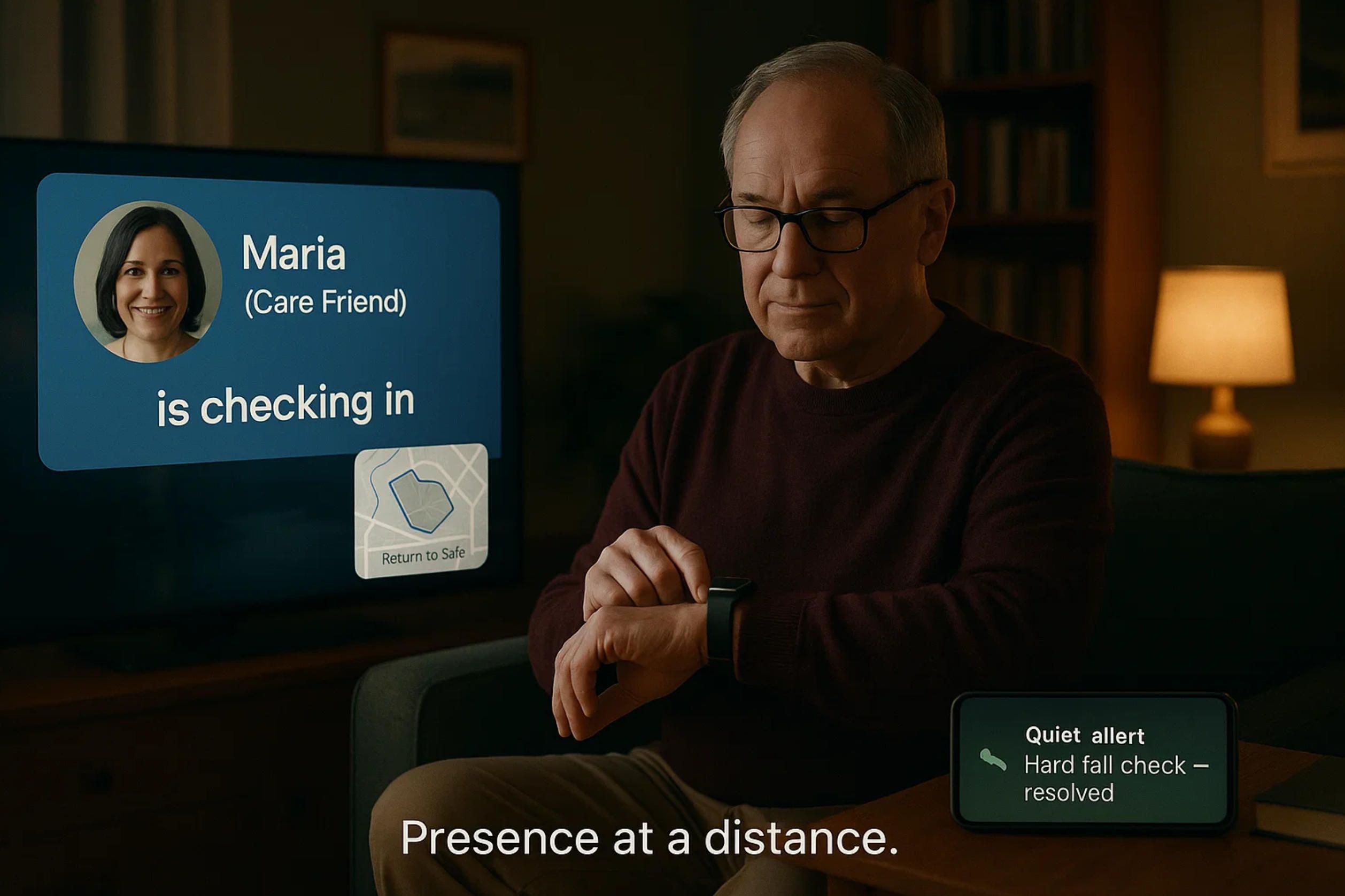
5.Safety & Presence at a Distance: Wearables, Geofencing, TV/Voice Companions
Safety is the promise families buy; presence at a distance is how they feel it day to day. The right elderly care app balances quick escalation with dignity, translating sensors into context and context into calm actions. For many households that means a watch on the wrist, a phone that sometimes stays on the kitchen counter, and a TV or smart speaker that the senior actually uses. An elderly companion app layer then turns these surfaces into gentle prompts and human touchpoints, while apps for senior caregivers expose the same events as concise, auditable updates.
What “good safety” actually looks like
- Progressive escalation, not panic. Self-resolve → designated care friend → wider circle → emergency, with clear time gates and snooze windows to avoid alert fatigue.
- Explainable events. “Hard fall at hallway, stationary 3 min, watch battery 18%, last meds taken 08:00” beats a raw siren; families act faster when they understand why.
- Consent in motion. Time-bounded location sharing, role-based visibility, “break-glass” with an audit trail, and explicit quiet hours—presence without surveillance.
Wearables & geofencing: practical patterns
- Hysteresis and confidence. Combine multiple cues (impact + immobility + posture) to reduce false positives; smooth geofence edges with linger thresholds.
- Return-to-safe flows. If out-of-bounds after dusk, auto-offer directions or a one-tap call; let caregivers trigger a “go home” card on the senior’s watch/TV.
- Resilience first. Off-wrist detection, battery-aware sampling, SMS fallbacks when data is poor, and a lost-device protocol that doesn’t strand the family.
TV/Voice companions: presence without intrusion
- Auto-answer with manners. Whitelist contacts; pre-roll a large on-screen cue (“Maria is checking in”) and fall back to voice if video stalls.
- Routines as anchors. Morning/evening check-ins, hydration prompts, and PT nudges render as large-font cards the senior can confirm by voice or remote.
- Privacy on a button. A visible “privacy scene” (camera off, mic muted) and a simple “resume” keep trust intact, while caregivers receive a short summary card instead of a transcript.
Build these behaviors and safety becomes quiet, legible, and reliable across phone, watch, and TV. That’s the pattern A-Bots.com implements in custom builds: one consent-aware event stream, multi-surface UX the senior will actually use, and escalation trees that move fast without overwhelming the family—a practical bridge between an elderly companion app and truly dependable caregiving apps for seniors.
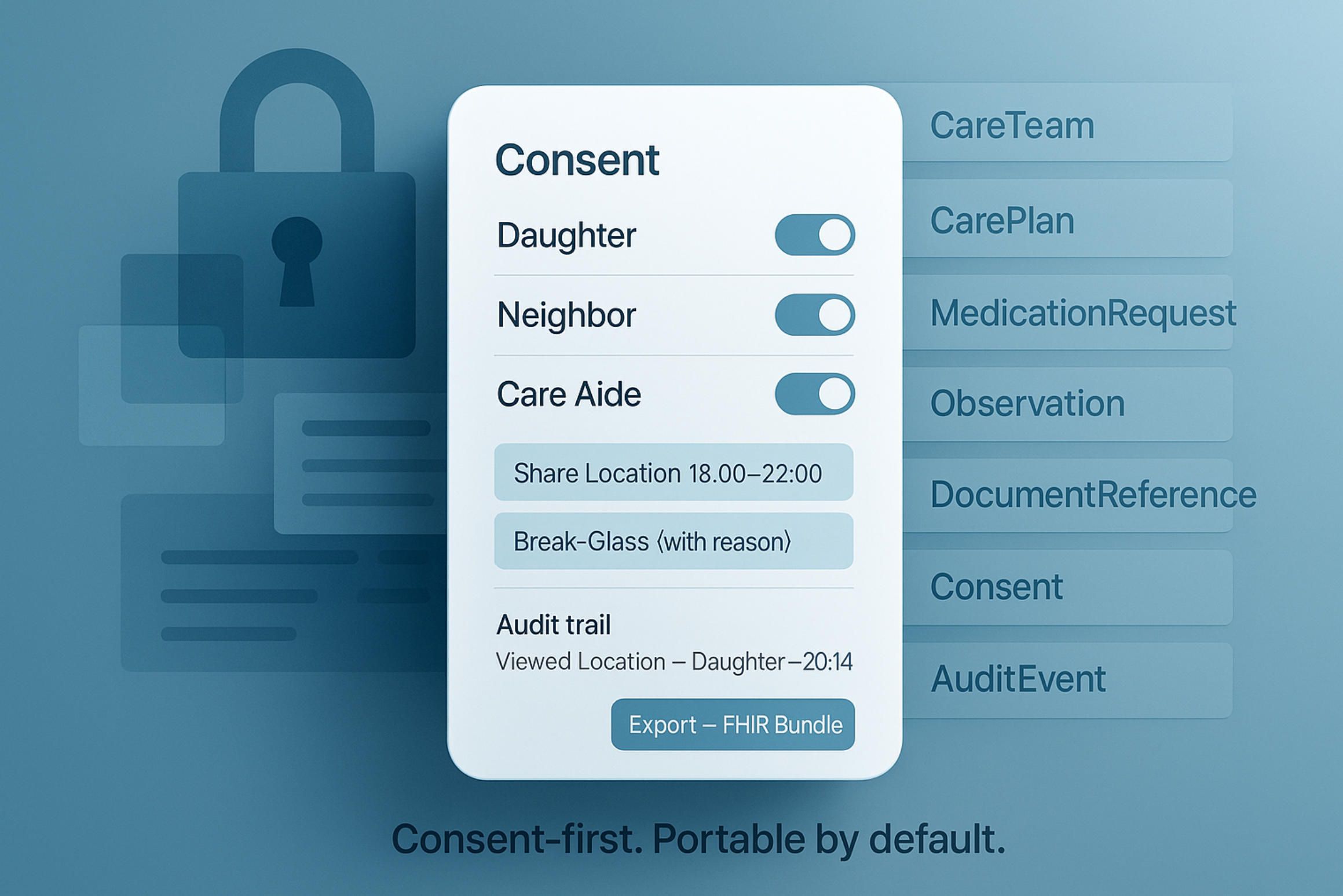
6.Data, Privacy & Interoperability by Design (HIPAA/GDPR, HealthKit/Fit, FHIR)
Trust is the real UX. A caregiving app for seniors is asking families to move the most sensitive parts of life—location, health events, finances—into software. That only works if privacy is explicit, permissions are legible, and integrations don’t leak or lock the user in. Treat compliance not as a badge, but as the operating system of the product.
Start with roles, scopes, and consent that non-lawyers understand. A senior’s daughter may see meds and location during her shift window, while a neighbor has “check-in only” and no access to documents. Consent must be granular and reversible, time-bounded (“share location 18:00–22:00”), with a break-glass path for emergencies that forces a reason and writes an immutable audit record. This is where dignity is preserved: the app states, in plain language, who can see what and why—right on the screen where the action happens.
Model the app as an event stream with a consent ledger. Every meaningful action—dose taken, fall detected, task handed off, expense filed, document shared—becomes an append-only event carrying who/what/when and the consent snapshot in force at that moment. That snapshot travels with the data to prevent “retroactive” overreach when roles change later. When families ask, “who saw Mom’s location last night?”, the answer lives in the product, not in a support ticket.
Interoperability is not a checklist; it’s how you avoid the “app zoo.” On iOS and Android, prefer HealthKit/Health Connect/Google Fit where possible for vitals and activity, and keep writes conservative—mirror only data the senior expects to leave your app. For medical plumbing, speak FHIR: represent the care circle via CareTeam, plans via CarePlan, meds via MedicationRequest and adherence status via MedicationStatement/MedicationAdministration; use Observation for mobility/step-down metrics, DocumentReference for directives, Consent for sharing rules, Provenance/AuditEvent for who touched what. Package exports as FHIR Bundles (NDJSON/JSON) so families and providers can take their data elsewhere without reverse-engineering. This design also future-proofs integrations with EHRs, telehealth, pharmacies, or emergency services.
On the compliance front, be precise about who is what. A direct-to-consumer app is usually a data controller (GDPR) and not a HIPAA Covered Entity; once you integrate with a provider or plan, you may become a HIPAA Business Associate with a BAA, audit duties, and breach-notification clocks. Under GDPR, lawful bases are explicit: consent for location sharing and companionship analytics; vital interests for break-glass flows; legitimate interests for minimal fraud/abuse prevention—each surfaced in UI copy, not buried in a PDF. Right of access, deletion, correction, and portability must work in practice: one screen to export (FHIR bundle + human-readable PDF), one to delete (with a cooling-off window), one to revoke third-party connections.
Security is posture, not just encryption. Yes, do envelope encryption with per-tenant keys, rotate keys, and keep them in an HSM/KMS; but also design for graceful degradation: offline-first caches with at-rest encryption, idempotent sync when bandwidth returns, SMS voice fallbacks when push is down. Mobile hardening matters for this audience: jailbreak/root detection to disable sensitive writes, background task design that respects battery and doesn’t brick fall detection at hour 22, and a lost-device protocol that can sever sessions and invalidate tokens without nuking an elder’s access. For the TV/voice surface, assume shared living rooms: put a one-tap Privacy Scene (camera off, mic muted, large banner) on the primary screen and reflect that state back to caregivers as a concise status card rather than raw audio/video.
Finally, design auditability and assurance into everyday flows. Alert explanations (“hard fall, stationary 3 min, battery 18%, geofence: home hallway”) build trust and also become structured evidence for after-action reviews. Retention policies are explicit (e.g., raw sensor traces purged after N days; derived trends kept longer). Third-party SDKs are minimized and pinned with a software bill of materials; updates ship with reproducible build steps. Accessibility is part of privacy: large, high-contrast text, voice confirmation, and predictable focus order keep seniors in control of what they share.
Design commitments worth stating in your product:
- Consent-first data flow: granular roles, time windows, break-glass with justification, immutable
AuditEvent. - Portable by default: FHIR resources and Bundles for export, HealthKit/Health Connect/Fit used judiciously, revocable integrations.
- Resilient & respectful: end-to-end encryption, offline-first with safe fallbacks, lost-device controls, and live, plain-language transparency about who saw what and when.
That’s the baseline A-Bots.com builds to: a consent-aware event stream, FHIR-literate data model, and multi-surface UX where privacy reads as clearly as a medication label—so a modern elderly companion app can coexist with clinical systems and still feel human at home.
7.Build vs Buy vs Customize: The A-Bots.com Blueprint
“Should we adopt an off-the-shelf elderly care app, assemble a stack of point tools, or commission a custom build?” The honest answer is that all three can work—until your real-world constraints show up. Family caregivers and professional aides don’t care about architectural purity; they care that the right person gets the right signal at the right time, that sharing is respectful, and that operations (mileage, hours, expenses) don’t fall through the cracks. When the seams start to show—feature gaps, noisy alerts, brittle integrations—teams discover that caregiving apps for seniors succeed or fail at the edges: consent, redundancy, and how quickly the system recovers when devices, networks, or human plans misbehave.
Buying a prebuilt platform is compelling when your requirements are mainstream and your process can adapt to the product. You get time-to-value and mature feature coverage, at the price of opinionated workflows, roadmap dependency, and limits on how deeply you can integrate fall detection, pharmacy, or TV/voice surfaces. Customizing is compelling when your needs are specific (e.g., dementia-friendly geofences with “return-to-safe” coaching, strict auditability for a home-care provider network, or a TV-first companion that auto-answers whitelisted calls). The risk is scope creep. The reward is a system that actually fits the day-to-day, not the brochure.
To make this practical, here are the trade-offs that matter in the field, stripped of vendor marketing.
Trade-offs & traps to evaluate up front
- Fragmentation vs. fit. A “best of breed” kit (meds + location + chat + spreadsheets) can fit each task perfectly—and still fail as a whole. Every extra app multiplies hand-off errors, consent drift, and alert fatigue.
- Platform volatility. Feature pivots in big ecosystems (smart speakers, watch OSes) can remove or alter capabilities you rely on. If you don’t own your escalation logic and consent model, you inherit someone else’s roadmap risk.
- Shallow consent. Role labels (“family,” “neighbor”) are not enough. Without time-bounded scopes and a visible audit trail, families self-censor, share less, and revert to private chats.
- Ops invisibility. Mileage, hours, receipts, and shift coverage are care. If they live outside the app, reimbursement breaks and caregivers burn out.
- Accessibility as an afterthought. Large fonts, predictable focus order, voice confirmations, and TV-scale UI are not “nice to have” for older adults; they are the interface.
- Data hostage risk. If you cannot export as FHIR Bundles and gracefully revoke third-party connections, you don’t own your data—or your future options.
A-Bots.com builds for those edges. Our approach treats elderly companion app surfaces, elderly care app coordination, and apps for senior caregivers operations as one architecture with clear boundaries and explicit consent. Below is the blueprint we use, battle-tested across mobile, watch, and TV/voice.
The A-Bots.com blueprint (layers that interlock cleanly)
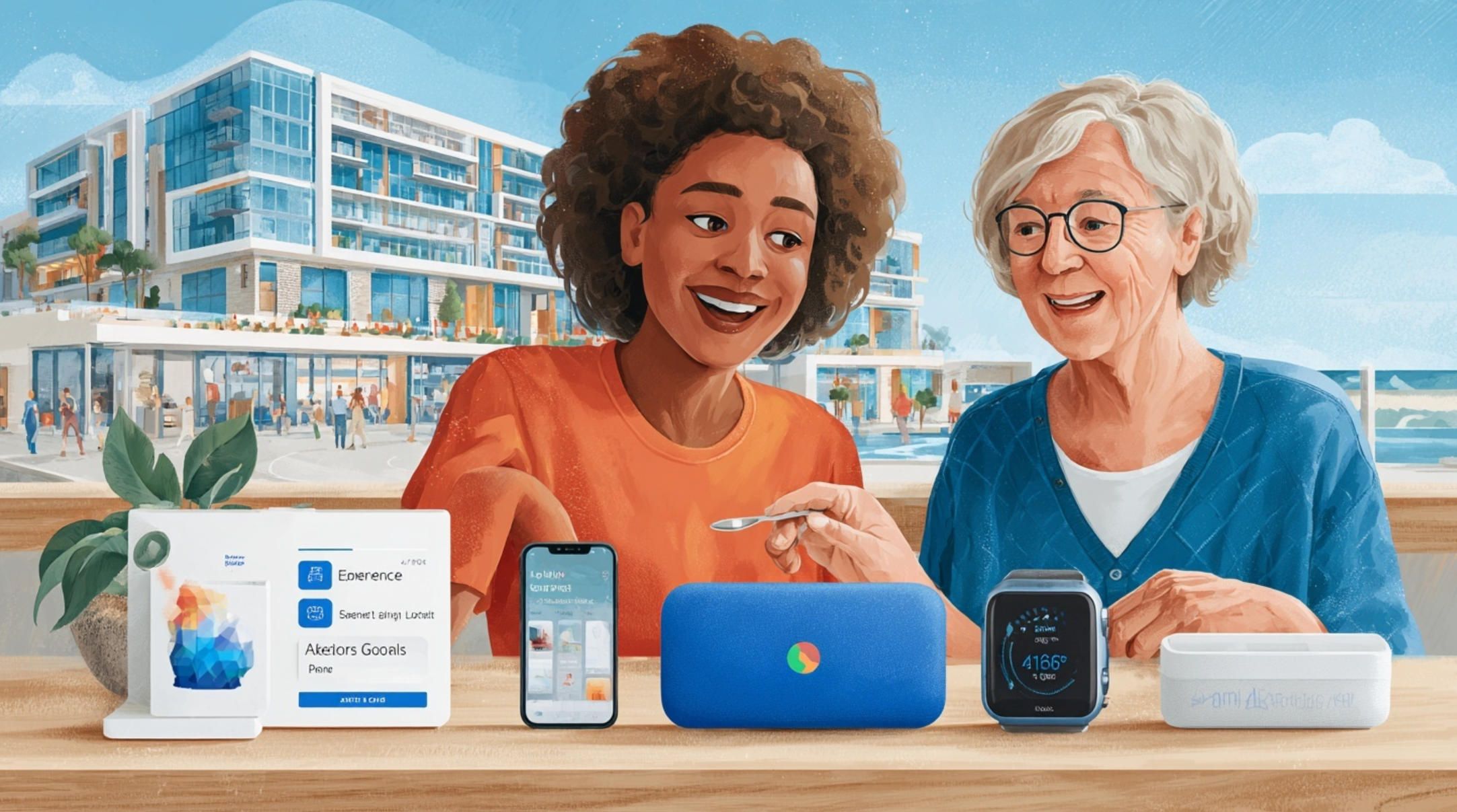
- Experience surfaces & A11y. Native iOS/Android apps, watch extensions (watchOS/Wear OS), and a TV/voice companion (Apple TV / Fire TV class) that seniors will actually use. One vocabulary across surfaces (“Check-in,” “End shift,” “Go home”), large-type modes, voice confirmations, haptics for tremor, and auto-answer for whitelisted callers with an on-screen privacy banner.
- Event bus with a consent ledger. Everything is an append-only event (dose taken, fall detected, expense filed) stamped with “who/what/when” and the consent snapshot in force at that moment. That snapshot travels with the event, powering explainable alerts (“hard fall in hallway; stationary 3 min; battery 18%”) and immutable
AuditEventlines for “who saw what, when.” - Safety & geofencing services. Multi-cue fall heuristics (impact + immobility + posture), hysteresis to cut false positives, linger thresholds on geofences, and “return-to-safe” flows that can push gentle wayfinding or one-tap calls. Escalation trees are declarative: self-resolve → care friend → wider circle → emergency, with quiet hours and snooze windows baked in.
- Meds & routines engine. Doses are first-class objects with streak logic, refill-gap detection, barcode/OCR onboarding for pill bottles, and “Medfriend-style” escalation to a designated human. Routines (hydration, PT, cognitive prompts) are claimable/assignable with grace periods to avoid false negatives. A hand-off summary is generated automatically at shift boundaries.
- Caregiver ops inside the same glass. Time tracking, mileage, expenses, and rosters live next to tasks—linked to encounters (“cardiology visit” ←→ “transportation expense”). Exports reconcile without spreadsheets.
- Interoperability & portability. HealthKit / Health Connect / Google Fit for steps, mobility and vitals where appropriate; FHIR resources (
CareTeam,CarePlan,MedicationRequest,MedicationStatement/Administration,Observation,DocumentReference,Consent,Provenance) and bundle exports (JSON/NDJSON) so data can move. Pharmacy, telehealth, and emergency providers sit behind stable interfaces; integrations are revocable. - Security & resilience. End-to-end encryption with per-tenant keys (KMS/HSM), offline-first caches with at-rest encryption, idempotent sync on reconnect, SMS fallbacks when push/network degrade, jailbreak/root detection to gate sensitive actions, and a lost-device protocol that severs sessions without stranding the elder.
How this comes to life is just as important as the diagram. We don’t drop a 200-page spec; we run a measured path from discovery to a proof of value, instrumented from day one.
From discovery to working pilot (how we de-risk fast)
- Discovery & alignment (1–2 workshops). Clarify personas (remote adult children, spouse caregivers, paid aides), “day in the life” flows, consent map, and the 3–5 events that must never be missed. Decide what not to build.
- Experience spike. Prototype the multi-surface vocabulary: phone, watch, and TV/voice for one or two journeys (e.g., morning routine + fall escalation). Validate A11y and “presence without intrusion.”
- Data & consent spike. Stand up the event bus, consent ledger, and export surfaces. Prove “who saw what, when” is visible inside the product, not a legal PDF.
- Safety & adherence spike. Wire fall heuristics and a minimal escalation tree; implement streak-based meds with a care-friend escalation. Track time-to-notify, time-to-acknowledge, and false-positive rate.
- Ops spike. Put time/mileage/expenses into the same flows; generate a one-page export that a real payer or employer can accept without a spreadsheet.
- Pilot & iterate. Deploy to a small care circle. Instrument four levers—adherence, safety responsiveness, coordination health, ops reconciliation—and adjust thresholds and copy where humans actually stumble.
What changes when you own this blueprint? First, explainability becomes native. Caregivers stop guessing because events carry context; seniors feel respected because sharing is bounded and visible. Second, the elderly companion app layer stops being a novelty and starts doing work: routines and check-ins are accepted when they are legible on a TV or answered by voice, not buried on a phone that was left charging in the kitchen. Third, operations become part of care: miles, hours, and receipts sit next to tasks and hand-offs, so compensation and compliance stop leaking into side channels. Finally, longevity is engineered in: if a platform vendor pivots, your safety logic, consent ledger, and data model persist, and you can adapt surfaces without rewriting the heart of the system.
Organizations often ask about total cost of ownership versus buying a shelf app. The right comparison is not license fees; it’s the cost of mismatches: extra head-count to chase false alerts, family churn because consent is opaque, unpaid caregiver miles that sour relationships, and the cynicism that spreads when “the app” interrupts life without delivering safety. A custom elderly care app is justified when those mismatches are the rule, not the exception. Even then, we prefer customization with reuse: proven modules for consent, events, adherence, and escalation; UI kits for large-type and TV layouts; integration adapters that keep you out of SDK roulette.
Governance matters, too. A sustainable system has written “guardrails” for content and threshold changes, an internal champion who owns vocabulary and consent defaults, and a release cadence that treats A11y bugs as first-class bugs. It also has observability: dashboards that surface the four north-star signals (adherence quality; safety responsiveness; coordination health; ops reconciliation) and a simple, human-readable way to export the week in review for any care circle.
This is where A-Bots.com is different. We don’t sell you a generic app and a PDF of best practices; we design the care stack you actually need—a consent-aware event stream, interoperable data, and multi-surface UX that a senior can use without a tutorial. Quiet by default, loud when it matters. Companion when appropriate, clinical when necessary. The result is a unified caregiving app for seniors that replaces fragmented tools, respects autonomy, and scales from one family to a regional home-care network without changing its values.
If this is the level of fit you’re after, let’s keep it low-pressure: start with a short discovery call and a blueprint review. We’ll map your current stack, identify three leverage points, and—if it makes sense—stand up a focused pilot. No grand promises; just the shortest path to a reliable, human-centered elderly companion app that works in the living room as well as it does on a slide. So, A-Bots.com is IoT App Development Company.
✅ Hashtags
#CaregivingApps
#SeniorCare
#ElderlyCompanionApp
#ElderlyCareApp
#AppsForSeniorCaregivers
#AgingInPlace
#ElderTech
#FallDetection
#MedicationAdherence
#RemoteCaregiving
#Interoperability
#HIPAA
#FHIR
#ABots
Other articles
App Development for Elder-Care The world is aging faster than care workforces can grow. This long-read explains why fall-detection wearables, connected pill dispensers, conversational interfaces and social robots are no longer stand-alone gadgets but vital nodes in an integrated elder-safety network. Drawing on market stats, clinical trials and real-world pilots, we show how A-Bots.com stitches these modalities together through a HIPAA-compliant mobile platform that delivers real-time risk scores, family peace of mind and senior-friendly design. Perfect for device makers, healthcare providers and insurers seeking a turnkey path to scalable, human-centric aging-in-place solutions.
GE Predix Platform and Industrial IoT App Development This in-depth article explores the GE Predix Platform, a purpose-built industrial IoT solution by GE Digital, and how it enables edge computing, real-time analytics, and digital twin-based asset performance management. Discover how A-Bots.com, a leading IoT application development company, builds custom mobile apps on top of Predix, empowering field teams with predictive maintenance insights, anomaly detection, and offline-capable functionality. From smart turbines to connected compressors, learn how intuitive applications bring industrial intelligence to life—securely, reliably, and at scale.
Elder Care Mobile App Development Today’s elder care challenges demand more than pill-timers and emergency pendants. A-Bots.com demonstrates how an IoT-driven elder care mobile app can fuse Bluetooth pill dispensers, wearable fall-detection sensors, federated machine learning, and HL7-FHIR interoperability into one seamless ecosystem. Real-time dashboards distill thousands of sensor events into color-coded insights for families, nurses, and insurers, while predictive analytics surface actionable risk scores days before trouble strikes. The result: 22% fewer fall-related hospitalizations, 31 % higher medication adherence, and measurable ROI for value-based-care contracts. Whether you build health hardware, run a home-health fleet, or seek to modernize aging-in-place programs, this deep dive shows why partnering with A-Bots.com—an IoT app development company—turns smartphones into compassionate guardians and data into peace of mind.
ArduPilot Software and Mobile Apps — Custom Development for ArduPilot Flight Controllers We explain what ArduPilot software is (and isn’t), how to choose ardupilot flight controllers, and why time-honest MAVLink, RTK/NTRIP, DroneCAN sensors, and clean video pipelines matter for real work. You’ll see how SITL shortens iteration, how parameter discipline prevents fleet-breaking mistakes, and how mission UX changes across multirotors, VTOL, rovers, USVs, and subs. For teams productizing an ardupilot drone, we also show what a modern ground app must do: configure ardupilot flight controller software safely, author terrain-aware missions, surface EKF and link health, pull DataFlash logs, and ship with release discipline. A-Bots.com builds that mobile layer so your crews get predictable flights and your program gets evidence, not guesswork.
Top stories

Copyright © Alpha Systems LTD All rights reserved.
Made with ❤️ by A-BOTS