
Apple Watch for Seniors: Real Benefits, Missing Pieces, and How Custom watchOS Apps Make the Difference
1.Why “Apple Watch for Seniors” Matters in 2025
2.What Apple Watch Already Delivers for Older Adults
3.Which Model to Choose in 2025: Series 11 vs. SE 3 vs. Ultra 3 for Seniors
4.Unmet Needs & Gaps in Senior Care Workflows
5.Custom watchOS + iOS Solutions: Closing the Gap
6.Technical Deep-Dive for Buyers
7.Designing for Seniors: Accessibility & Behavior Change
8.Integration Paths That Matter
9.From Pilot to Scale: Delivery Model, KPIs, and Compliance
10.Why A-Bots.com
11.FAQ: Practical Questions Families and Providers Ask
12.Demographic Snapshot: The Global 60+ Market
1. Why “Apple Watch for Seniors” Matters in 2025
Across North America, Europe, and much of Asia, populations are aging at an unprecedented rate. By 2030, one in six people worldwide will be over the age of 60. Longer lifespans bring not only opportunities but also challenges: maintaining independence, preventing accidents, and ensuring timely medical intervention. Families and healthcare providers are under pressure to find solutions that balance dignity, safety, and affordability.
In this context, wearable technology has evolved from being a “fitness toy” for enthusiasts into a genuine healthcare companion. Apple Watch, in particular, stands out because it combines powerful sensors, a robust developer ecosystem, and direct integration with iPhones that many seniors or their caregivers already own. The term “Apple Watch for seniors” has become more than a consumer query; it’s a marker of a broader shift in how we think about elder care in the digital era.
Immediate Relevance for Businesses and Developers
For organizations—whether care providers, health insurers, or senior-living services—the Apple Watch is no longer just another gadget. It is a platform for delivering care at scale. Off-the-shelf features like Fall Detection and Emergency SOS are impressive, but they are generalized. The real opportunity lies in building tailored applications that transform the device into a senior-specific health and safety hub.
This is where A-Bots.com comes in. As a custom software development company specializing in mobile and IoT ecosystems, A-Bots.com helps clients translate senior-care needs into concrete iOS and watchOS solutions. From medication adherence apps that synchronize with caregivers’ phones, to voice-first reminder systems for those with limited vision, the team develops applications that unlock the full potential of Apple Watch in elder care.
Unlike generalist development firms, A-Bots.com approaches each project with domain knowledge in health technology, regulatory compliance (HIPAA, GDPR), and user-centered design for older adults. For healthcare startups, elder-care providers, or insurers, partnering with A-Bots.com means moving quickly from an idea to a compliant, scalable, and genuinely useful app that seniors will actually use.
The Broader Context: Why Seniors Need Wearables Now
The need for continuous, real-time monitoring is not abstract—it’s urgent.
- Falls remain the leading cause of injury among older adults. According to the World Health Organization, nearly 37 million falls severe enough to require medical attention occur each year. A device that can automatically detect and signal a fall can reduce response times from hours to minutes.
- Chronic diseases are rising. Hypertension, atrial fibrillation, and diabetes demand daily monitoring. The Apple Watch’s built-in heart sensors, ECG capability, and integration with HealthKit offer non-intrusive data collection.
- Loneliness is a hidden epidemic. Isolation correlates strongly with poorer health outcomes. Wearables provide a subtle way to keep seniors “connected” without overwhelming them with complex technology.
What’s remarkable is that the Apple Watch is already accepted in mainstream culture. Unlike stigmatized “medical devices,” it carries a neutral or even aspirational identity. Seniors wearing Apple Watches often feel less singled out than those using panic buttons or hospital-grade trackers. This matters for adoption: people are more likely to use devices they feel comfortable with.
Apple’s Progress and Its Limits
Apple has leaned heavily into health positioning over the past five years. Features such as Fall Detection, Emergency SOS, ECG readings, and medication tracking make headlines. For seniors, these features can be life-changing. Yet, they are generic baselines—designed for millions of users, not tailored to the nuances of elder care programs.
For example:
- A caregiver may want notifications not just when a fall occurs, but also when repeated instability is detected over days or weeks—signaling emerging risks.
- A senior-living facility may need data streams aggregated into dashboards for staff, not just individual alerts.
- Families may want location-based check-ins (“Mom left home and hasn’t returned by 9 PM”) rather than one-size-fits-all alerts.
These are not features Apple will ever build natively, because they are too specific to care models and regional regulations. But they are precisely the type of functionality that custom watchOS and iOS applications can deliver.
Why “Apple Watch for Seniors” Is a Business Opportunity
Searches for “Apple Watch for seniors” are not just casual consumer queries. They are early signals of a market maturing around elder-care technology. Analysts project the global elder-care tech market will exceed $30 billion by 2030, with wearables making up a large fraction. For developers, insurers, senior-living networks, and telehealth providers, ignoring this demand is leaving opportunity on the table.
A custom Apple Watch app can become:
- A differentiator for a health-tech startup pitching to investors.
- A retention tool for insurance firms seeking to reduce claims through preventive monitoring.
- A safety net for families who want peace of mind while maintaining a senior’s independence.
A-Bots.com positions itself in this nexus—where demographic pressure, technological capability, and business incentives converge. The company’s role is not simply to “code an app,” but to design, build, and deploy solutions that align with healthcare workflows, regulatory requirements, and user behavior.
The Human Side: Why Adoption Will Rise
It is worth emphasizing that technology adoption among seniors has accelerated dramatically. In the United States, smartphone penetration among adults aged 65+ rose from 18% in 2013 to over 65% in 2024. As smartphones become ubiquitous, adding a watch that extends their utility is a natural next step.
Moreover, adult children—often in their 30s to 50s—are active advocates of such technology for their parents. They are the ones searching “Apple Watch for seniors” online. A successful app ecosystem must therefore consider multi-user design: seniors as primary wearers, and caregivers as secondary data recipients. This dual-audience approach shapes everything from notification logic to privacy controls.
Looking Ahead
By 2025, the conversation is no longer whether Apple Watch “works” for seniors—it clearly does. The real conversation is how to maximize its impact through tailored solutions. Out-of-the-box features provide a solid baseline, but the combination of custom applications and integrated workflows is what transforms the device from a consumer product into a healthcare tool.
For businesses, this is not a distant horizon; it’s a present opportunity. The seniors who buy—or are gifted—Apple Watches today represent the first wave of mainstream adoption. The question is whether providers, insurers, and technology companies will meet them halfway with software that makes the device truly senior-friendly.
And for those ready to move beyond generic features, A-Bots.com is already helping organizations build the next generation of elder-care apps—ones that respect dignity, improve safety, and create measurable outcomes.
2. What Apple Watch Already Delivers for Older Adults
When Apple launched the first Watch in 2015, the device was framed mainly as a fashion accessory and fitness tracker. Fast-forward to 2025, and its reputation has shifted dramatically: the Apple Watch is now widely recognized as a serious health and safety tool, particularly for older adults. The company has invested heavily in medical-grade sensors, AI-driven alerts, and integrations with the broader iOS health ecosystem. As a result, even without custom apps, the Apple Watch delivers a suite of features that directly address some of the most pressing concerns for seniors and their families.
Fall Detection: A Lifeline in Critical Moments
Falls remain one of the leading causes of injury-related death among older adults. Apple introduced Fall Detection in Series 4, and it has since evolved into one of the most appreciated features for seniors. The watch uses a combination of accelerometer and gyroscope data, along with machine learning algorithms, to determine whether a hard fall has occurred.
If the wearer remains immobile after the detected fall, the Watch automatically triggers an Emergency SOS call and shares the wearer’s location with designated emergency contacts. Importantly, Apple fine-tuned the feature to minimize false positives (e.g., vigorous dancing or dropping the watch). Seniors gain reassurance that even if they live alone, help will arrive quickly if they fall and cannot reach a phone.
For many families, this single feature has been reason enough to buy the Watch for an elderly parent. But its full potential emerges when it is paired with custom applications that log fall patterns over time, integrate with telehealth platforms, or issue predictive alerts before accidents happen. Still, even in its native form, Fall Detection is a breakthrough in safety.
Emergency SOS and Medical ID
Beyond Fall Detection, Apple Watch includes Emergency SOS, a function that enables the wearer to call emergency services simply by pressing and holding the side button. This is particularly valuable for seniors who may experience sudden distress, chest pain, or disorientation. Unlike a smartphone, the Watch is always on the wrist, reducing delays in activating help.
The companion Medical ID feature stores essential health information—such as allergies, medical conditions, and emergency contacts—accessible directly from the Watch screen. First responders can view this data without unlocking the device, ensuring faster and more accurate care. Together, Emergency SOS and Medical ID turn the Watch into a discreet yet powerful personal safety device.
Heart Monitoring and ECG Readings
Cardiovascular issues remain a top health concern for older populations. Apple’s watches offer several heart-related features:
- High and low heart rate notifications alert the user if their heart rate crosses predefined thresholds, potentially signaling arrhythmias, dehydration, or medication-related side effects.
- Irregular rhythm notifications use optical sensors to check for signs of atrial fibrillation (AFib). If detected, the wearer is advised to consult a physician.
- Electrocardiogram (ECG) capability, available since Series 4, enables on-demand single-lead ECGs. While not a replacement for clinical-grade diagnostics, these readings can help doctors identify issues earlier and track ongoing conditions.
For seniors, these features can mean the difference between unnoticed warning signs and timely medical intervention. More importantly, they normalize health monitoring by embedding it in daily life, rather than requiring separate, intimidating medical devices.
Blood Oxygen and Sleep Tracking
Later generations of Apple Watch introduced Blood Oxygen monitoring (SpO₂) and sleep tracking. Although less directly tied to emergencies, these functions contribute to a broader view of health:
- SpO₂ monitoring may highlight potential respiratory issues, such as COPD flare-ups or sleep apnea risk.
- Sleep tracking offers insights into rest quality, disruptions, and trends over time, which caregivers and physicians can correlate with medication use, stress, or other conditions.
These data points add context to the health picture of older adults. Even if a senior does not proactively analyze them, aggregated data can help caregivers and healthcare professionals make more informed decisions.
The Medications App
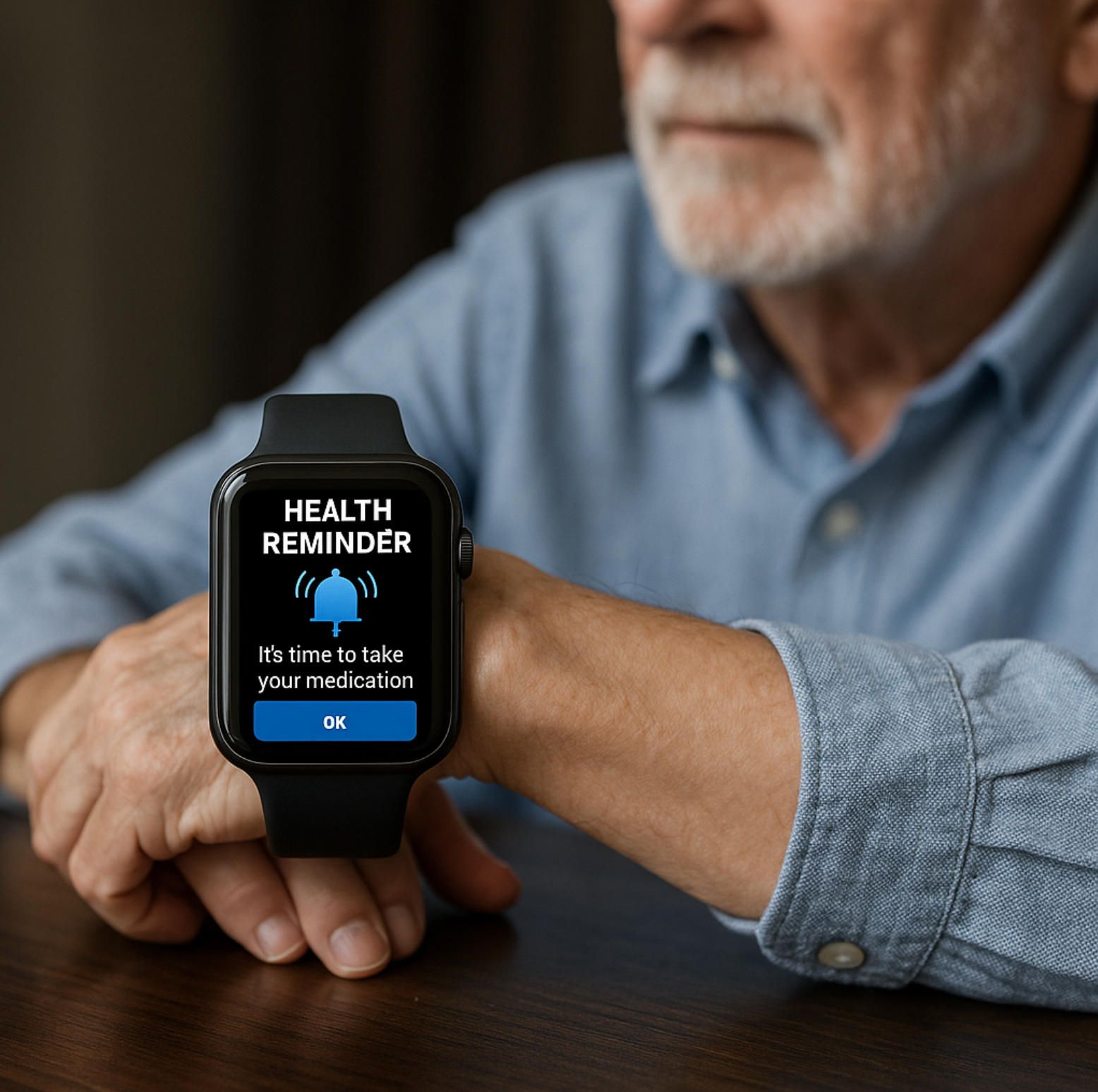
One of Apple’s most recent additions is the Medications app, part of watchOS and iOS Health. This feature allows users to schedule medication reminders, log doses, and receive alerts if they miss a pill. For seniors managing multiple prescriptions—a common scenario—this is an invaluable baseline tool.
However, it remains a self-managed system: the senior receives reminders, but caregivers are not automatically informed of adherence patterns. This is exactly where custom apps can expand on Apple’s foundation—by enabling shared dashboards, caregiver alerts, or integration with pharmacy systems.
Accessibility Features That Matter
Apple has long prioritized accessibility, and many of these features are particularly beneficial for seniors:
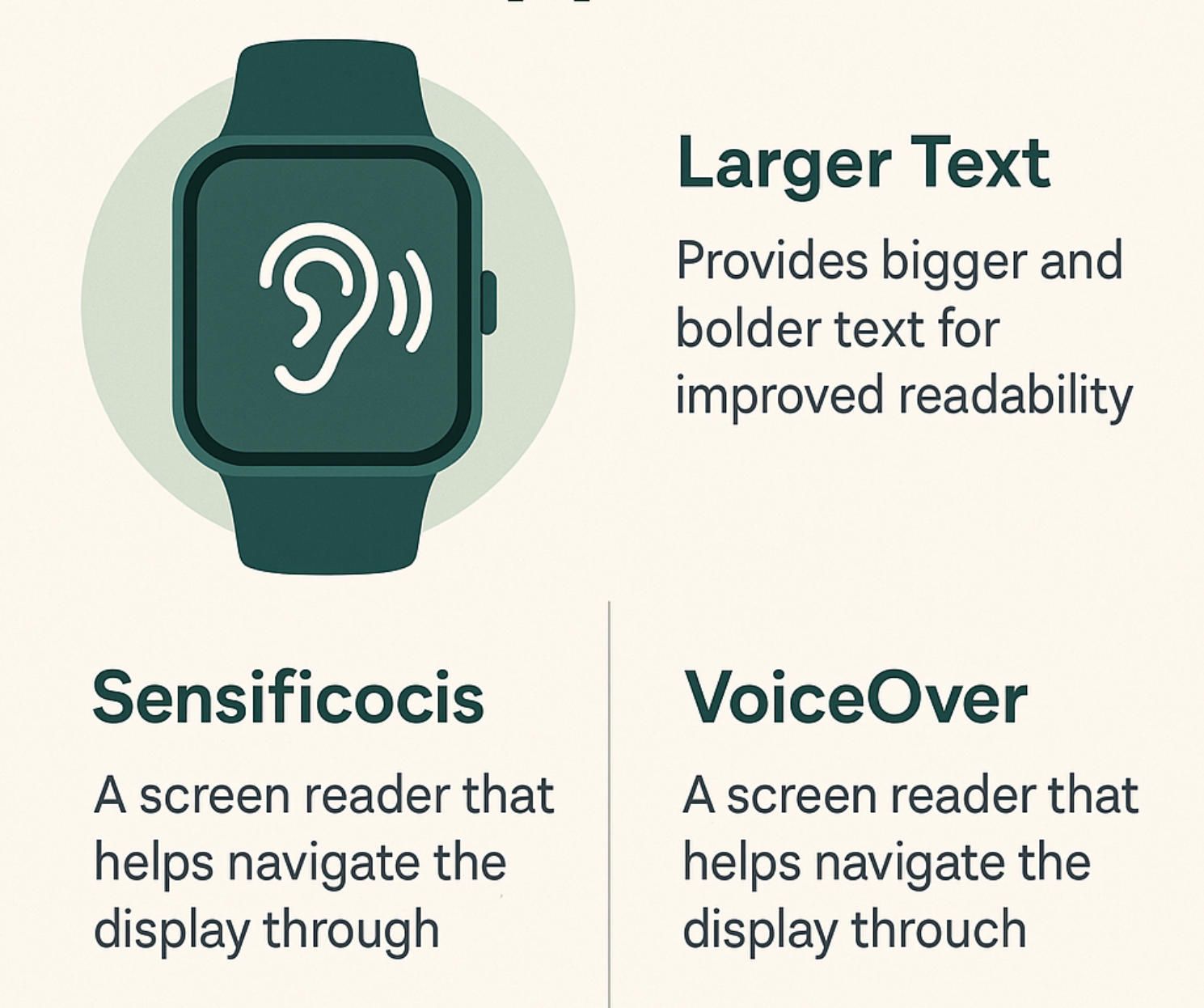
- VoiceOver: a screen reader that makes the Watch usable for individuals with limited vision.
- Zoom and Bold Text: tools that improve readability of small on-screen elements.
- AssistiveTouch: allows users with limited mobility to control the Watch through gestures like pinching or clenching, reducing reliance on fine motor control.
- Haptic feedback: gentle taps on the wrist provide discreet cues, helpful for seniors who may not hear audio alerts clearly.
These features ensure that even seniors with impairments can benefit from the Watch. They also provide a foundation upon which specialized, senior-focused apps can build more intuitive interfaces.
Health Data Integration
All of these functions feed into Apple’s Health app on iPhone, powered by HealthKit. This integration allows seniors (or their caregivers) to see a unified timeline of health metrics—heart rate, falls, sleep, medications—in one place. For physicians, data can be exported and shared securely.
Still, this integration has limits: most seniors and caregivers are not accustomed to parsing raw health data. Without contextual insights, alerts, or actionable recommendations, valuable information risks being underutilized. That gap underscores the opportunity for tailored app development.
A Solid Baseline, but Not the Full Picture
Taken together, the Apple Watch in its native state provides a robust baseline of health and safety features for seniors. Fall Detection and Emergency SOS ensure immediate response in crises; heart and ECG monitoring deliver preventive insights; Medications and accessibility functions make daily life easier.
Yet, these tools are generalized. They treat seniors as individual users rather than members of a care ecosystem involving families, clinicians, and insurers. The data exists, the sensors are powerful, and the adoption is growing—but the next leap will come from custom applications that connect the dots.
For organizations exploring elder-care technology, this makes Apple Watch an unusually attractive platform: it is already mainstream, socially acceptable, and technically capable. What remains is for innovators—whether startups, clinics, or insurers—to seize the opportunity to create applications that transform these baseline features into personalized, connected care pathways.
3. Which Model to Choose in 2025: Series 11 vs. SE 3 vs. Ultra 3 for Seniors
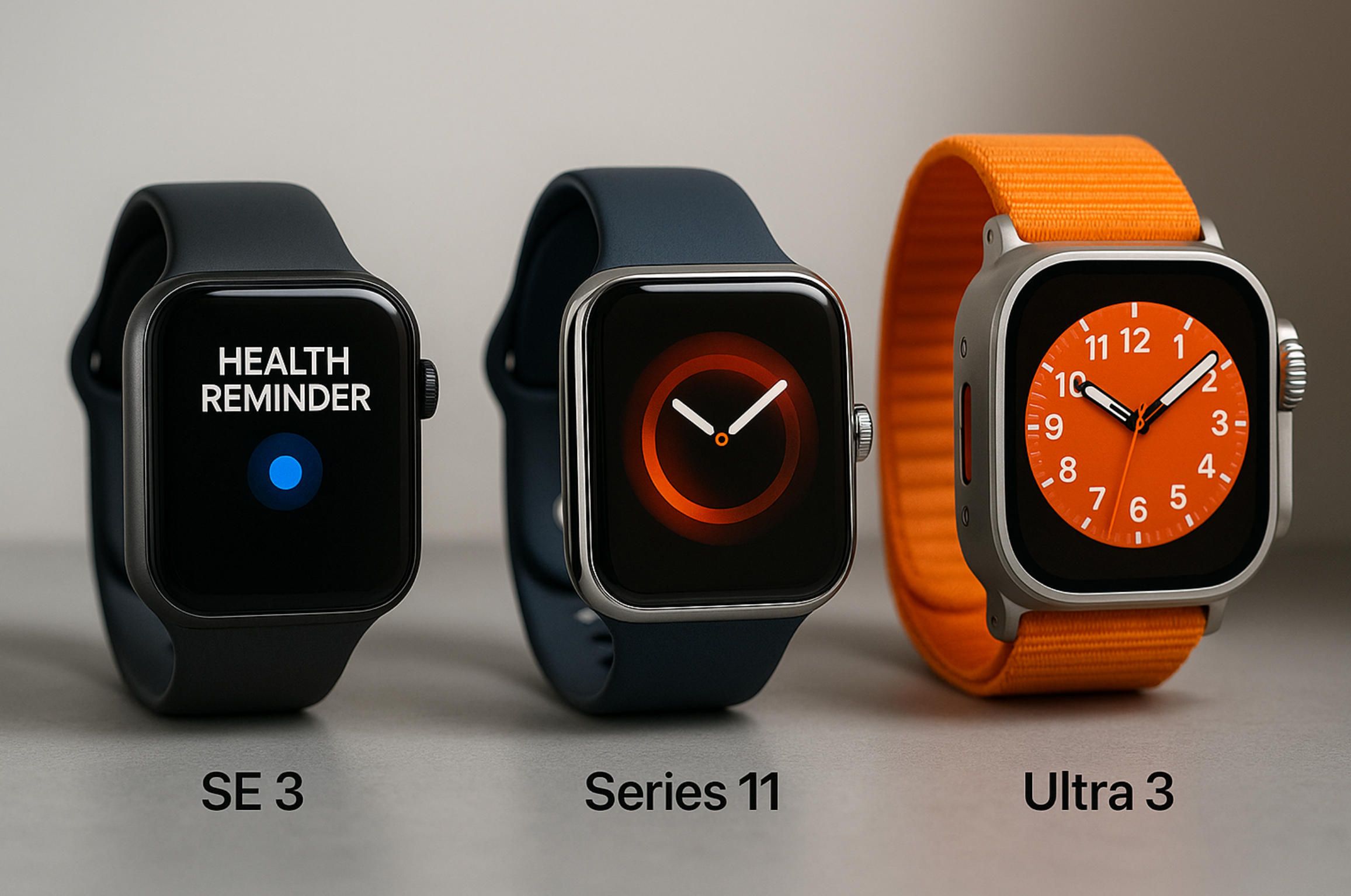
When families search “apple watch for seniors,” they often ask a simple but important question: which model is actually the best fit? Apple’s lineup in 2025 includes the Apple Watch Series 11, the Apple Watch SE (3rd generation), and the Apple Watch Ultra 3. While all three share a foundation of health and safety features, they differ in design, battery life, durability, and price. For seniors and caregivers, these differences translate into very practical choices.
Apple Watch Series 11: The Balanced Choice
The Series 11 represents the mainstream flagship of Apple’s wearable lineup. It includes all the advanced sensors—optical and electrical heart rate sensors, ECG, blood oxygen, and the latest accelerometer for improved Fall Detection accuracy.
Strengths for seniors:
- Bright, always-on display: Large screen size and high brightness improve readability, an important consideration for aging eyes.
- Comprehensive health features: Includes ECG, SpO₂, AFib notifications, Medications app, and advanced sleep tracking.
- Performance: Fast processor ensures smooth operation, especially when paired with caregiver or health-monitoring apps.
Potential downsides:
- Battery life: Typically lasts about 18–24 hours. Seniors may forget to charge daily, which could limit reliability.
- Price: Mid-range but not the cheapest option, which may matter if the watch is a gift for an elderly parent.
For many families, Series 11 is the default recommendation—a blend of performance, modern design, and complete health tracking. When combined with a custom application built by an iOS app development company, Series 11 becomes a highly adaptable tool for elder care.
Apple Watch SE (3rd Generation): Affordable and Accessible
The SE 3 is Apple’s budget-friendly model, but “budget” here doesn’t mean weak. It retains critical features like Fall Detection, Emergency SOS, irregular rhythm notifications, and core fitness tracking.
Strengths for seniors:
- Price point: Considerably more affordable, making it attractive for families purchasing multiple devices (e.g., for both parents).
- Lightweight design: Comfortable for daily wear, less intimidating for seniors unused to bulky devices.
- Fall Detection and SOS included: The essentials for safety are present.
Limitations:
- No ECG or blood oxygen monitoring: Seniors with cardiovascular conditions may find this limiting.
- Display and brightness: Slightly smaller and less advanced than Series 11, which can affect readability.
- Battery life: Similar to Series 11, requiring daily charging.
For families who mainly care about fall safety and emergency features, the SE 3 is a cost-effective entry point. If extended monitoring (ECG, oxygen saturation) is less critical, this model offers the best balance of affordability and essential protection.
Apple Watch Ultra 3: Maximum Power for Demanding Scenarios
Positioned as the premium, ruggedized model, the Ultra 3 is designed for athletes and explorers—but some of its characteristics make it surprisingly relevant for seniors.
Strengths for seniors:
- Exceptional battery life: Up to 36 hours or more, reducing the burden of daily charging.
- Large, bright display: Superior readability for seniors with vision challenges.
- Durability: Titanium casing and stronger glass resist accidental bumps and drops, common in elder care settings.
- Advanced sensors: Includes all high-end monitoring features, plus improved GPS accuracy, which can aid in geofencing and location alerts.
Challenges:
- Size and weight: The Ultra 3 is bulkier and heavier, which some seniors may find uncomfortable.
- Price: The most expensive option, raising the question of whether all features are necessary for elder care scenarios.
Where Ultra 3 shines is in institutional contexts—such as assisted-living facilities or senior-care pilots—where reliability, durability, and extended power supply outweigh cost concerns. For individual seniors, however, the bulk and price may be overkill.
Comparing the Models Side by Side
Rather than asking “Which is the best Apple Watch for seniors overall?”, the smarter question is: Which model best fits the specific senior’s needs and context?
- For independent seniors who want full health monitoring: Series 11 offers the best blend of features.
- For budget-conscious families or basic fall protection: SE 3 delivers safety without unnecessary extras.
- For high-risk seniors or institutional pilots: Ultra 3 ensures battery life, ruggedness, and premium monitoring.
The choice often comes down to balancing cost, usability, and feature set. For example, an 85-year-old with no known heart condition may only need SE 3, while a 70-year-old with AFib may benefit from Series 11 or Ultra 3.
Why Model Choice Matters for Custom App Development
From a development standpoint, the choice of model influences how custom apple watch app development can be implemented. While all current models support watchOS 11, differences in screen size, battery life, and sensor availability shape design decisions.
- SE 3 limitations: Developers must work around the absence of ECG and blood oxygen data. Apps targeting SE 3 may need alternative health metrics or simplified UX.
- Series 11 opportunities: A rich sensor suite enables advanced apps for chronic disease monitoring, medication adherence, or AI-driven fall prediction.
- Ultra 3 specialization: Apps here can leverage long-running background tasks, advanced GPS, and rugged use cases—ideal for institutional deployments.
For organizations considering apple watch for seniors as part of their elder-care strategy, consulting with an experienced iOS app development company is crucial. It ensures that the app is optimized not just for watchOS, but also for the specific hardware seniors are likely to use.
Beyond the Device: The iPhone Link
It’s essential to remember that all Apple Watches still depend on the iPhone ecosystem. For seniors, this means:
- The caregiver or senior must own an iPhone compatible with the watch.
- Data is usually synced through the iPhone’s Health app.
- Many advanced integrations (like EHR connectors or caregiver dashboards) require a companion iOS application.
Therefore, when discussing “apple watch for seniors,” it’s never just the watch—it’s the watch + iPhone + custom software working together. Companies that overlook this linkage risk creating fragmented solutions.
Model Selection
Choosing the right model is not only a consumer decision but also a strategic choice for organizations building elder-care solutions. Seniors themselves may focus on comfort, readability, and affordability. Caregivers and providers, however, must consider which sensors and features enable the workflows they envision.
By carefully matching model choice with custom application development, families and organizations can turn Apple Watch into a holistic health companion for seniors. Whether it’s SE 3 for basic safety, Series 11 for comprehensive health tracking, or Ultra 3 for institutional reliability, the watch is only the starting point. The true value emerges when specialized apps—built by expert developers like A-Bots.com—bridge the gap between baseline features and the real-world needs of elder care.
4. Unmet Needs & Gaps in Senior Care Workflows
While the built-in functions of Apple Watch already cover emergencies, medication reminders, and basic heart monitoring, a closer look at real elder-care workflows reveals significant gaps. These gaps highlight why searches for apple watch for seniors often express both interest and frustration. Families and providers see potential, but they quickly discover limitations that only custom applications can overcome.
Fragmented Care Experiences
Seniors rarely manage health in isolation. They interact with family members, caregivers, doctors, and sometimes entire assisted-living institutions. Yet the Apple Watch is currently designed for an individual user model. Data is collected on the device and pushed to the Health app on the paired iPhone, but there is little in the way of shared dashboards or collaborative workflows.
For example, a daughter living in another city might want real-time alerts if her father skips medications for three consecutive days, or if his mobility declines based on walking patterns. A nurse in a senior-living facility may need access to dozens of watches simultaneously, with color-coded dashboards that flag risk levels. Neither scenario is fully supported by Apple’s default settings.
Limited Predictive Analytics
Another gap lies in prediction versus reaction. Fall Detection is reactive—it responds after the event. Heart notifications are threshold-based—they trigger once the abnormal pattern is already present. What is missing is continuous, contextual analysis that can forecast risks: subtle instability in gait, micro-patterns in heart variability, or early signs of dehydration.
Such predictive analytics require not just raw sensor access but also custom algorithms built into apps. They must integrate multiple data streams, compare them with baselines, and deliver actionable recommendations. This is where custom watchOS development can transform apple watch for seniors from a reactive device into a proactive safety net.
Barriers to Accessibility
Despite Apple’s focus on accessibility, many seniors still struggle with small icons, gesture complexity, and the expectation of daily charging. Families often report that older adults either disable features unintentionally or stop wearing the watch because it feels like “too much tech.”
Two needs emerge here:
- Simplified UX: Seniors benefit from large, high-contrast buttons and voice-first interactions instead of complex swipes or digital crowns.
- Battery-aware workflows: Apps can be designed to send “last-battery-alert” notifications to caregivers, ensuring seniors do not lose coverage due to a forgotten charge.
Without these adjustments, adoption rates plateau, leaving families frustrated that they invested in a powerful device that goes unused.
Integration with Broader Health Systems
Healthcare providers are under regulatory obligations to document patient data, manage compliance, and integrate with Electronic Health Records (EHRs). Out of the box, Apple Watch provides no seamless integration with these systems. Data may be exported manually, but this is inefficient for professionals managing dozens of patients.
A custom application can bridge this by:
- Connecting HealthKit data streams to secure cloud servers.
- Mapping metrics into HL7 or FHIR formats for EHR ingestion.
- Enabling role-based access, so physicians see detailed clinical data while caregivers see simplified summaries.
This lack of direct interoperability is one of the largest blockers to positioning the Apple Watch as a clinical-grade elder-care tool.
Privacy and Consent Challenges
Elder care introduces sensitive questions about who controls data. Seniors want independence, but caregivers need visibility. Default Apple settings leave this decision binary: either the senior shares everything, or nothing. What is missing is granular consent layers—for example, allowing a caregiver to see medication adherence without revealing detailed heart rate history.
Custom applications can provide these nuanced controls, balancing dignity with safety. Without them, many seniors refuse monitoring entirely, undermining the potential of apple watch for seniors.
The Bigger Picture
Taken together, these gaps illustrate why current usage feels incomplete. Apple provides the hardware and baseline features, but the workflows of real elder care remain unsupported. Seniors and their families are left with a device that is powerful yet underutilized. Healthcare providers face legal and operational barriers to large-scale adoption.
For organizations eyeing this market, the opportunity lies in filling these spaces with custom applications: apps that connect families, enable predictive insights, simplify senior interactions, integrate with clinical systems, and respect privacy preferences. Without this layer, the “Apple Watch for seniors” narrative risks being reduced to marketing rather than meaningful impact.
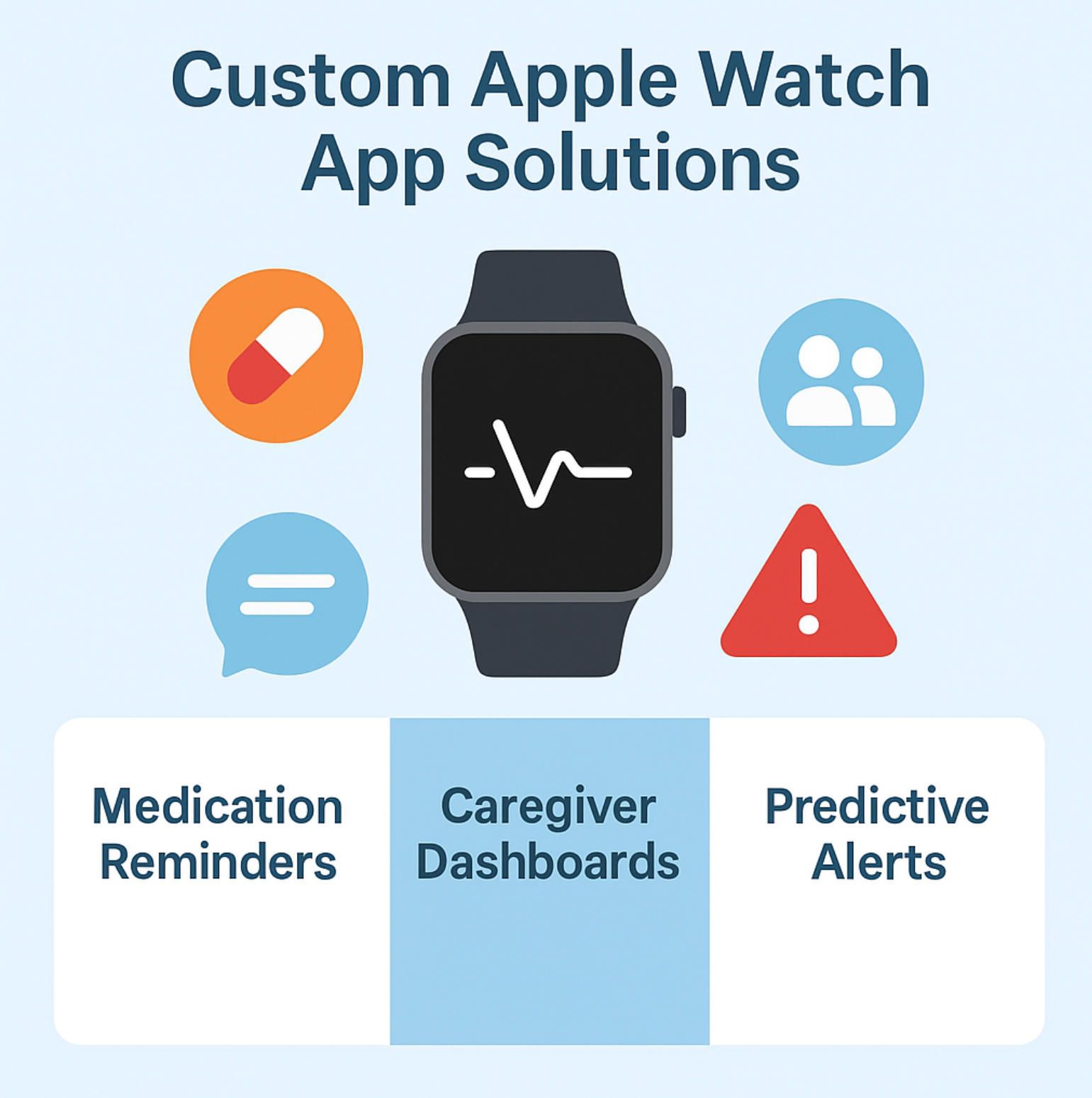
5. Custom watchOS + iOS Solutions: Closing the Gap
While the Apple Watch already serves as a reliable baseline for seniors, true transformation happens when organizations extend its capabilities through custom watchOS and iOS applications. These apps build on Apple’s hardware and sensors but reshape the user journey around real elder-care needs. Below are four major categories where tailored solutions unlock value for seniors, caregivers, and healthcare providers.
Medication Adherence & Caregiver Alerts
Polypharmacy is a daily reality for many seniors. Missing a single dose may compromise treatment; repeated non-adherence often leads to hospital readmission. Apple’s native Medications app provides reminders, but it is strictly self-managed. Custom applications can reimagine this workflow by:
- Enabling two-way communication, where caregivers receive automatic alerts if doses are skipped.
- Integrating with pharmacy APIs to track refills and flag potential drug interactions.
- Offering voice confirmations or simplified “tap once” inputs, minimizing complexity for seniors with cognitive or motor challenges.
Here, apple watch for seniors becomes more than a reminder—it evolves into a collaborative adherence system that protects health and reassures families.
Predictive Fall & Mobility Risk Monitoring
Current Fall Detection reacts after an incident. Yet subtle gait changes often precede falls by weeks. Custom apps can harness accelerometer and gyroscope data to track walking stability trends, highlight emerging risks, and notify caregivers proactively.
Imagine a dashboard where an adult child sees weekly mobility scores, or a facility manager receives alerts about residents whose stability is declining. These insights are invaluable for preventive interventions, whether adjusting medication, adding physical therapy, or increasing supervision.
By extending algorithms beyond Apple’s defaults, custom solutions transform apple watch for seniors from an emergency tool into a predictive safety companion.
Voice-First & Accessibility-Centric Interfaces
Technology adoption fails when interfaces overwhelm seniors. While Apple’s accessibility suite is robust, it still assumes a baseline of tech familiarity. Custom developers can design voice-first workflows, where the watch responds to natural speech:
- “Did I take my medication?” triggers a log check.
- “Call my daughter” executes without complex taps.
- “How was my sleep?” prompts a brief spoken summary.
Additionally, interfaces can emphasize large buttons, high contrast colors, and simplified menus, ensuring usability for seniors with declining vision or motor skills. Such design thinking transforms apple watch for seniors into a genuinely inclusive device, not just a consumer gadget retrofitted for older users.
Integrated Care Ecosystems
Perhaps the greatest opportunity lies in connecting Apple Watch data with broader health systems. Custom apps can act as secure bridges between HealthKit and EHRs, telehealth platforms, or family-care dashboards. Core capabilities include:
- Role-based access: caregivers see summaries, clinicians view detailed metrics.
- Real-time cloud dashboards: families track falls, sleep, and medication adherence in one portal.
- Regulatory compliance: HIPAA- and GDPR-ready data flows with encrypted storage.
Such ecosystems elevate apple watch for seniors from a personal tracker to a networked elder-care platform, where data flows seamlessly among all stakeholders.
The Bigger Vision
These four categories illustrate a simple truth: Apple provides powerful sensors, but it does not provide care-specific workflows. Custom watchOS and iOS solutions are what make the device meaningful in real-world elder care. They enable preventive action, reduce caregiver stress, and improve outcomes—all while preserving seniors’ dignity.
For organizations exploring this market, investing in custom apple watch app development is not an optional enhancement; it is the decisive step that turns a mainstream wearable into a trusted healthcare companion.
6. Technical Deep-Dive for Buyers
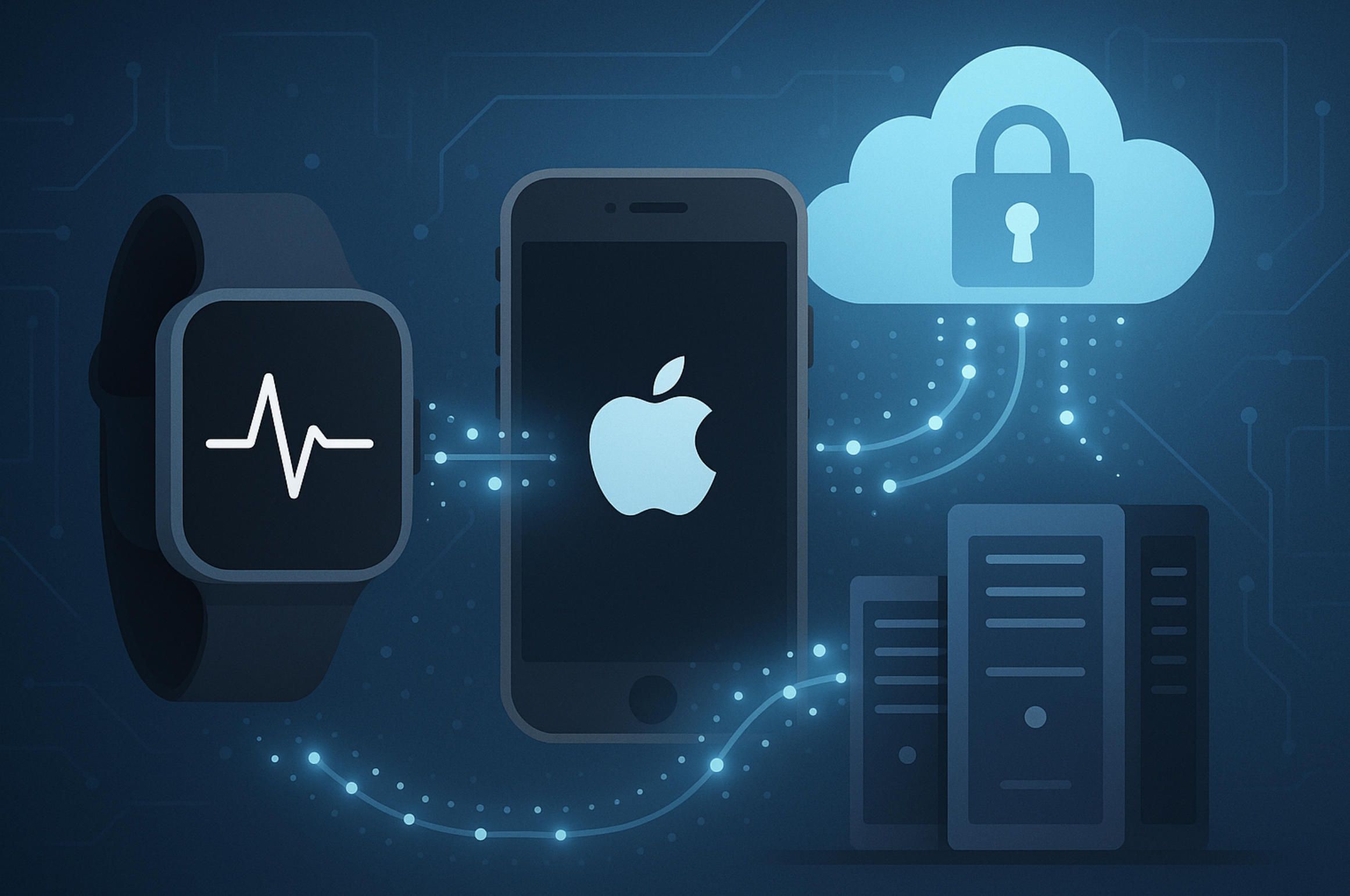
For organizations considering apple watch for seniors initiatives, the technology stack is both empowering and demanding. Apple’s platform offers mature sensors, polished operating systems, and privacy-first defaults—but extracting healthcare value requires deliberate architecture, rigorous consent flows, and product thinking that respects clinical and caregiver realities. Treat the watch not as a gadget but as a node in a regulated data network that starts on the wrist, travels through the iPhone, and reaches a secure cloud where caregivers and clinicians can act.
HealthKit, CareKit, and Data Flows
Every credible solution in apple watch for seniors lives on top of Apple’s health frameworks. HealthKit is the canonical store where heart-rate samples, ECG snapshots, SpO₂ trends, sleep and activity metrics accumulate under explicit user permissions. CareKit complements this repository with templates for daily care tasks—symptom logging, adherence routines, and progress review—so elder-care journeys can be expressed as repeatable flows rather than ad-hoc notifications. In research contexts, teams sometimes add ResearchKit to standardize surveys and longitudinal studies, though elder-care operations typically focus on day-to-day caregiving rather than clinical trials.
The essential choreography is watch to iPhone to cloud. Sensors on the wrist collect signals; the paired iPhone brokers permissions, aggregates data, renders richer visualizations, and handles transport; a hardened backend turns raw timelines into context, risk scores, and actions. Projects fail when they try to shortcut this sequence or leave any hop under-specified. A successful apple watch for seniors deployment defines precisely which observations are captured, how often they synchronize, how long they persist, who can view them, and what events escalate to a human with duty to respond.
Background Tasks, Complications, and Notifications
Watch apps live under tight power and performance budgets, so engineering discipline matters. Background processing must be designed for brief, predictable work: ingesting small batches of sensor readings, updating rolling mobility indices, or preparing the next adherence checkpoint without blocking the UI. Complications—those glanceable tiles on the watch face—earn their place only when they reduce cognitive load for older adults, for example by presenting a single next action with a clear time anchor rather than a scrolling feed of metrics. Notification strategy is another make-or-break element. In the apple watch for seniors context, alerts should escalate from gentle haptics to richer prompts based on behavior and risk, while caregiver messaging stays targeted to moments when intervention is actually useful. An iOS companion can absorb the heavier logic—summaries, explanations, and multi-day trends—so the watch remains simple, calm, and trustworthy.
Security, Privacy, and Compliance
Handling elder-care data demands more than relying on Apple’s secure defaults. A production-grade apple watch for seniors solution implements encryption in transit and at rest, enforces role-based access across family members, staff, and clinicians, and records auditable trails for every data read and policy change. Regulatory regimes shape design choices: HIPAA in the United States expects administrative, physical, and technical safeguards with defined breach response; GDPR in Europe emphasizes data minimization, purpose limitation, and the ability to erase personal data on request. Beyond statutes, dignity requires granular consent. A senior may be comfortable sharing medication adherence with a daughter while withholding detailed heart-rate traces; a facility nurse may need status overviews for an entire wing without the authority to export underlying streams. These nuances are not afterthoughts. They are core product primitives that a credible iOS app development company encodes from day one, because retrofitting consent layers after launch is expensive and erodes trust.
iPhone Dependencies and Ecosystem Limits
Apple Watch attains full capability only in tandem with an iPhone, and that dependency shapes deployment. Pairing, permission prompts, Health data brokering, and most cloud synchronizations rely on the phone. Family Setup can centralize management so one iPhone supervises multiple watches—useful for assisted-living pilots—but operations still need device logistics, charging routines, and a plan for edge cases when a wearer leaves the phone at home. These realities argue for dual-platform delivery: watchOS for glanceable interactions and on-wrist sensing; iOS for caregiver dashboards, consent management, account recovery, support chat, and deeper analytics. Ignoring the iPhone link yields fragile experiences that frustrate seniors and exhaust caregivers. Embracing it turns apple watch for seniors into a stable service where each component does the job it’s best at: the watch senses and nudges, the phone explains and coordinates, and the cloud connects everyone who needs to know.
From a buyer’s perspective, technical excellence is not an indulgence; it is the path to outcomes. The hardware and frameworks exist, but only disciplined execution—clear data flows, pragmatic background work, respectful notifications, and enforceable privacy—converts them into safer days, faster help, and fewer avoidable admissions. That is why organizations pursuing apple watch for seniors programs seek partners with proven custom apple watch app development experience. Teams like A-Bots.com align engineering constraints with elder-care realities, so the solution that ships is not merely compliant and elegant—it is something seniors will keep wearing and families will learn to trust.
7. Designing for Seniors: Accessibility & Behavior Change
The success of any apple watch for seniors initiative does not depend solely on sensors or APIs. It depends on whether seniors actually use the device in daily life, whether they feel comfortable with its interface, and whether the technology helps rather than overwhelms them. Designing for older adults requires more than scaling up font sizes or simplifying navigation. It means respecting the realities of aging—declining vision, reduced dexterity, slower cognitive processing, and sometimes resistance to unfamiliar routines—and turning those realities into guiding principles of product design.
Accessibility is the first lens. A well-engineered app ensures that seniors with weaker eyesight are not left squinting at tiny icons, but instead encounter large, high-contrast elements that can be understood at a glance. Voice-first interaction plays an equally crucial role: when swipes or taps become awkward, natural language input makes technology feel intuitive rather than burdensome. Haptic feedback adds another dimension, giving subtle wrist taps that are felt even when audio cues go unnoticed. These elements, when orchestrated with care, transform the Watch into an ally rather than another frustrating gadget.
Behavior change is the second lens, and perhaps the more complex one. Older adults rarely adopt new technology just for its own sake. They adopt it when it supports existing habits or solves a visible problem. This is why successful applications avoid bombarding seniors with raw health data and instead translate metrics into meaningful actions: a reassuring note that medication was taken on time, or a gentle nudge to stand and move after long inactivity. Framing matters. An app that frames a daily walk as progress toward independence resonates more than one that simply counts steps. In the context of apple watch for seniors, behavior design means reducing friction until the device disappears into daily life, leaving only the feeling of safety and agency.
Another crucial dimension is trust. Seniors may not understand the full technical details of HealthKit permissions, but they quickly sense whether the system respects their dignity. If the Watch feels like surveillance, adoption collapses. If it feels like partnership, adoption grows. Custom developers must design consent pathways that are human, not bureaucratic—simple explanations of what is shared, with whom, and why. By providing seniors with genuine choice, developers reinforce autonomy while still enabling caregivers to fulfill their responsibilities.
Finally, designing for seniors requires acknowledging the emotional context. For many, wearing the Watch is not simply a matter of health monitoring—it is a marker of independence in the face of aging. The device becomes a subtle signal that they can still live alone, still manage their routines, and still remain connected to family and friends. Applications that honor this role, that respect the symbolic weight of independence, achieve more than engagement metrics. They deliver dignity.
In short, accessibility and behavior change are not add-ons but foundations. They determine whether apple watch for seniors will sit in a drawer after a week or remain on the wrist for years. For organizations entering this space, the lesson is clear: technical sophistication must always be matched with human-centered design. The two together ensure that the promise of wearable elder care becomes a lived reality rather than a marketing slogan.
8. Integration Paths That Matter
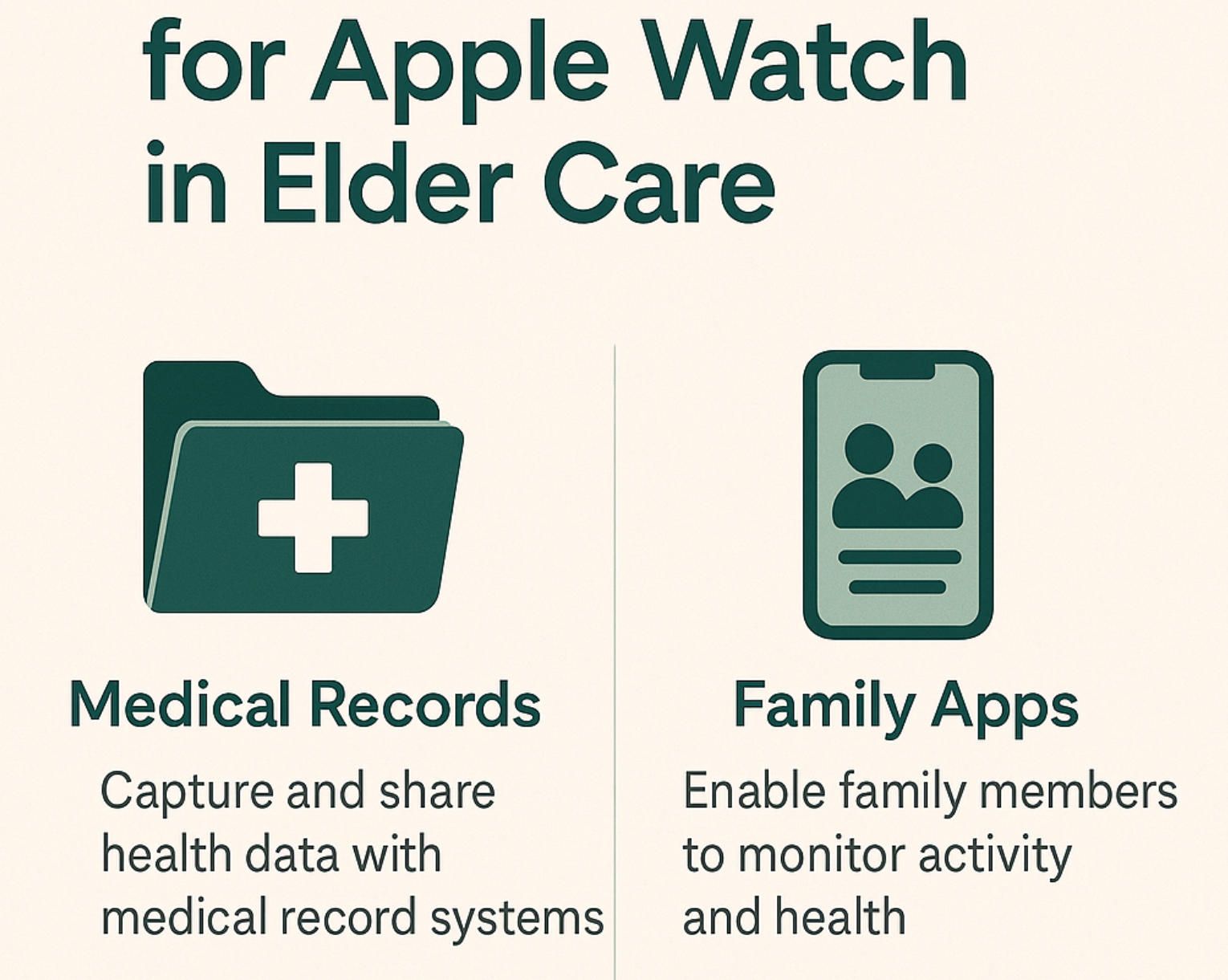
The promise of apple watch for seniors cannot be fulfilled in isolation. The device, no matter how advanced, is still only one element in a much broader care ecosystem that spans families, caregivers, clinicians, insurers, and emergency responders. What determines the real impact is the degree to which the Watch can communicate with these other systems and become part of established workflows. Integration is not a technical afterthought but the decisive factor that transforms data points into decisions, and decisions into outcomes.
At the family level, integration means that children and relatives are not left guessing about a parent’s well-being but have transparent, real-time insight into critical aspects of daily life. An application that relays fall events or adherence patterns directly to a caregiver’s phone reduces anxiety and enables timely intervention. Without this channel, the Watch risks becoming a personal logbook that no one else can access. Families often discover that the device has registered useful information, but by the time they see it, the moment for action has passed.
In clinical settings, integration involves aligning Watch data with electronic health records and telehealth platforms. Doctors and nurses are accustomed to making decisions within regulated systems where every data point is auditable. If Apple Watch metrics cannot flow into those environments in standardized formats, they remain anecdotal rather than actionable. A custom solution that bridges HealthKit with HL7 or FHIR-compliant servers ensures that physicians can view mobility trends or heart irregularities within the same dashboards they already use for lab results and prescriptions. For the senior, this makes the Watch feel less like an isolated gadget and more like an extension of professional care.
Insurers and case managers represent another integration frontier. These stakeholders are increasingly focused on preventive care, since every avoided hospital admission reduces costs. If Watch data—properly anonymized and secured—can demonstrate adherence, mobility improvements, or reduced fall incidents, insurers gain evidence to support incentive programs or subsidized devices. The value proposition for apple watch for seniors strengthens considerably when financial structures reinforce its adoption rather than treating it as a luxury accessory.
Emergency response is perhaps the most immediate test of integration. Fall Detection and SOS already provide automated escalation, but custom workflows can connect directly into municipal or private emergency dispatch systems, reducing response times and ensuring that contextual data such as medical history accompanies the alert. A caregiver who receives a fall notification is reassured, but a dispatcher who receives both the alert and a concise health profile can act with far greater precision.
Taken together, these pathways show that integration is not simply about moving data from one place to another. It is about weaving the Apple Watch into the fabric of elder care so that information is timely, trustworthy, and usable by all parties involved. Without integration, the device is a sophisticated sensor on a wrist. With integration, it becomes a trusted partner across the entire chain of care, from the family home to the clinic, from the insurer’s desk to the emergency room. This is the moment when apple watch for seniors evolves from an interesting idea into a scalable solution capable of reshaping how societies manage aging.
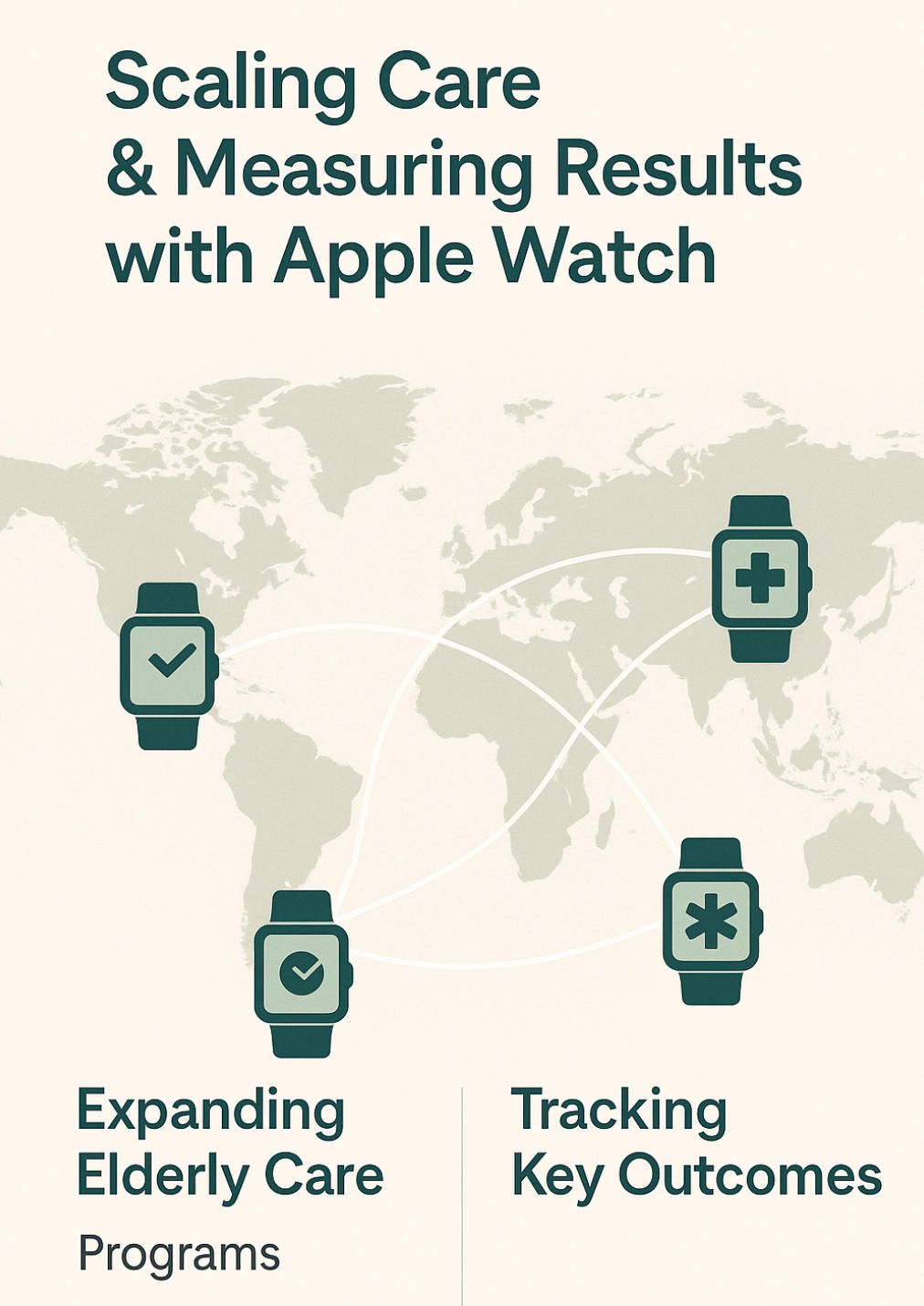
9. From Pilot to Scale: Delivery Model, KPIs, and Compliance
The journey of implementing apple watch for seniors solutions rarely begins with mass deployment. Most organizations start with pilots: small groups of seniors in assisted-living facilities, community health programs, or insurer-backed wellness initiatives. Pilots are attractive because they allow stakeholders to test hypotheses, evaluate adoption barriers, and gather evidence without the expense and complexity of a national rollout. Yet pilots by themselves do not change elder care. The real challenge lies in moving from proof-of-concept to scale, from dozens of users to thousands, while maintaining both compliance and trust.
Scaling begins with clarity about delivery models. Some organizations prefer a direct-to-family approach, where devices are purchased and apps downloaded individually. Others work through institutions, bundling watches into senior-living packages or insurance plans. Each path has trade-offs. Family-driven adoption leverages personal motivation but risks inconsistency in training and support. Institutional adoption standardizes usage and provides stronger oversight, but requires more negotiation and integration with existing IT systems. Whichever model is chosen, the fundamental question is whether seniors actually wear the device and whether caregivers receive information in time to act.
Measuring that impact requires well-defined key performance indicators. In elder care, KPIs cannot be limited to engagement statistics like daily active users. They must reflect health and safety outcomes. A successful apple watch for seniors deployment shows tangible improvements in medication adherence, reduced emergency hospitalizations, faster caregiver response times, and higher reported quality of life. These outcomes, captured through both quantitative metrics and qualitative surveys, become the evidence organizations present to insurers, regulators, and investors when arguing for broader adoption. Without KPIs rooted in health outcomes, the Watch risks being categorized as just another consumer gadget rather than a clinical tool.
Compliance forms the third pillar of scalability. Regulatory frameworks such as HIPAA and GDPR dictate not only how data is stored and shared but also how consent is managed, how breaches are reported, and how long information can be retained. Scaling without robust compliance is dangerous: a pilot might survive with informal agreements, but large-scale deployments expose organizations to legal liability and reputational risk. A scalable apple watch for seniors program requires infrastructure that is secure by design, with encrypted data flows, role-based access, audit trails, and transparent policies that seniors and families can understand. Trust is earned not only through elegant design but also through visible accountability in handling sensitive data.
The transition from pilot to scale is therefore as much about organizational maturity as it is about technical capability. It demands clear delivery models, outcome-driven KPIs, and compliance frameworks that reassure regulators and participants alike. Those who succeed will not simply prove that wearables work in elder care—they will embed them into the everyday structures of caregiving, insurance, and healthcare delivery. This is the stage where apple watch for seniors shifts from being a promising experiment to a normalized standard, a tool as ordinary and indispensable as blood pressure monitors or pill organizers once were.
10. Why A-Bots.com
As the discussion of apple watch for seniors makes clear, the technology challenge is not simply building an app that runs on a watch. It is orchestrating a complete system that spans watchOS, iOS, the cloud, and the sensitive human contexts of elder care. Many development firms can deliver code; far fewer can deliver outcomes. That distinction is where A-Bots.com positions itself.
A-Bots.com is a software studio that has grown out of deep experience in mobile development and IoT solutions. Its engineers understand that the Apple Watch cannot be treated in isolation. Every project must integrate with iPhones, leverage HealthKit and CareKit responsibly, and meet regulatory frameworks like HIPAA and GDPR. This technical fluency allows A-Bots.com to design architectures that are secure, scalable, and ready for integration with clinical or insurer systems. Clients are not left with prototypes that only work in a lab but with production-ready tools that can pass compliance audits and withstand real-world usage.
Equally important is the company’s focus on human-centered design. Developers at A-Bots.com approach elder-care projects with empathy, recognizing that seniors may have vision challenges, limited dexterity, or resistance to new routines. This sensitivity translates into design choices that make applications accessible and dignified. Large typography, voice-first interaction models, simplified flows, and culturally sensitive consent explanations become defaults rather than afterthoughts. The result is not just an application that functions, but one that seniors are willing to wear and caregivers are eager to trust.
Beyond technical execution, A-Bots.com brings the ability to bridge business goals with user needs. For insurers, the goal may be reducing hospital admissions; for senior-living facilities, it may be demonstrating innovation to families; for startups, it may be securing investment by showcasing differentiated technology. A-Bots.com designs each solution with these goals in mind, aligning technical decisions with measurable outcomes. This makes the company not simply a vendor but a partner in strategy.
Clients working with A-Bots.com also benefit from its proven delivery discipline. Projects move through structured phases: discovery workshops to refine requirements, rapid prototyping to test assumptions, iterative development to integrate feedback, and long-term support to ensure stability as watchOS and iOS evolve. This lifecycle approach guarantees that solutions remain relevant even as Apple updates its platforms and as elder-care regulations shift.
In short, A-Bots.com offers more than development. It offers a path to transforming the phrase apple watch for seniors from a trending search query into a concrete reality: seniors wearing devices that truly protect them, caregivers relying on timely insights, and organizations scaling innovations without compromising security or dignity. For those ready to move beyond generic features and toward tailored elder-care solutions, A-Bots.com stands ready to be the partner that turns ambition into impact.
11. FAQ: Practical Questions Families and Providers Ask
Is Apple Watch really suitable for seniors, or is it too complex to use?
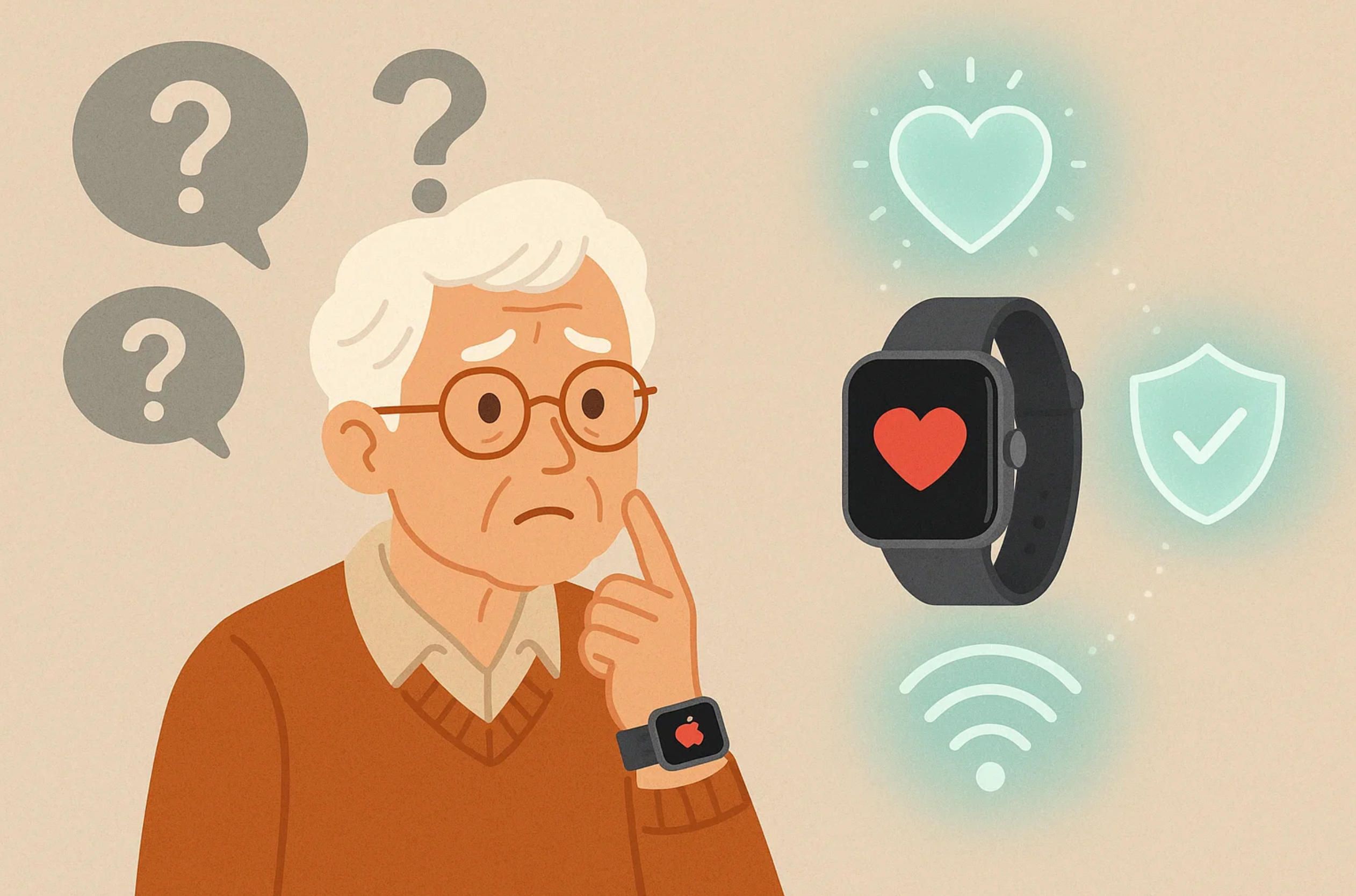
The design of Apple Watch has evolved to balance sophistication with simplicity. Features like Fall Detection, Emergency SOS, and irregular rhythm notifications run automatically in the background, requiring no daily input. With accessibility settings such as larger text, bold fonts, and voice guidance, many seniors find the Watch surprisingly approachable. Complexity often comes from additional apps, which is why apple watch for seniors solutions must focus on minimalism and clarity rather than overloading users with features.
Do seniors need an iPhone to use Apple Watch effectively?
Yes, an iPhone is essential because the Watch relies on it for setup, data synchronization, and access to Apple’s Health app. Family Setup now allows one iPhone to manage multiple Watches, which helps in households or assisted-living facilities. For organizations planning programs, this means designing apple watch for seniors solutions as dual-platform ecosystems, with the Watch for sensing and the iPhone for visualization and caregiver coordination.
Can developers build custom elder-care applications for Apple Watch?
They can, and this is where the device becomes transformative. Using frameworks such as HealthKit and CareKit, developers create apps that go beyond built-in functions—predictive fall-risk scoring, caregiver dashboards, medication adherence tracking, or geofencing alerts for seniors prone to wandering. Choosing a specialized iOS app development company is critical, since healthcare apps require not only coding but also compliance and thoughtful UX design.
How reliable is Fall Detection in practice?
Fall Detection is remarkably accurate for major incidents, but no algorithm is perfect. False positives sometimes occur during vigorous activity, and not every minor stumble will be recorded. For seniors, the reassurance lies in knowing that a hard fall followed by immobility will trigger an alert automatically. Custom applications can enhance this reliability by analyzing trends in balance and mobility, offering proactive warnings before a fall occurs.
Can Apple Watch monitor chronic conditions like hypertension or diabetes?
While not a replacement for medical devices, the Watch provides continuous context through heart-rate monitoring, ECG readings, blood oxygen levels, and activity data. This information, when integrated into clinical workflows, helps doctors track patterns between visits. For conditions like hypertension or diabetes, it does not replace medical instruments but complements them with valuable daily insights. Custom apps can extend these capabilities by correlating medication schedules, lifestyle choices, and biometric signals.
What about seniors who are visually impaired or have limited dexterity?
Apple’s accessibility suite already includes VoiceOver, haptic feedback, and gesture control, but many seniors still need more tailored support. Custom solutions can emphasize voice-first interactions, large interface elements, and simplified navigation flows. Designing for accessibility is not an add-on; it is the foundation that determines whether apple watch for seniors becomes empowering or frustrating.
Is data from Apple Watch secure enough for healthcare use?
Apple enforces strict encryption and consent policies, but organizations must also meet HIPAA in the U.S. and GDPR in Europe. This means building secure cloud storage, role-based access, and transparent consent options into every deployment. Seniors and their families need reassurance not only that their data is protected but also that they control how much is shared. Custom apple watch app development allows for granular consent layers that respect independence while enabling safety.
Which Apple Watch model is best for seniors?
The SE 3 covers essential safety at a lower price, Series 11 delivers a full sensor suite including ECG and blood oxygen, while Ultra 3 adds durability and longer battery life. The right choice depends on individual health status, lifestyle, and budget. What matters most is that the model is paired with applications that align with elder-care workflows. Without that software layer, even the most advanced model delivers limited impact.
How can families use Apple Watch data without overwhelming seniors?
Families often worry that monitoring will feel intrusive. The solution is to design experiences where seniors see simple, reassuring cues, while caregivers access more detailed dashboards on iPhones or web portals. This separation ensures that older adults remain in control of their daily experience while families receive the insight they need. The watch stays friendly and empowering, while the heavier data lives elsewhere.
What role can insurers and senior-living providers play?
For insurers, apple watch for seniors programs are a way to reduce claims by preventing hospital admissions through early detection and adherence. For senior-living facilities, they are a differentiator that signals innovation to families evaluating care options. In both cases, success depends on integration with existing workflows—billing systems, EHRs, and staff management tools. Custom apps designed by experienced iOS developers bridge these systems to ensure the Watch becomes a productive asset rather than a siloed gadget.
What happens if a senior forgets to charge the Watch?
Battery life remains a common barrier. Ultra 3 offers longer performance, but most models require daily charging. This is where design and development matter. Applications can include battery-aware workflows, such as caregiver alerts when charge drops below a threshold. This ensures that the safety net is not lost simply because a device ran out of power.
How should organizations measure success in elder-care deployments?
Engagement metrics are helpful, but the true indicators are clinical and personal outcomes. Reduced hospital visits, faster caregiver interventions, higher adherence to medication, and improved feelings of independence among seniors are the benchmarks that matter. A successful apple watch for seniors program ties these outcomes directly to its technical and organizational design.
12. Demographic Snapshot: The Global 60+ Market
Any discussion of apple watch for seniors is incomplete without a clear look at demographics. The most compelling reason to invest in elder-care technology today is not simply the power of wearables but the undeniable reality of population aging across high-income markets where Apple products are already widely adopted.
In the United States, adults aged 65 and older now number nearly 58 million, representing roughly 17 percent of the population. Projections show that by 2050 this share will climb to around 23 percent, creating a senior population larger than the total population of many countries. If we extend the threshold to age 60, the group is even larger, at more than 78 million Americans. These figures underscore that seniors are no longer a niche demographic but a central part of society with growing healthcare needs.
Europe reveals an even more striking pattern. As of January 2024, people aged 65 and older account for approximately 21.6 percent of the European Union’s total population. Some countries are aging even faster: Italy, Portugal, and Bulgaria already report nearly one quarter of their citizens in this category. The sheer scale means that in many European regions every fourth person is over 65, creating both challenges for healthcare systems and opportunities for technology providers who can deliver scalable solutions.
Japan, which has long been the global benchmark for demographic aging, has more than 28 percent of its population above the age of 65. While Apple’s market share is strong in Japan, the pressure on elder-care infrastructure is also extreme, making wearables an attractive addition to both family and institutional care strategies. Germany, the United Kingdom, and Canada follow similar trajectories, each with more than 20 percent of their citizens in the 60+ bracket.
This demographic transformation changes the economic logic of elder-care innovation. The segment is not marginal; it is expanding into a dominant share of populations that already have purchasing power and cultural familiarity with smartphones and wearables. For organizations exploring apple watch for seniors programs, this means the addressable market is massive and growing. The numbers themselves form the most persuasive argument for investing in custom watchOS and iOS applications: tens of millions of people in affluent societies are entering life stages where fall prevention, medication adherence, and connected caregiving become critical.
By framing projects against these demographic realities, companies can align product roadmaps with inevitable social demand. The Watch may have begun as a personal fitness tracker, but in a world where one in five—and soon one in four—citizens are over 65, its true role will be defined by elder-care. Custom development is the bridge that makes this transition possible.
✅ Hashtags
#AppleWatchForSeniors
#ElderCareTech
#WearableHealth
#CustomAppDevelopment
#ABots
Other articles
Caregiving Apps for Seniors: From an Elderly Companion App to a Unified Care Hub Families don’t need more apps; they need one trustworthy elderly care app that keeps everyone in sync. This guide maps today’s landscape—care hubs, meds and adherence, fall detection and geofencing, TV/voice companions, marketplaces, and financial-safety tools—and explains why fragmentation creates missed signals and alert fatigue. We translate stable statistics into product decisions, then outline an Essential Care Stack: streak-based meds with compassionate escalation, shared routines and hand-offs, a consent-aware document vault, and caregiver operations (time, mileage, expenses) living beside tasks. You’ll learn how wearables and TV/voice deliver presence at a distance, and why interoperability (HealthKit/Google Fit, FHIR) and privacy (HIPAA/GDPR, granular roles, break-glass with audit) are non-negotiable. Finally, we compare buy vs. customize and share the A-Bots.com blueprint for a unified, multi-surface solution that seniors actually use and families trust.
Hyodol. Aging Nations, Smarter Senior Care Aging isn’t a niche—it’s the new baseline across advanced economies. This article maps the real landscape: what an effective elder care app looks like today, why apps for senior caregivers must orchestrate TV-first and voice-first UX with fall-detection wearables and low-friction home signals, and where companion devices (from Hyodol to ElliQ) genuinely move the needle. We detail the system patterns that cut false alarms and speed response—care-circle routing, explain-why alerts, medication adherence 2.0, and privacy-by-design. Finally, we show how A-Bots.com—an IoT app development company—builds custom, interoperable platforms (FHIR-ready APIs, offline-first mobile, TV apps, guardrailed conversational agents) so your aged care app and elderly app scale from pilot to policy.
App Development for Elder-Care The world is aging faster than care workforces can grow. This long-read explains why fall-detection wearables, connected pill dispensers, conversational interfaces and social robots are no longer stand-alone gadgets but vital nodes in an integrated elder-safety network. Drawing on market stats, clinical trials and real-world pilots, we show how A-Bots.com stitches these modalities together through a HIPAA-compliant mobile platform that delivers real-time risk scores, family peace of mind and senior-friendly design. Perfect for device makers, healthcare providers and insurers seeking a turnkey path to scalable, human-centric aging-in-place solutions.
Custom Unitree G1 Programming and Unitree G1 SDK App Development | A-Bots.com The Unitree G1 is one of the most advanced humanoid robots available today — compact, powerful, and designed for research, industry, and public interaction. Yet its true value depends on the software that drives it. At A-Bots.com, we specialize in Unitree G1 programming and bespoke app development, extending the official Unitree G1 SDK with domain-specific behaviors, robust safety features, and seamless integrations. With a focus on reliability, maintainability, and future-readiness, A-Bots.com ensures that every Unitree robotics project delivers measurable outcomes. From initial scoping to pilot deployment and long-term scaling, we guide partners through the entire lifecycle. If your roadmap includes custom Unitree G1 software or unitree app development, partner with A-Bots.com to unlock new levels of control, creativity, and capability in humanoid robotics.
Elder Care Mobile App Development Today’s elder care challenges demand more than pill-timers and emergency pendants. A-Bots.com demonstrates how an IoT-driven elder care mobile app can fuse Bluetooth pill dispensers, wearable fall-detection sensors, federated machine learning, and HL7-FHIR interoperability into one seamless ecosystem. Real-time dashboards distill thousands of sensor events into color-coded insights for families, nurses, and insurers, while predictive analytics surface actionable risk scores days before trouble strikes. The result: 22% fewer fall-related hospitalizations, 31 % higher medication adherence, and measurable ROI for value-based-care contracts. Whether you build health hardware, run a home-health fleet, or seek to modernize aging-in-place programs, this deep dive shows why partnering with A-Bots.com—an IoT app development company—turns smartphones into compassionate guardians and data into peace of mind.
Top stories

Copyright © Alpha Systems LTD All rights reserved.
Made with ❤️ by A-BOTS