
Home
Services
About us
Blog
Contacts
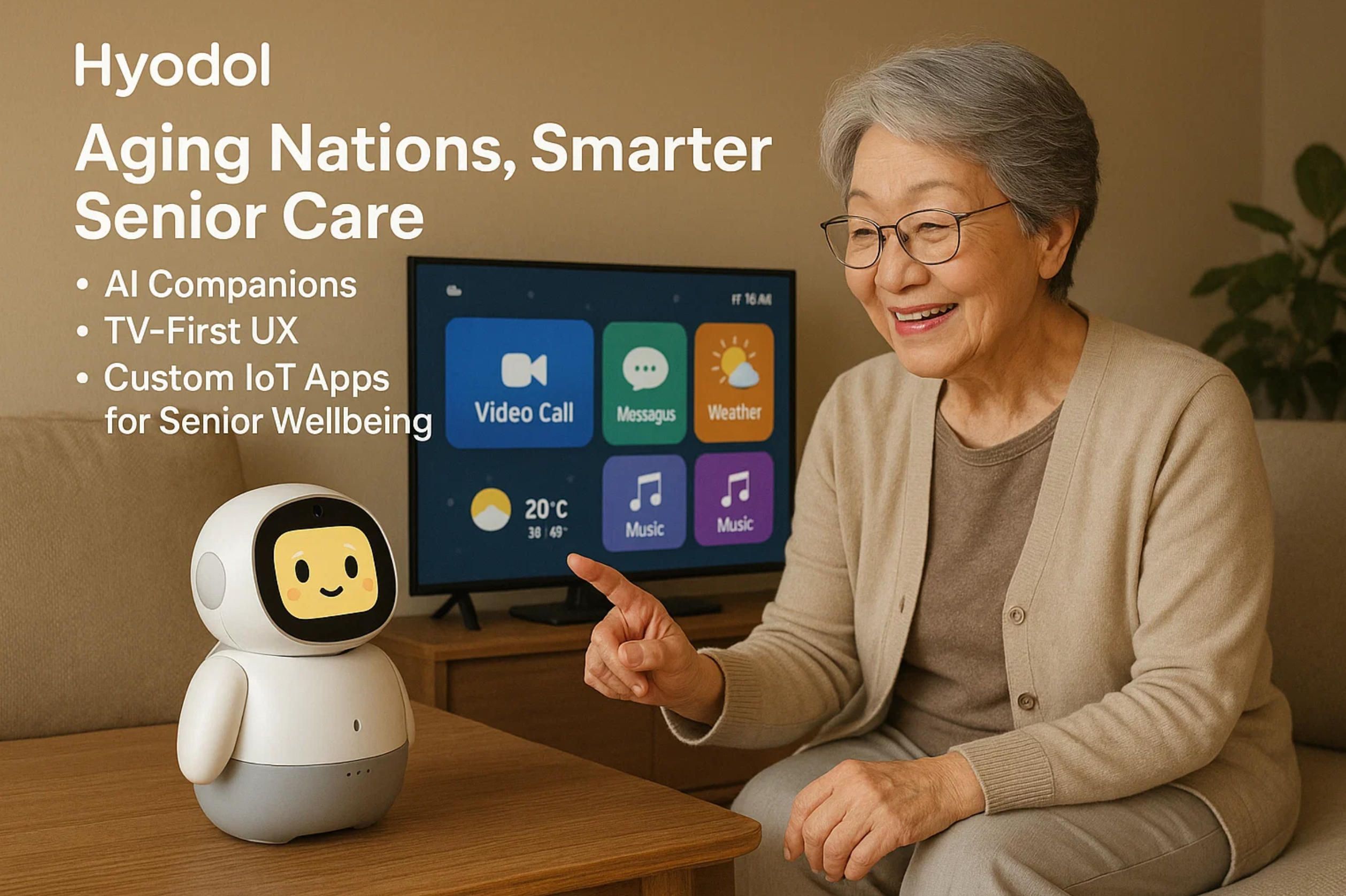
Hyodol. Aging Nations, Smarter Senior Care: AI Companions, TV-First UX and Custom IoT Apps for Senior Wellbeing
1) The Reality Check: Aging Economies and the Care-Capacity Gap
2) What Works Now: Companion Devices, TV-First UX, and Wearables That Actually Move the Needle
3) Build What’s Next (2025–2028): System Patterns, Product Bets & an Execution Plan
4) Hyodol (South Korea): AI Companion Dolls as a Care Node
1) The Reality Check: Aging Economies and the Care-Capacity Gap
If you want to understand why an elder care app is no longer a “nice-to-have” but a public-health necessity, start with the math of demography. The old-age dependency ratio can be expressed, simply, as
OADR = (Population aged 65+) / (Population aged 20–64) × 100.
Across advanced economies this ratio is climbing fast, because cohorts moving into retirement are larger, while inflows of younger workers are flat or shrinking. Japan is the world’s bellwether: people aged 65+ already account for 29.3% of the population (36.24 million as of Oct 1, 2024) — nearly one in three citizens, a figure that would have seemed unthinkable two generations ago. stat.go.jp
Southern and Western Europe are not far behind. Italy’s official statistics agency reports the share of residents 65+ at roughly one quarter today and projects a steep rise over the next 20 years; in a baseline scenario published in 2025, ISTAT estimates Italy’s 65+ population could reach 34.6% by mid-century, reshaping labor markets, pensions, and local healthcare provisioning. istat.it, Reuters Germany, Spain, France, and the Nordics follow the same direction of travel. The OECD’s longitudinal work shows the old-age burden rising across every member state — a structural, not cyclical, trend that will continue as longevity improves and fertility remains below replacement. OECD
The U.S. picture is often misunderstood as “younger,” but the curve is bending in the same way. According to the U.S. Census Bureau’s Vintage 2024 estimates, the country had 61.2 million people aged 65+ in 2024; by mid-2025, older adults already outnumber children in 11 states, and nearly half of U.S. counties. Census.gov Even more striking is how many of these older Americans are living alone: recent reporting puts that number at ~16 million, roughly 28% of the 65+ population — a social configuration that magnifies risks around medication adherence, falls, and isolation. The Wall Street Journal
These are not mere curiosities for statisticians; they are design constraints for policy, workforce planning, and technology. Health systems were built for episodic, hospital-centric care. Aging societies require continuous, home-anchored care, where everyday rhythms — taking meds, eating, moving, sleeping — are as clinically consequential as the rare clinic visit. And that’s where software comes in: the operating layer for this new reality is a network of devices and services that together behave like an always-on, distributed clinic. An elder care app is the user-facing nerve center of that clinic, tying together sensors, communications, and human workflows into a coherent day-to-day experience.
Now zoom in on workforce. The World Health Organization’s 2025 brief estimates a global shortage of ~4.5 million nurses by 2030, with the largest gaps in emerging regions — gaps that high-income countries partially “solve” by recruiting abroad, creating a zero-sum game. Who.int Within rich countries, the pressure shows up as chronic vacancies and burnout. In England, official data for March 31, 2025 report a 6.0% registered-nurse vacancy rate (25,632 posts) even after a year-over-year improvement; in Wales and other UK nations, similar dynamics persist. NHS England Digital, GOV.WALES In the United States, the Bureau of Labor Statistics projects ~189,100 RN openings each year through the 2024–2034 decade — not because hospitals are adding beds, but because waves of retirements and career exits must be backfilled while demand rises. BLS In short: even with aggressive training pipelines, supply cannot keep up with the demographics. Technology must amplify clinicians rather than merely digitize paperwork.
Why does this matter to product strategy? Because it changes the performance targets for any elderly app or aged care app. Tools that simply remind and record are not enough; they must redistribute work across the “care circle” (the older adult, family, neighbors, paid aides, nurses, and sometimes municipal services), and they must do it safely. When we build apps for senior caregivers, we’re not just shipping features; we’re shaping micro-economies of time and attention. A minute saved for a nurse at 9:00 a.m. across 5,000 households is dozens of nurse-hours reclaimed that day. A false alarm removed from an escalation pathway lowers cognitive load and keeps the human in the loop for genuine risk.
The new “frontline” is the home, so the interface must meet people where they already are. For many older adults that means TV-first and voice-first experiences that feel like a conversation, not a portal. A resilient elder care app respects low digital literacy and fluctuating health. It lets a daughter acknowledge a medication prompt from her phone while her father sees a gentle TV overlay; it lets a visiting aide scan NFC on a blister pack to log a dose; it lets a nurse review last night’s motion pattern and heart-rate trend, and decide whether a check-in is needed. For the family, good apps for senior caregivers replace improvisation with clear roles and fallbacks: who gets the first call at 5 minutes of non-response? who gets the second at 20? what happens after an hour? The answers live in software — configurable, transparent, and testable.
On signals and sensing, the future is already visible. Passive IMU-based activity, door-open events, fridge-use proxies, and even camera-free vital signs (rPPG where permitted) can power “is everything okay?” models that are both privacy-forward and clinically useful. Think of it as a fusion problem: each signal is weak, but together they capture deviations from routine that matter — a kitchen not visited by noon, steps cut in half versus baseline, a refrigerator not opened all day. An aged care app that fuses these into a single likelihood-of-risk score, and routes only the right fraction to humans, can move the needle on two stubborn metrics: false alarm rate and time-to-notify. That is the difference between fatigue and trust for professional teams using apps for senior caregivers at scale.
Another unavoidable pillar is medication adherence, where the costs of failure are crushing: avoidable hospitalizations, cognitive decline, and caregiver burnout. Here the winning pattern is a ladder of interventions — from soft nudges and routine-anchored reminders to verification edges: blister-pack scans, smart pillboxes, and photo or voice confirmations when cognition wavers. The elder care app shouldn’t shame or nag; it should negotiate with the day, adapting to when the user actually wakes, eats, and takes walks. For distributed teams running on apps for senior caregivers, the system must auto-generate exception lists: “Who missed the hypertension med twice this week?” “Who didn’t move before noon three days in a row?” That way, attention is spent on exceptions, not on checking every box for every person.
Privacy and autonomy are not nice add-ons — they’re the foundation. Seniors will reject tools that feel like surveillance. That means explicit consent screens in plain language, on-device inference where feasible, and “no camera” modes that still offer value. It also means the elderly app should implement data minimization by design: collect what’s necessary for safety and wellbeing, nothing more. And for families, transparency matters: every alert should be explainable (“why we notified you”) and tunable (“how to reduce noise without losing safety”). Done right, the aged care app lowers anxiety rather than spreading it across the family chat.
From a systems perspective, interoperability is the hard, unglamorous work that makes the user experience simple. The care stack that wins will be FHIR-ready, with audit trails (WORM) for events like falls, medication skips, and welfare checks. It will expose webhooks so apps for senior caregivers can plug into existing case-management tools, and it will offer role-based access for home health agencies, payers, and community programs. The business reason is straightforward: if your elder care app makes it easy to document what happened — and proves that interventions reduced risk — you can unlock reimbursement pathways and service contracts, not just app store receipts.
All of this is why A-Bots.com approaches senior-care software as IoT-native, not app-only. We design for homes with imperfect Wi-Fi, intermittent power, and zero patience for complex setup. Our teams build offline-first mobile clients, resilient device gateways, and analytics that surface meaningful exceptions instead of dashboards-as-confetti. In practice, that means feature flags for behavior-change experiments (adjusting reminder cadence without a full release), telemetry on time-to-notify across geographies, and safety guardrails for conversational agents so that a warm voice never overpromises or gives clinical advice beyond scope. When a client asks for an elderly app that a 92-year-old can use without training — and that a home-health nurse can trust — we reach for these patterns because they scale.
The strategic takeaway is simple: demographics have moved the conversation from “Should we build?” to “How fast can we deploy, and where do we start?” The countries that age first are writing the playbook for everyone else. Japan’s 29.3% 65+ share is not an outlier; it’s a preview. Italy’s trajectory toward a third of the population in the 65+ bracket is not a scare story; it’s a planning document. The United States’ 61.2 million older adults, with millions living alone, aren’t a niche; they are the new normal. stat.go.jp, istat.it, Census.gov, The Wall Street Journal In that world, the differentiator will be execution: apps for senior caregivers that actually cut false alarms, hit response-time SLAs, and feel effortless in the living room. That’s the standard we build for — and the reason to partner with an IoT app development company that treats the home like the modern clinic and the elder care app like its most humane interface.
2) What Works Now: Companion Devices, TV-First UX, and Wearables That Actually Move the Needle
A decade into experimentation, we finally have clear patterns that work in the home: charming companion devices that people actually talk to, TV-first and voice-first interfaces that remove friction, and wearables that deliver safety signals with minimal training. None of these on their own is enough; the winning layer is the orchestration that stitches them together into one coherent elder care app experience that families and clinicians trust. For product managers, this is where today’s successes point — and where a new generation of apps for senior caregivers can compound small daily wins into measurable outcomes.
Companion devices that don’t feel like “systems”
Start with Hyodol — soft, familiar, and deliberately non-technical at first glance. Behind the doll’s approachable form is a rigorous care model: the device talks, prompts, and watches for lack of movement to trigger a welfare check. Municipal programs in South Korea have shown how a lightweight front end with sensors can carry serious responsibility: reminding about meds and meals, logging mood, and escalating if the resident isn’t active for extended periods. Hyodol’s own materials emphasize design for older adults “not familiar with technology,” while recent reporting highlights the infrared inactivity check and structured daily questions used to flag risk. en.hyodol.com, Rest of World, Semafor
ElliQ represents a different but complementary lane: a proactive social robot designed to initiate conversation, suggest cognitive and physical activities, and reduce loneliness — with state pilots in the U.S. reporting striking engagement and well-being improvements. New York’s program described users interacting more than 30 times per day and cited very large reductions in measured loneliness; peer-reviewed work and mainstream reviews help triangulate the signal beyond vendor claims. For builders, the lesson is not “buy a robot,” but “embed a proactive cadence of small, meaningful check-ins” that an aged care app can mirror across screens — TV, tablet, and phone. Office for the Aging, PMC, WIRED
Why do these devices work? Because they reframe adherence and safety as companionship + routine, not compliance. When a prompt arrives in a warm voice tied to a face or playful motion, older adults are more likely to engage, and families are more likely to stay engaged. That is exactly where an elderly app should live: less like a portal and more like a daily presence that nudges, listens, and routes concerns to the right human.
TV-first and voice-first: meeting users where attention already is
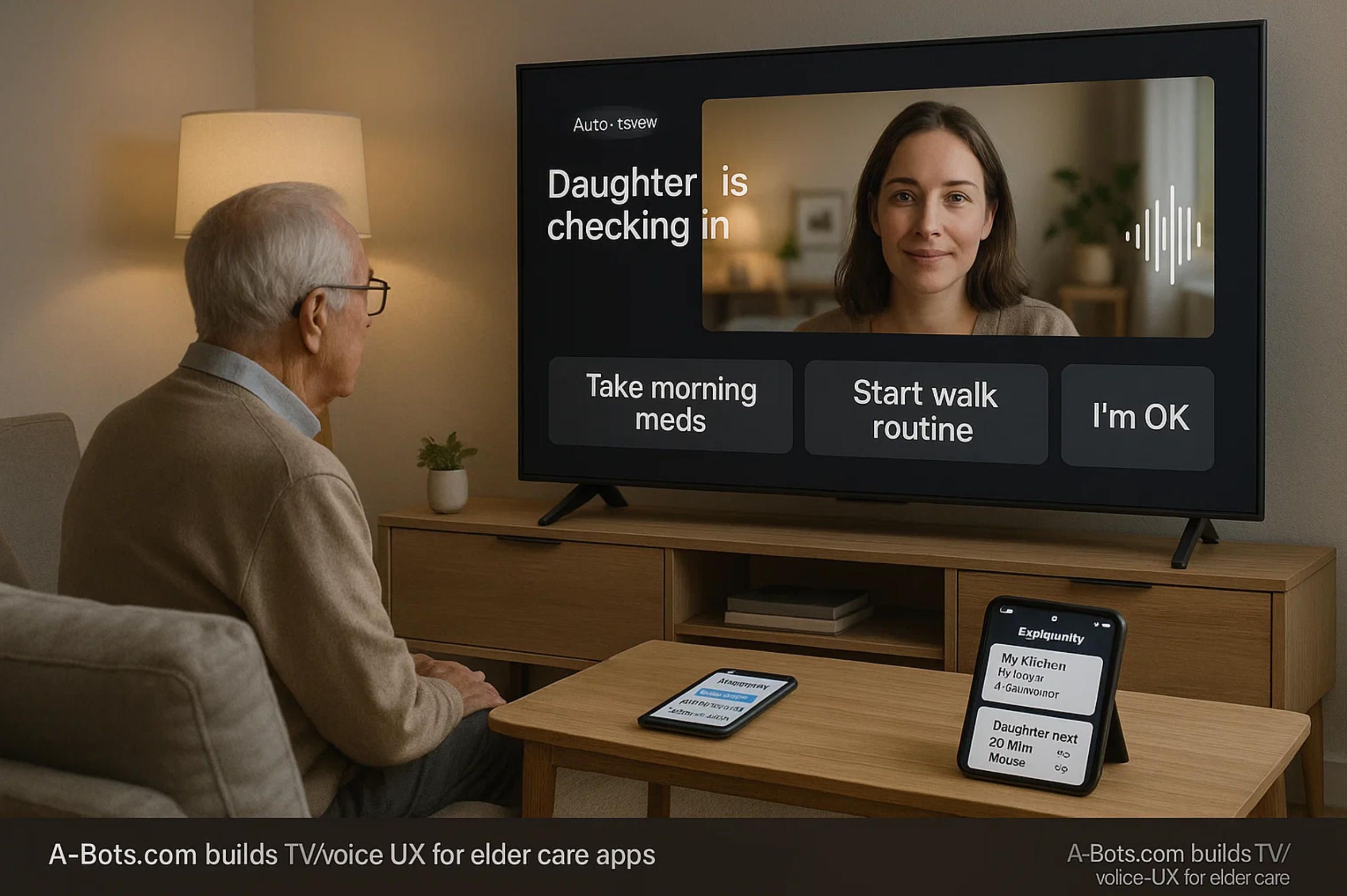
If you’re designing for 75–90 year-olds, television remains the default interface. Tools like ONSCREEN’s “Joy” approach have leaned into this reality, using standard TVs or tablets to enable video calls, reminders, and cognitive games with auto-answer options that avoid “hunt for the remote” moments. The pattern scales because it uses what’s already in the living room — large fonts, familiar speakers, and a social presence anchored to the biggest screen in the house. When you echo that same prompt on a daughter’s phone, you’ve created a seamless, cross-device elder care app experience without teaching anyone to navigate new menus. This is also where apps for senior caregivers shine: caregivers can configure who gets pinged first, who gets a summary later, and when the system should escalate to a welfare check. ONSCREEN, Inc.
Voice is the other half. Even as Amazon sunset Alexa Together and rerouted consumers toward Alexa Emergency Assist, the general insight holds: voice lowers friction for check-ins and urgent calls — provided privacy and consent are crystal-clear. A pragmatic roadmap is to treat voice endpoints as one channel among many: log a daily “I’m okay” utterance, route a help request, but keep the source of truth and the care-circle logic inside your own stack. That way, when ecosystems shift, the aged care app remains stable. Amazon News
Wearables as the “quiet safety net”
On the safety side, Apple Watch fall-detection has proven that good defaults matter: for users 55+, the feature can turn on automatically, and a hard fall followed by immobility can trigger an alarm and call emergency services. You don’t need every user to love wearables; you just need enough coverage in the care circle that someone has a device generating reliable “is everything okay?” signals. Your elderly app should treat this as a high-confidence input in a wider fusion model — valuable on its own, even more valuable when combined with motion patterns and routine-based proxies from the home. Apple
Home signals that act like quiet sensors of wellbeing
Not every home will accept cameras, and not every budget supports a full suite of medical devices. The good news is that proxy signals are surprisingly powerful when fused carefully: door-open events (bedroom, bathroom, front door), refrigerator use, kettle/coffee activity, and room-level motion trends. When an elder care app learns a household’s baseline and flags meaningful deviations, it reduces caregiver anxiety without flooding anyone with alerts. That’s the heart of a modern apps for senior caregivers design: low-friction inputs, a calm output, and excellent routing.
Design non-negotiables (from field patterns that work)
- Proactive nudges that feel human. The best systems initiate small talk and micro-tasks before the day drifts. Hyodol’s “how are you feeling today?” and ElliQ’s daily practice ideas illustrate the tone; your elder care app should do the same across voice, TV, and mobile — with guardrails that keep advice non-clinical unless a clinician is in the loop. Rest of World, Office for the Aging
- TV-first layouts with mirrored controls. Big-button overlays for the resident, mirrored controls for family and aides. This is where apps for senior caregivers earn their keep: acknowledging a prompt on behalf of mom, confirming a med dose with a tap, and seeing a simple timeline instead of a dashboard maze. ONSCREEN, Inc.
- Escalation that respects roles and time. Configure “who first, who next, how soon,” and show the logic openly. The aged care app shouldn’t be a black box; it should be a configurable playbook visible to everyone in the care circle.
Integration blueprint (what to build now, not “someday”)
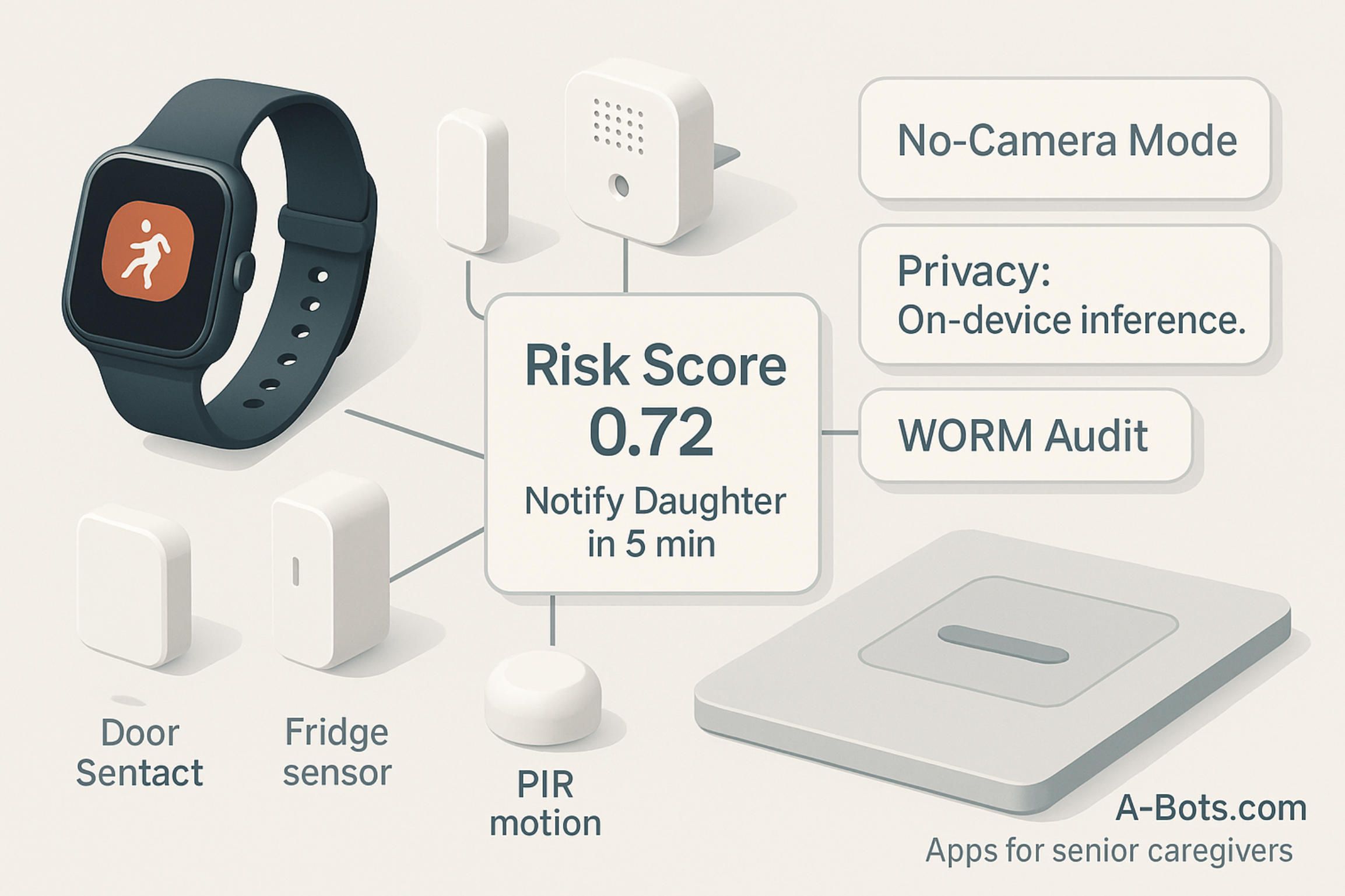
- Signals: wearable fall events; room motion and door sensors; optional voice “I’m okay”; TV interaction pings. Fuse them into a single risk score. Your elder care app can keep false alarms low by requiring agreement between two weak signals (e.g., no kitchen visit + unusually low motion) before notifying humans. Apple
- Care-circle orchestration: a lightweight graph of people and roles (older adult, daughter, neighbor, professional aide, nurse). Apps for senior caregivers get filtered task lists: “3 missed meds this week,” “2 no-kitchen mornings,” “1 unanswered prompt.”
- Privacy & consent: explicit, revocable consents; “no camera” modes; explain-why for every alert. An elderly app that shows its work (“missed kitchen by noon + no living-room motion since 9:30”) earns trust.
What to copy, what to avoid
From Hyodol, copy the gentle front end with real escalation behind it; from ElliQ, copy the proactive cadence and the framing of companionship as a health behavior; from TV-first pilots, copy the use of existing screens to lower learning cost. Avoid vendor lock-in that makes your elder care app brittle when platforms shift; the Alexa Together → Emergency Assist transition is a reminder that ecosystems change faster than care needs do. Keep voice optional and transparent. Office for the Aging, Amazon News
Metrics that actually matter
Don’t count screens; count outcomes. A solid target set for apps for senior caregivers includes: (1) time-to-notify for genuine risks; (2) false-alarm rate per household per week; (3) adherence delta (meds taken on time vs. baseline); (4) engagement streaks for companionship prompts (e.g., average micro-dialogues per day); and (5) family peace-of-mind scores. Tie these to SLAs that the product team can push with feature flags (e.g., adjusting reminder cadence or auto-answer windows) rather than full releases.
Why A-Bots.com builds for orchestration first
A-Bots.com approaches senior wellbeing as an IoT app development company: we design the pipes (device gateways, sync, permissions), the presence (TV-first and voice-first prompts), and the productivity (exception-driven workflows for aides and nurses). In practice that looks like: a resident-facing TV application, a family mobile app, and an agency-grade console stitched together into one elder care app experience. Our teams deliver apps for senior caregivers that are offline-first, with clean fallbacks when Wi-Fi or power blink; we integrate wearables and home sensors where they exist and simulate “good enough” proxies where they don’t. The result is an aged care app that reduces noise, raises confidence, and lets humans focus on moments that matter.
One more reason orchestration wins: the home is changing, but habits change slower than hardware. TV remotes will still sit on armrests. Kettles will still boil at 7:30 a.m. A voice call will still be the fastest way to say “help.” Products that respect those facts and unify them behind a warm, comprehensible elderly app will outlast any single device trend. And the teams that ship them — working from real pilots like Hyodol’s inactivity checks, ElliQ’s proactive dialogues, and TV-first auto-answer flows — will set the standard for practical care technology in aging societies. That is the bar we aim for when we design your next elder care app and the ecosystem of apps for senior caregivers around it.
3) Build What’s Next (2025–2028): System Patterns, Product Bets & an Execution Plan
The past few years gave us proof that seniors will engage when the experience is kind, simple, and present in their daily environment. The next few years are about composition: turning scattered devices and point solutions into one orchestrated elder care app that a family, an agency, and a payer can trust. This section lays out the product bets, the technical backbone, and the operating metrics that matter if you want to build an aged care app (and an ecosystem around it) that actually bends outcomes: fewer false alarms, faster response, better adherence, and calmer households.
From features to systems: why orchestration wins
Most pilots succeed in isolation and fail at scale. A fall detector is great until it rings everyone’s phone at 2 a.m. every third night. A medication reminder is helpful until it collides with real life (late breakfast, a visiting aide, a doctor’s change) and becomes noise. The winning pattern is orchestration: a system that learns the household’s rhythm, fuses weak signals into strong ones, routes only necessary work to humans, and makes its decisions explainable inside an elderly app that feels like a companion, not a console. In other words, we stop building gadgets and start building care circulators — software that circulates the right information to the right person at the right moment.
Mathematically, think of the risk engine as a logistic layer over normalized signals:

where xi, t are raw inputs (motion, door-open events, wearable fall flags, TV interactions, “I’m okay” voice check-ins), and μi, σi are household baselines. The elder care app should never look like a black box: every alert includes a human explanation (“no kitchen by 12:00 + 70% drop in motion vs. typical morning + unanswered prompt”), and every user can dial sensitivity up or down without breaking safety.
Ten near-term product bets (that compound in the real world)
- TV-first overlays + mirrored mobile controls. Seniors see big, friendly prompts on the TV; family and aides respond from phones.
- Voice micro-check-ins as a daily rhythm. A one-phrase “I’m okay” feeds the model; a warm voice checks back if silence persists.
- Medication Adherence 2.0. Combine routine-anchored nudges with NFC blister scans or smart pillbox confirmations; escalate gently.
- Proxy signals over perfect sensors. Door, fridge, kettle, and room motion tell a story even without cameras or medical devices.
- Fall triage with context. Weight fall flags by concurrent immobility and time-of-day norms to cut false positives before waking the family.
- Companionship as a health behavior. Daily micro-dialogues and cognitive prompts tracked like steps — small streaks, big dividends.
- Care-circle playbooks. Role-aware routing (“neighbor first, daughter second, nurse if no response in 20 minutes”), visible and editable in the aged care app.
- Explain-why alerts. Every notification includes its evidence and a “quiet this pattern” option to teach the system.
- On-device where feasible. Private-by-default inference for routine patterns; cloud for fusion, audit, and longitudinal trends.
- Feature-flagged behavior change. Tune cadence, thresholds, and voice timing without shipping new binaries; run real A/Bs on time-to-notify.
These bets are not flashy on their own. Together, they produce a calmer, more reliable apps for senior caregivers experience where people touch the system less — because it already did the right thing.
Architecture blueprint: from sensor to caregiver
Great apps for senior caregivers are mostly plumbing you can’t see. The art is hiding complexity behind one humane interface while preserving auditability and control for professionals. A pragmatic blueprint:
- Edge ingestion. BLE/Bluetooth and LAN connectors for motion, door, and smart-plug signals; wearable webhooks; voice/TV interaction pings.
- Event bus + debounce. Normalize, timestamp, and deduplicate (e.g., merge multiple micro-motions into a “morning activity” block).
- Household baseline model. Rolling means/variances and simple seasonality for “what’s typical here” (weekday vs. weekend mornings).
- Fusion & scoring. Compute Rt and an anomaly component such as At=KL(pt ∥ pbaseline); combine into a human-readable why.
- Policy engine. Role-based routing with SLAs; e.g., High risk → 5-minute target time-to-notify; Medium → 30 minutes; Low → daily digest.
- Guardrailed LLM layer. Conversational micro-prompts that are retrieval-anchored to approved scripts; no clinical advice without clinician context.
- Clients. Resident TV app + family mobile app + agency console = one elder care app experience with different privilege levels.
- Data governance. Explicit consent ledger; WORM audit trail for alerts; privacy toggles (“no camera,” “no audio retention”).
- Interoperability. FHIR-ready endpoints; secure webhooks to payer/agency systems; CSV fallbacks for small providers.
- Ops & safety. Feature flags, canary cohorts, and SLOs for false alarm rate and time-to-notify; red-team drills for outage scenarios.
You don’t have to ship all ten on day one. But if your elderly app lacks an event bus, a baseline model, and a clear policy engine, you’re gambling with scale.
Guardrails for conversational care
Companionship is powerful precisely because it feels natural. That’s also where risk hides. The LLM layer in an elder care app must be narrowly scoped: retrieval-augmented to approved content, refusal policies for medical questions outside scope, and a clear handoff to a human or a licensed telehealth endpoint when thresholds trip. Safety isn’t an afterthought; it’s the frame. That applies to tone as well: no shaming around lapses, no catastrophic wording for minor anomalies, and culturally attuned phrasing. A good aged care app speaks like a trusted neighbor, not like a buzzer.
Alert budgets, thresholds, and the math of calm
Unmanaged, even accurate systems become noisy. Set a household alert budget BB (soft cap per week), and aim to maximize useful alerts under that cap. In practice:
- Minimize FPR (false positive rate) subject to E[TTNhigh]≤10 min and E[TTNmedium]≤30 min.
- Track PPV (precision) for each alert type; promote the ones that earn trust.
- Prefer precision–recall curves over ROC in imbalanced settings (rare adverse events).
- Use post-alert surveys to measure caregiver trust and adjust. The best apps for senior caregivers get quieter and more precise month over month.
Privacy that people can see
“Privacy-by-design” means visible controls, not only policies. The elderly app should offer toggles like “no audio retention,” “blur TV camera,” and per-person access scopes (“neighbor sees only check-in status”). For the family, the data map should be explicit: what is collected, where it flows, who can see it, and how to revoke access. For agencies and payers, the audit trail should be immutable, exportable, and human-readable.
Pilots that prove value (and don’t burn out staff)
A pilot that overwhelms nurses with alerts will die by week three. A pilot that can’t show numbers won’t get funded. Start small and instrument everything. Define power-of-two cohorts (e.g., 32 households on system vs. 32 controls) with matched risk, and pre-register the KPIs. Then let the system learn — slowly but steadily — and let people opt out of noisy features without exiting the whole elder care app.
Pilot KPIs to watch:
• Time-to-notify for confirmed adverse events (median and 90th percentile).
• False alarms per household per week by alert type.
• Medication adherence delta vs. baseline (percentage points).
• Engagement streaks with companionship prompts (days active per month).
• Family peace-of-mind (Likert score, change from baseline).
• Staff minutes saved per 100 households per day (from task routing).
• Retention at 90/180 days (residents and caregivers).
Hit two or three of these with statistical significance, and your apps for senior caregivers program has a path to contracts and reimbursements.
A 90-day build path that respects reality
Ambition is good; momentum is better. Here is a pragmatic path A-Bots.com follows as an IoT app development company when clients ask us to build or modernize an elder care app:
Days 0–15 — Discovery & scoping. Shadow workflows; map roles; list the top 3 risks and the top 3 “quality of life” jobs-to-be-done. Choose signals available on day one (TV app + motion + door + one wearable), and codify the initial policy routes.
Days 16–45 — Alpha build. Event bus, baseline model, simple fusion RtRt, and a resident TV app with mirrored family mobile app. Guardrailed conversational layer for micro-prompts; basic console for agencies. Feature flags wired in.
Days 46–75 — Field pilot. 20–40 households, weekly tuning of thresholds, and explain-why alerts shipped in week two. Add medication NFC scans if feasible; measure adherence delta and false alarms.
Days 76–90 — Hardening & scale plan. Compare cohorts; lock policy defaults; draft integration plan (FHIR/webhooks) and procurement docs. Decide which features graduate to GA and which stay behind flags.
With this cadence, you avoid the trap of “platform first, product never.” You also avoid the opposite trap: rushing a flashy conversational shell with no plumbing underneath. What ships at day 90 is a humble, working aged care app that families like, staff trust, and sponsors can fund.
Why A-Bots.com (and how we’ll work with you)
We build for orchestration first. Our teams deliver offline-first mobile clients, resilient TV apps, and device gateways that survive spotty Wi-Fi and power blips. We fuse proxy signals with wearable events to produce calm, explainable risk calls. We wire in feature flags so your clinicians can tune behavior without app-store pinball. We treat privacy as UX — visible, revocable controls — and audit as a first-class feature, not a bolt-on. Above all, we ship apps for senior caregivers that reduce the cognitive burden on families and staff instead of exporting it to their phones.
If your roadmap includes a companion device, a TV-first interface, or a multi-role console that turns households into safer, calmer places to age, we’re ready to co-design and build it. Whether you’re upgrading an existing elderly app or starting fresh on an elder care app with device integrations and payer-grade reporting, A-Bots.com has done the unglamorous work that makes the glamorous parts actually work. Let’s turn pilots into products — and homes into the modern, human clinic they’re about to become.
4) Hyodol (South Korea): AI Companion Dolls as a Care Node
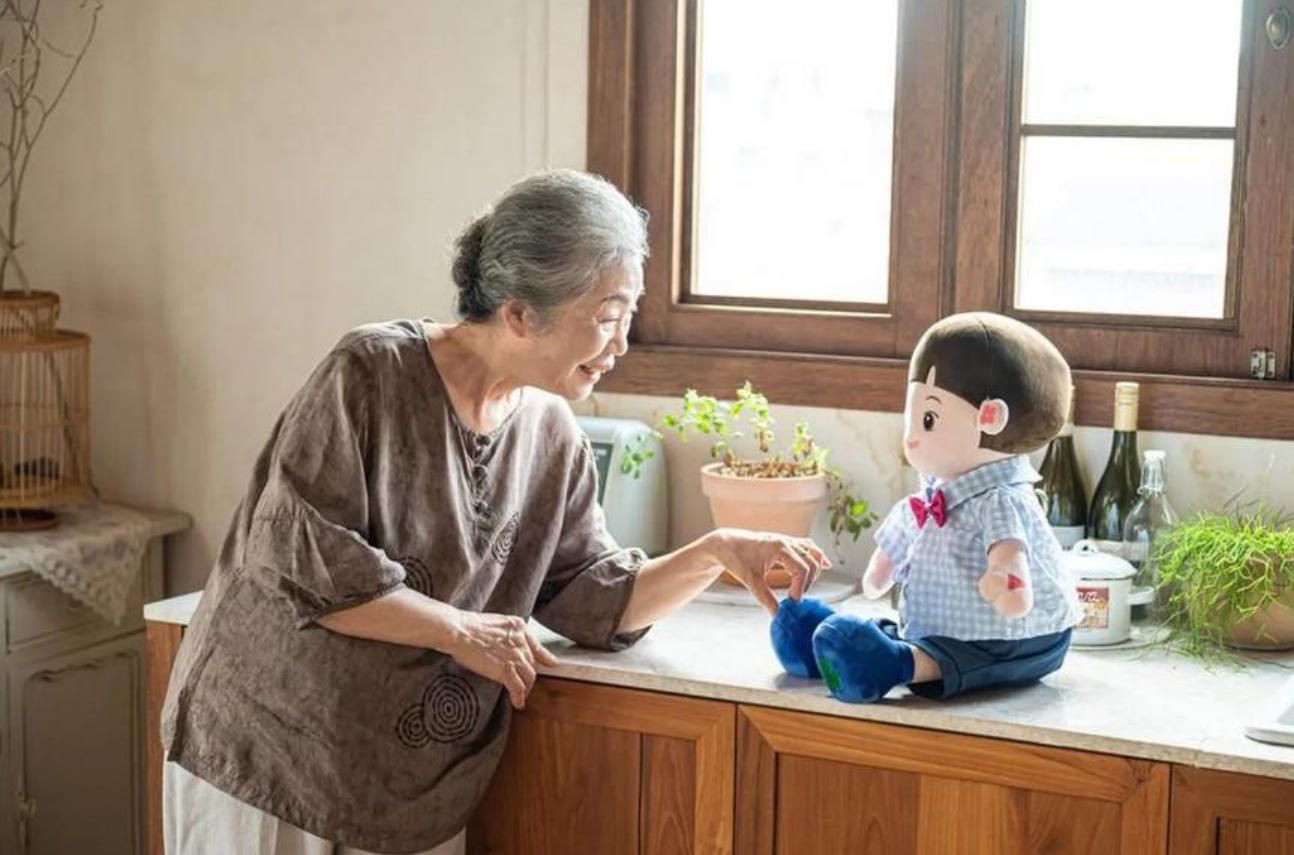
South Korea’s municipal pilots with Hyodol show what happens when companionship, reminders, and passive safety checks are bundled into a single approachable form factor. Hyodol presents itself as an AI care platform for seniors not familiar with technology, using a childlike doll with a conversational agent (LLM) to talk, prompt for meds and meals, and maintain daily routines. The official materials frame the product as a response to a “super-aged” society with too few welfare workers, emphasizing low-barrier engagement rather than tech novelty. en.hyodol.com
Independent reporting adds operational color: districts like Seoul’s Guro deployed Hyodol units to older adults living alone; care workers describe the robots as “eyes and ears” between visits. Programs have cited ChatGPT-based dialogue, proactive reminders, and inactivity detection via infrared sensors that escalate to social workers when movement isn’t detected for an extended period. A detailed field piece notes program costs, device repair loads, and the striking emotional bonds some seniors form with the dolls — helpful for engagement, but also a reminder that device logistics (training, swaps, RMA) are part of the real workload. One district program pegged device cost around 1.6M KRW (~$1,150) per unit. Rest of World
Multiple tech and news outlets echo the same functional core — conversation + routine coaching + alerts — while debating privacy trade-offs. Summaries describe 24/7 monitoring with alerts to family or care teams on risk (e.g., prolonged inactivity), and some coverage places device pricing higher depending on distribution and subscriptions. Regardless of price variance across channels, the pattern is consistent: warm interaction on the front, structured risk routing on the back. eu.36kr.com, WebProNews
On outcomes, several write-ups (citing program data) report reduced loneliness and improved medication adherence among Hyodol users. These claims are promising but should be treated as early-stage: methodology details are not always public, and effects likely depend on onboarding quality, household setup, and care-circle responsiveness. For product teams, the signal is less “magic device” and more “a predictable cadence of micro-engagements that seniors accept, because it feels social rather than clinical.” Canvas8
Ethical and privacy conversations are active. Commentators point out the tension between continuous sensing and dignity/autonomy, plus the risk that companionship devices could substitute for human contact if rolled out without safeguards. That makes explainability, consent, and data minimization design-critical: users and families should always be able to see what is collected, why an alert fired, and how to turn features off without losing safety. WIRED, TESAA
What to carry forward into an elder care app (and apps for senior caregivers):
- Proactive micro-dialogues that seed routine (morning check-ins, meal prompts) and keep users engaged without nagging; 2) Inactivity-as-signal fused with simple home proxies (kitchen/fridge/door events) to triage risk before waking the whole family; 3) Role-aware escalation that pages the right human with an explain-why alert (“no living-room motion since 9:30 + no kitchen by noon”); 4) Operations-ready device management so pilots don’t collapse under repairs and retraining; 5) Privacy guardrails (on-device where feasible, revocable consents, clear data scopes). Rest of World, eu.36kr.com, WIRED
How A-Bots.com would generalize the pattern: as an IoT app development company, we’d implement a Hyodol-like engagement layer without vendor lock-in: a TV-first resident UI with voice prompts, a family mobile app, and an agency console — one elder care app experience across roles. Signals (wearable fall events, room motion, door/fridge proxies, voice “I’m OK”) feed a household baseline and a simple fusion model; alerts route via a policy engine with SLAs and visible explanations. Privacy is a first-class UX: explicit consents, “no camera/recording” modes, and WORM audit for events. The result is an aged care app that keeps companionship human while turning risk detection into a calm, predictable service for apps for senior caregivers at scale. en.hyodol.com
✅ Hashtags
#ElderCareApp
#AppsForSeniorCaregivers
#hyodol
#AgedCare
#ElderlyApp
#IoTAppDevelopment
#CompanionRobots
#TVFirstUX
#VoiceUX
#RemoteMonitoring
#MedicationAdherence
Other articles
App Development for Elder-Care The world is aging faster than care workforces can grow. This long-read explains why fall-detection wearables, connected pill dispensers, conversational interfaces and social robots are no longer stand-alone gadgets but vital nodes in an integrated elder-safety network. Drawing on market stats, clinical trials and real-world pilots, we show how A-Bots.com stitches these modalities together through a HIPAA-compliant mobile platform that delivers real-time risk scores, family peace of mind and senior-friendly design. Perfect for device makers, healthcare providers and insurers seeking a turnkey path to scalable, human-centric aging-in-place solutions.
Elder Care Mobile App Development Today’s elder care challenges demand more than pill-timers and emergency pendants. A-Bots.com demonstrates how an IoT-driven elder care mobile app can fuse Bluetooth pill dispensers, wearable fall-detection sensors, federated machine learning, and HL7-FHIR interoperability into one seamless ecosystem. Real-time dashboards distill thousands of sensor events into color-coded insights for families, nurses, and insurers, while predictive analytics surface actionable risk scores days before trouble strikes. The result: 22% fewer fall-related hospitalizations, 31 % higher medication adherence, and measurable ROI for value-based-care contracts. Whether you build health hardware, run a home-health fleet, or seek to modernize aging-in-place programs, this deep dive shows why partnering with A-Bots.com—an IoT app development company—turns smartphones into compassionate guardians and data into peace of mind.
Caregiving Apps for Seniors: From an Elderly Companion App to a Unified Care Hub Families don’t need more apps; they need one trustworthy elderly care app that keeps everyone in sync. This guide maps today’s landscape—care hubs, meds and adherence, fall detection and geofencing, TV/voice companions, marketplaces, and financial-safety tools—and explains why fragmentation creates missed signals and alert fatigue. We translate stable statistics into product decisions, then outline an Essential Care Stack: streak-based meds with compassionate escalation, shared routines and hand-offs, a consent-aware document vault, and caregiver operations (time, mileage, expenses) living beside tasks. You’ll learn how wearables and TV/voice deliver presence at a distance, and why interoperability (HealthKit/Google Fit, FHIR) and privacy (HIPAA/GDPR, granular roles, break-glass with audit) are non-negotiable. Finally, we compare buy vs. customize and share the A-Bots.com blueprint for a unified, multi-surface solution that seniors actually use and families trust.
Farmer App Development Company - Smart Farming Apps and Integrations Looking for an app for agriculture that crews will actually open at dawn? A-Bots.com builds lean, offline-first farming applications that slot into what you already run—John Deere Operations Center, Climate FieldView, Trimble—so plans flow into cabs and clean records flow back. As a specialist farmer app development company, we start with a nucleus that pays back quickly: tasks that close the loop, imagery/weather signals that become guided tickets, and auditor/buyer-ready exports. Then we expand through a plugin architecture—labor & QC for orchards and berries, virtual fencing & grazing timelines, or contract-aware traceability/carbon modules—without breaking operator muscle memory. Your smart farming app comes with plain-language data contracts (who sees what, for how long, and why), one-tap export/revocation, and role-based access for advisors, landlords, and buyers. Serving the US, Canada, Scandinavia, and EU, we respect mixed fleets and regional policy, mapping to ADAPT/ISOBUS and EU data expectations by design. Budget tight? We help structure cooperative or buyer-aligned crowdfunding so critical plugins ship sooner—under clear ownership. Build beside the best farmer apps, not against them—and turn season pressure into repeatable wins.
Top stories

Copyright © Alpha Systems LTD All rights reserved.
Made with ❤️ by A-BOTS