
Home
Services
About us
Blog
Contacts
When the Canon Printer App for Android Won't Connect: A Real Setup Story and the Fixes That Work
Buying a printer is the easy part. Getting it to print from a phone is where people lose an afternoon. You install the official software, open a document, tap Print, and the machine that worked perfectly over USB five minutes ago simply refuses to appear inside your Canon printer app for Android. If you have ever searched for a working Canon printer app for Android at 11 p.m. with a one-page PDF you needed yesterday, this guide is written for you.
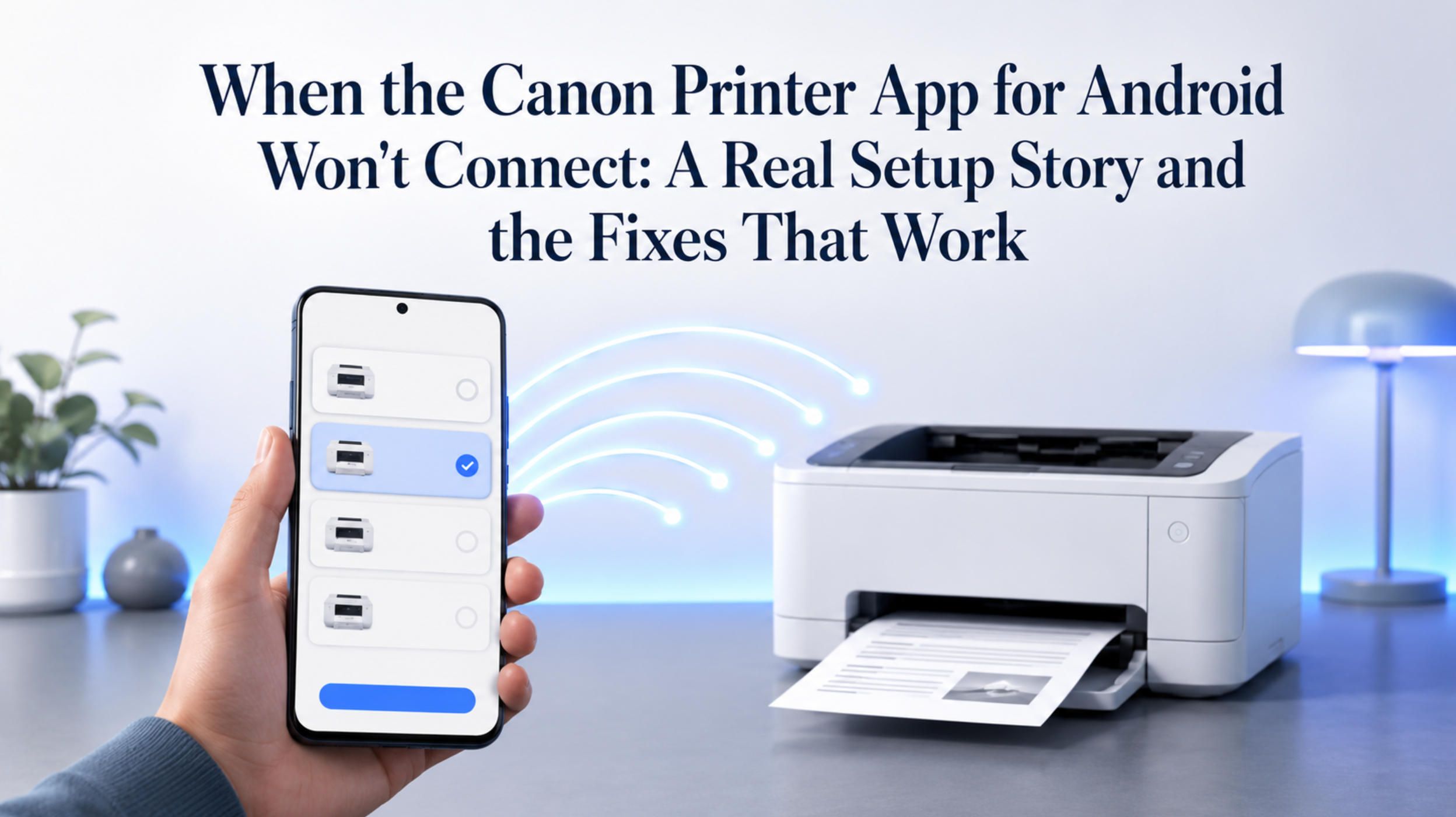
This article walks through a real troubleshooting case — a different printer brand, but an identical lesson — and then maps every fix onto the Canon ecosystem so you can get a Canon printer app for Android running on the first or second try instead of the tenth.
The real case: a branded app that simply said "device not supported"
A user set up a Xerox Phaser 3020 and tried to print from an Android phone. The hardware was fine. The phone and printer sat on the same Wi-Fi network. The printer's own web page even opened in the phone's browser at http://192.168.0.104, which proved the network path worked end to end.
And yet the manufacturer's print plugin refused to cooperate. When the user tried to add the printer through the Android print service, it returned a blunt message: "device not supported." The official, branded route was a dead end — not because of the network, not because of the phone, but because the vendor's plugin did not recognize that specific model as a compatible mobile printer.
The fix was a third-party app. NokoPrint, added manually with the printer's IP address (192.168.0.104) and port 9100 using the RAW / Socket protocol, printed on the first attempt. No driver hunting, no vendor lock-in, no waiting — just a universal app speaking a protocol the printer already understood.
That story is about a Xerox, but anyone who has fought with a Canon printer app for Android will recognize the pattern exactly. The branded Canon printer app for Android promises a clean experience and then quietly fails, while a generic Canon printer app for Android that talks to the printer over its native port does the job in seconds.
What the official Canon printer app for Android actually is
There is no single Canon printer app for Android. The label Canon printer app for Android actually covers two different pieces of software, and people confuse them constantly.
The first is Canon PRINT (previously named Canon PRINT Inkjet/SELPHY, and recently merged with the old Canon PRINT Business app). According to Canon, it lets you set up the printer, print, scan, check ink levels, and print via the cloud, and it is the recommended companion app for PIXMA, MAXIFY and SELPHY models. This is the standalone Canon printer app for Android that you open directly to start a job.
The second is Canon Print Service, a plugin that hooks into Android's built-in printing subsystem. You do not open it like a normal app; instead it adds Canon support to the system Print menu, so you can tap Share or the three-dot menu in any app and pick Print. As a Canon printer app for Android, the plugin supports color and black-and-white printing, two-sided printing, borderless output, PDF direct printing, and — importantly for our story — printer discovery by specifying an IP address.
On paper, either Canon printer app for Android should be all you need, and in this real setup that is exactly how it played out — for the Canon, at least.
Why the Canon printer app for Android just worked
Here is the reassuring part for anyone shopping for a Canon printer app for Android: the Canon was the printer that simply worked. Open the printer list, the Canon is there, and it prints on the first attempt — no "device not supported," no jobs cycling endlessly through "spooling" and "printing" with nothing in the tray. The right Canon printer app for Android finds it and gets out of the way, which is the experience most Canon owners can expect. For most people, that one Canon printer app for Android is the entire setup process.
It is worth saying plainly: a printer that will not print from your phone almost never means broken hardware. If the printer's web page loads in your browser, the network is fine and the printer is listening. When a Canon printer app for Android does stall, the problem is the software layer between your file and that open port — exactly what happened with the Xerox at the start of this guide.
When the official route fails, switch the Canon printer app for Android
Here is the practical lesson from the Xerox, useful for any printer you own. If the printer app refuses to connect, returns "device not supported," or spools forever, do not reinstall it five times — switch to a universal Canon printer app for Android that talks to the printer directly. The fastest fix is almost always a different Canon printer app for Android, not more troubleshooting of the broken one.
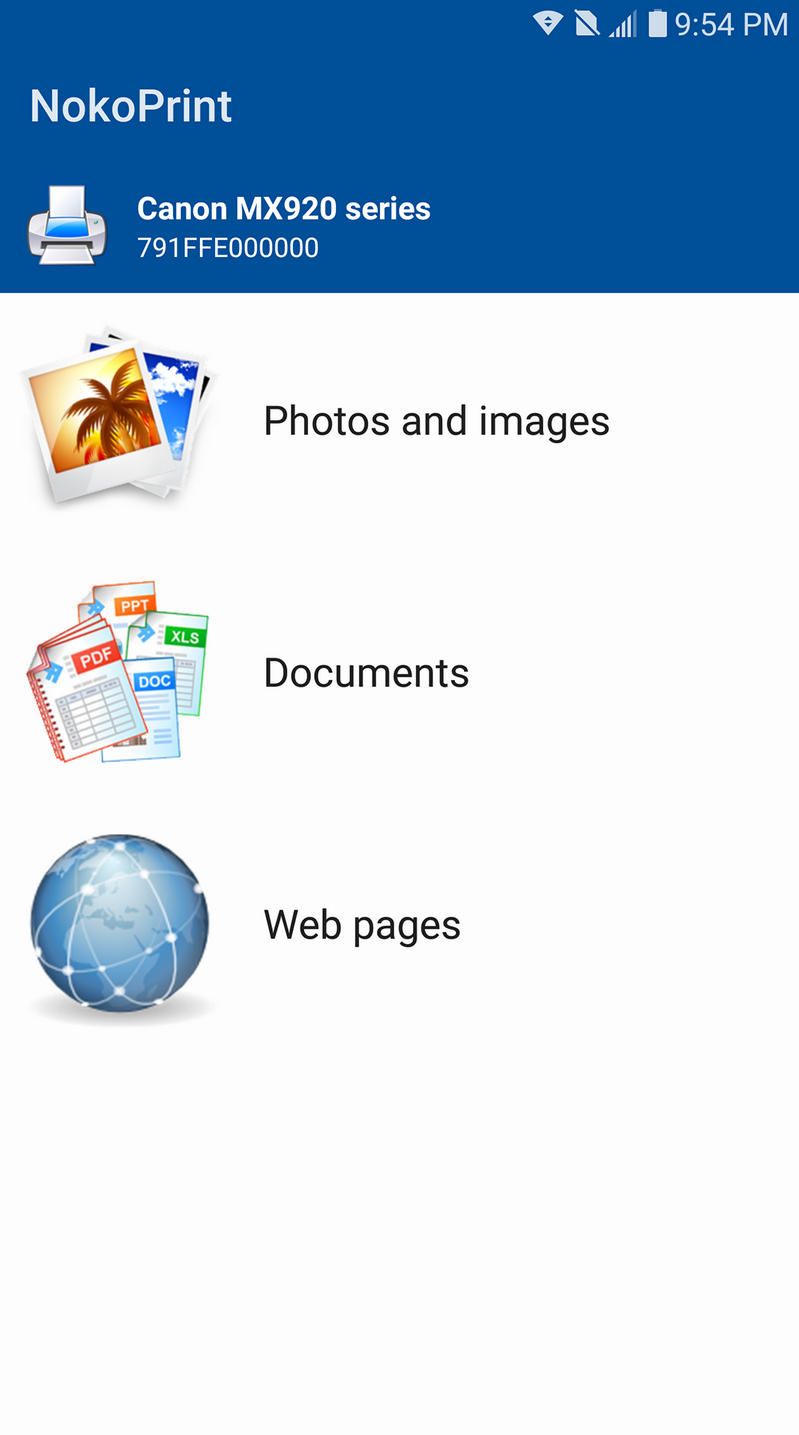
NokoPrint is the most reliable first choice for a replacement Canon printer app for Android. It is a free, ad-supported universal printing app with around 19 million downloads and a 4.5-star rating, and it explicitly lists Canon PIXMA, LBP, MF, MP, MX, MG and SELPHY families among its supported printers. The good news is that this Canon printer app for Android usually does the hard part for you: open the list of available printers and your Canon is often sitting right there, with no IP address, no port, and no manual setup at all. That is the whole appeal of a universal Canon printer app for Android.
- Install NokoPrint from Google Play.
- Open it and tap to show the list of available printers.
- In most cases your Canon appears in the list immediately — select it, print a test page, and you are done, with no settings required.
- Only if your model does not show up, tap Add manually.
- Enter the printer's IP address (the one that loads its web page in your browser).
- Set the port to
9100and, if asked, choose the RAW / Socket / JetDirect protocol. - If prompted for a driver, pick your exact Canon model first, then a close relative, then Generic PCL as a fallback.
- Print a test page.
That automatic path is the normal experience: in real-world use this Canon printer app for Android detected the Canon the moment the list opened, with nothing typed in by hand. The manual route only matters for a stubborn model — and it is exactly what rescued the Xerox Phaser 3020 in our example, where automatic discovery found nothing until a manual IP with port 9100 and the RAW protocol finally printed. As a replacement Canon printer app for Android, NokoPrint covers both situations: automatic when the printer cooperates, manual when it does not.
If NokoPrint is not to your taste, PrinterShare and PrintHand follow the same manual-IP approach and serve as a backup Canon printer app for Android. The principle behind every manual Canon printer app for Android never changes: IP address plus port 9100, RAW or Socket, with IPP and LPR as alternatives if 9100 is closed.
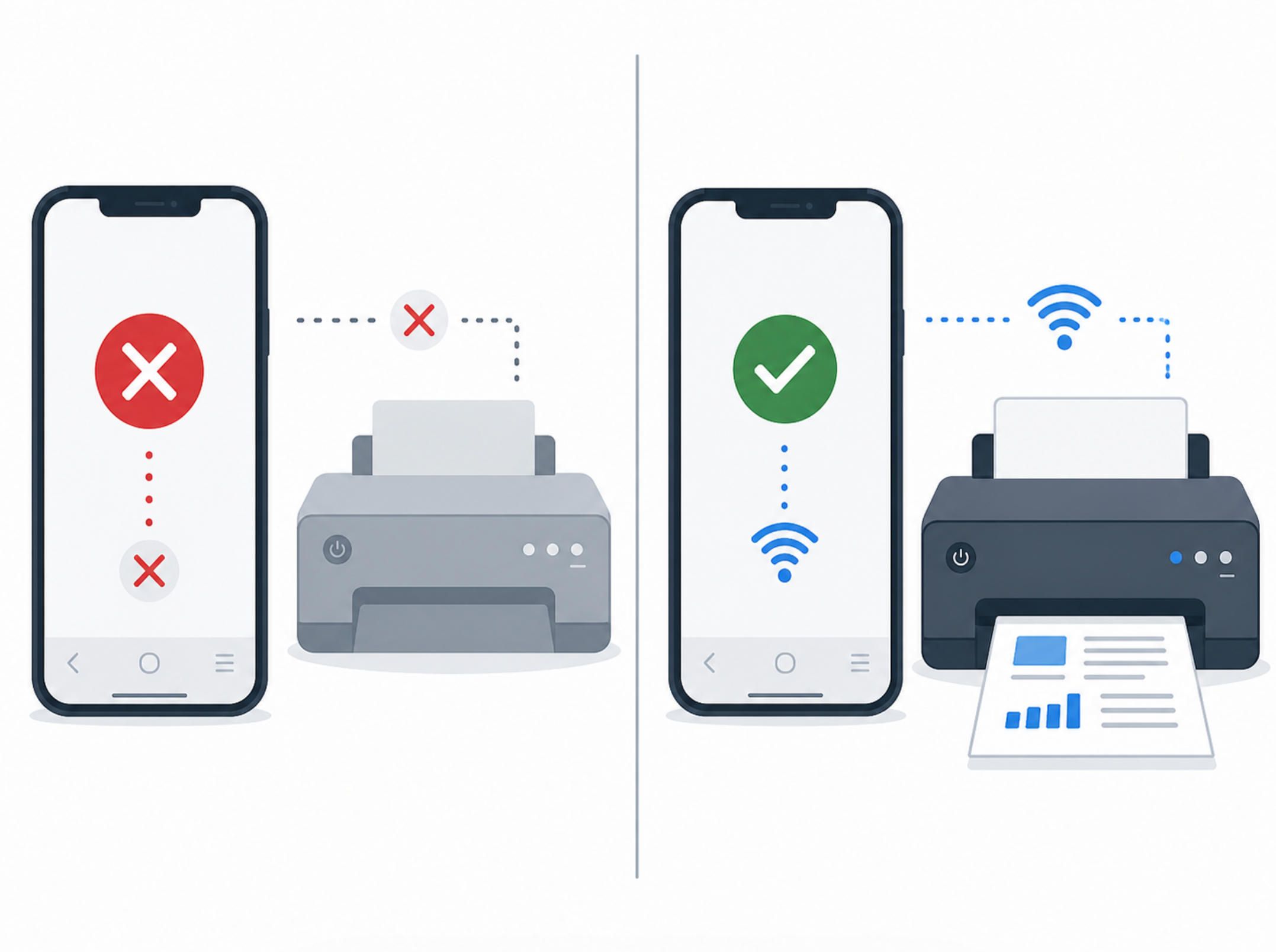
How to find the values your Canon printer app for Android needs
To set up any manual Canon printer app for Android, you need two things: the printer's IP address and an open printing port.
Any manual Canon printer app for Android needs that address: find the IP address by checking your router's device list, the printer's own network settings page, or its on-device menu. Then confirm it by typing http:// followed by that address into your phone's browser. If the printer's configuration page loads, you have proven the address is correct and the device is online — the single most useful test before you blame any Canon printer app for Android.
Next, make sure the printing port is open. Log into the printer's web interface (Canon laser models often accept a default admin login) and look under the network or TCP/IP settings for Raw TCP/IP / Port 9100, IPP, and LPR. Enable them, save, and restart the printer. With those on, almost any manual Canon printer app for Android can connect.
One more tip from the real case: reserve a static IP for the printer in your router. A printer that changes address every few days will break a working Canon printer app for Android without warning, and you will waste another evening re-adding it.
Why a branded app fails when a universal one works
It is worth understanding the cause, because it explains why a third-party Canon printer app for Android so often outperforms the official one.
Branded printer apps and vendor plugins maintain internal lists of "supported" models and rely on automatic discovery protocols such as mDNS/Bonjour and Mopria. When your specific model, firmware, or network does not match what the app expects, discovery quietly fails and the Canon printer app for Android gives you a vague error — or the silent endless spool. The official Canon printer app for Android is doing extra work that can break in extra ways.
A universal Canon printer app for Android like NokoPrint takes the opposite approach. It does not care about the brand sticker. It connects to the IP and pushes the job over a standard port using RAW, IPP or LPR — protocols that nearly every network printer of the last fifteen years already speaks. Fewer assumptions, fewer failure points, and a Canon printer app for Android that simply connects. That is the entire reason a generic Canon printer app for Android can succeed where the branded one stalls.
This is also why an old or budget printer that the manufacturer no longer prioritizes will often print fine through a universal Canon printer app for Android. The hardware never lost the ability to print; the official Canon printer app for Android just stopped accounting for it.
A quick decision guide for your Canon printer app for Android
If you remember nothing else about choosing a Canon printer app for Android, remember this order:
- Start with the official Canon printer app for Android (Canon PRINT or the Canon Print Service plugin) — when it works, it gives you scanning and ink levels too.
- If that Canon printer app for Android spools forever, says the printer is unavailable, or returns "device not supported," do not reinstall it five times.
- Before blaming the Canon printer app for Android, open the printer's web page in your browser to confirm the network is fine.
- Switch to a manual Canon printer app for Android such as NokoPrint, using the IP address and port
9100. - Reserve the printer's IP so your working Canon printer app for Android stays working.
That sequence turns a lost evening into a two-minute job, whether you are setting up a brand-new PIXMA or reviving a printer that no official Canon printer app for Android wants to recognize anymore.
Common questions about the Canon printer app for Android
Which Canon printer app for Android should I install first? Start with Canon PRINT, the recommended companion Canon printer app for Android for PIXMA, MAXIFY and SELPHY models, because it adds scanning and ink monitoring on top of printing.
My Canon printer app for Android says the printer is offline — is the printer broken? Almost never. If the printer's web page opens in your browser, the hardware is fine and only the Canon printer app for Android is failing to connect.
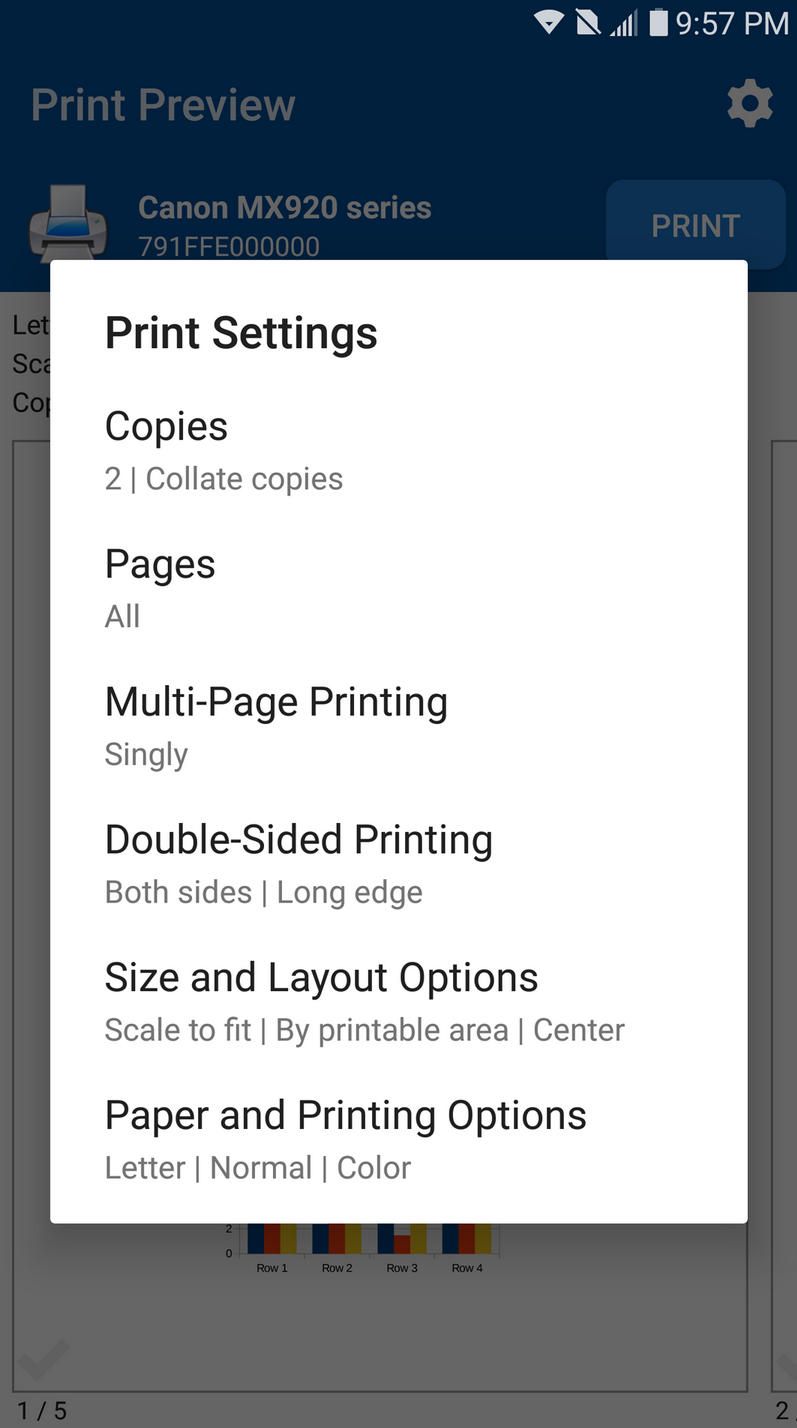
Is there a free Canon printer app for Android that works with older models? Yes. NokoPrint is a free Canon printer app for Android that often detects Canon, HP, Brother and Xerox printers automatically, and falls back to a manual IP connection for stubborn or older models.
Can the official Canon printer app for Android scan as well as print? Yes. Canon PRINT, the main official Canon printer app for Android, also handles scanning, ink-level checks and cloud printing on supported models.
What settings does a manual Canon printer app for Android need? Two values: the printer's IP address and port 9100 with the RAW or Socket protocol. Any manual Canon printer app for Android using those values will usually print straight away.
The bigger lesson: device apps are only as good as their software
The printer story is a small example of a much larger truth in connected hardware. A device can be perfectly capable, sitting on the network and answering on its port, and still be unusable because the companion app between the user and the hardware is brittle, brand-locked, or abandoned. The gap between "the device works" and "the app lets me use the device" is where most real-world frustration lives — in printers, in smart-home gear, in industrial sensors, in any IoT product.
That gap is exactly what good software engineering closes. A well-built companion app does not depend on fragile discovery alone; it supports manual configuration, standard protocols, clear error messages, and a wide range of real-world devices and firmware versions. It is built and tested against the messy reality of home and office networks, not just a lab.
How A-Bots.com fits in
At A-Bots.com we build custom mobile apps and IoT software for exactly these situations — products where a phone has to talk to real hardware reliably, every time, across the full mess of networks, models and firmware that users actually have.
If you make a printer, a smart device, or any connected product and your customers keep hitting "device not supported," we can design and build a companion app that simply works: robust device discovery with manual fallback, standard and proprietary protocol support, clean diagnostics, and broad compatibility testing. We can develop the whole application from scratch, build a specific module, or take an existing app and put it through serious QA testing to find the exact failure points your users are reporting.
The same approach applies far beyond printing — agricultural and industrial IoT, smart-home controllers, equipment companion apps, and connected-device platforms of every kind.
If a branded app keeps failing your users, or you are planning a connected product and want the software to be the strong part rather than the weak one, get in touch at info@a-bots.com. Tell us what your device has to do, and we will help you make the app that finally gets out of the way.
Sources
- Canon U.S.A. — Canon PRINT app overview: https://www.usa.canon.com/mobile-apps/canon-print
- Canon Print Service on Google Play: https://play.google.com/store/apps/details?id=jp.co.canon.android.printservice.plugin
- NokoPrint on Google Play: https://play.google.com/store/apps/details?id=com.nokoprint
✅ Hashtags
#CanonPrinter
#AndroidPrinting
#MobilePrinting
#NokoPrint
#PrinterTroubleshooting
#IoTApps
#AppDevelopment
Other articles
Mobile ERP App Development Why traditional ERP systems often fail at the operational edge - where warehouse teams, field technicians, delivery staff, supervisors, and mobile managers actually perform the work. It explores the concept of a custom mobile ERP app as a focused operational layer over an existing ERP system. The article highlights moment-of-work data capture, offline functionality, barcode scanning, photo proof, GPS, digital signatures, approvals, security, and ERP integrations. It also shows how companies can use mobile ERP app development to reduce delays, improve data accuracy, strengthen accountability, and prepare their operations for AI-assisted workflows.
Field Service ERP Apps: Connecting Technicians, Dispatchers, and Customers How field service ERP apps turn technician visits, dispatcher decisions, spare parts usage, customer communication, and ERP records into one connected workflow. It focuses on the business value of custom mobile app development for service companies, manufacturers, facility teams, equipment providers, and field operations. The key concept is Service Profitability Control - a mobile module that helps companies see whether a visit is becoming profitable or unprofitable before the technician leaves the site. The article also covers offline mode, first-time fix rate, dispatch intelligence, ERP integration, customer proof, AI-assisted service, and secure mobile workflows.
Warehouse and Inventory Mobile ERP Apps: From Barcode Scanning to Real-Time Stock Control How warehouse and inventory mobile ERP apps connect physical stock movement with real-time ERP data. It focuses on barcode scanning, QR workflows, receiving, picking, packing, stock transfers, cycle counts, returns, damaged goods, offline synchronization, audit trails, and ERP or WMS integration. The key idea is the Inventory Truth Engine - a custom module that shows not only stock quantity, but also how trustworthy that quantity is. The article positions custom mobile app development as a practical way for companies to reduce inventory errors, improve fulfillment accuracy, protect margin, and make ERP data more reliable.
ERP Apps for Manufacturing and Equipment Companies: Production, Maintenance, Spare Parts, and After-Sales Control This article explains how manufacturing and equipment companies can use custom ERP mobile apps to connect production data, installed equipment, spare parts, maintenance, warranty, dealer networks, and after-sales revenue into one controlled lifecycle. The key concept is the Installed Base Revenue Radar - a custom module that helps manufacturers understand what each sold machine is likely to need next: maintenance, parts, warranty attention, dealer follow-up, upgrades, or service contracts. The article shows why ERP should not stop at the factory gate and how mobile apps can turn every sold unit into a managed service asset.
How to Build a Custom ERP Mobile App How to build a custom ERP mobile app as a controlled execution layer, not just a smaller ERP screen. It shows why mobile ERP architecture must protect the system of record while allowing field teams, warehouse workers, managers, dealers, and service staff to complete real workflows at the edge of the business. The article covers integration layers, offline-first synchronization, action-based security, AI governance, human-in-the-loop control, audit trails, and the Enterprise Workflow Command Center - a trigger feature that gives companies visibility into mobile transactions, sync risks, approvals, validation errors, and ERP workflow health.
Top stories

Copyright © Alpha Systems LTD All rights reserved.
Made with ❤️ by A-BOTS